
dancingbrook
Known Participant
August 11, 2024
Question

Audition video

  • August 11, 2024
  • 1 reply
  • 327 views

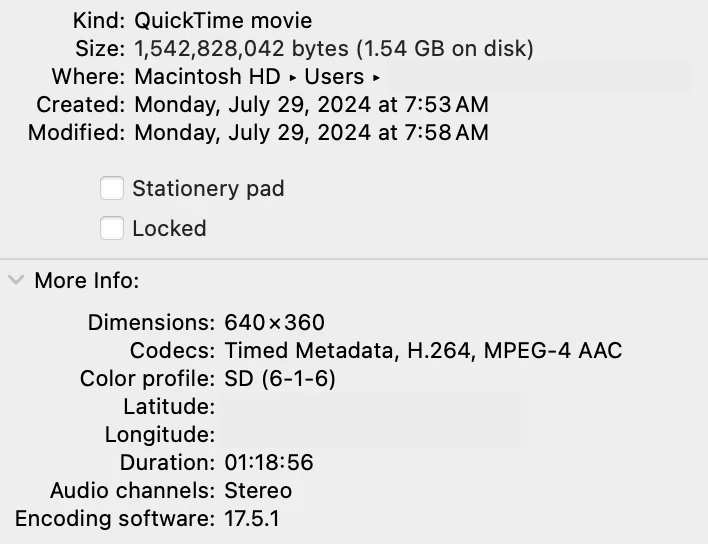
Experimenting with video in Audition so I can watch the performers, and it seems the video will render a significant part of the performance but then it either goes blank (unless I hit pause, then it shows the current static image) or somehow diplays another secition of the video?  Any advice for how to get this to work properly? I'm just using a reduced res (640x360) version of the video from my phone for this purposes  Eventually it will go to Premier for full res final video editing. 


Should I just go the Premieer as a start and then back to Audition? 

Attached are the file specs: 
 

This topic has been closed for replies.

1 reply

Participating Frequently
August 12, 2024

Audition's video player is crap. We've now gone months and months without a significant update (is Audition dead?). I usually suggest using a low-res video player as a workaround, but since you're already using this, I suggest making another one in an older codec: mpeg2.

dancingbrook
Known Participant
August 14, 2024

Tried that, creating an mp4 (simply using iMovie) and it "worked" but iMovie addedd 4+ seconds to a 120 minute video. Suggestions for either a method for coverting the video without stretching the length, and or shrinking the length back to original duration? (prefeably without going to Premier) which is a resourse hog.

Participating Frequently
August 15, 2024

I suggest using FFmpeg. But it is command line. If you want to give it a try it will solve most of your audio and video conversion needs.