
Community Expert
June 6, 2024
Question

Blackmagic ASIO issue

  • June 6, 2024
  • 2 replies
  • 703 views

I 've just updated the Blackmagic Desktop Video ( and Audio) driver to V14, which also required a firmware update for my Ultra Studio 4K. I now find that in Audition when there are inpulsive sounds they are followed by what sound like tap dancing. This is using the ASIO driver with the default settings:
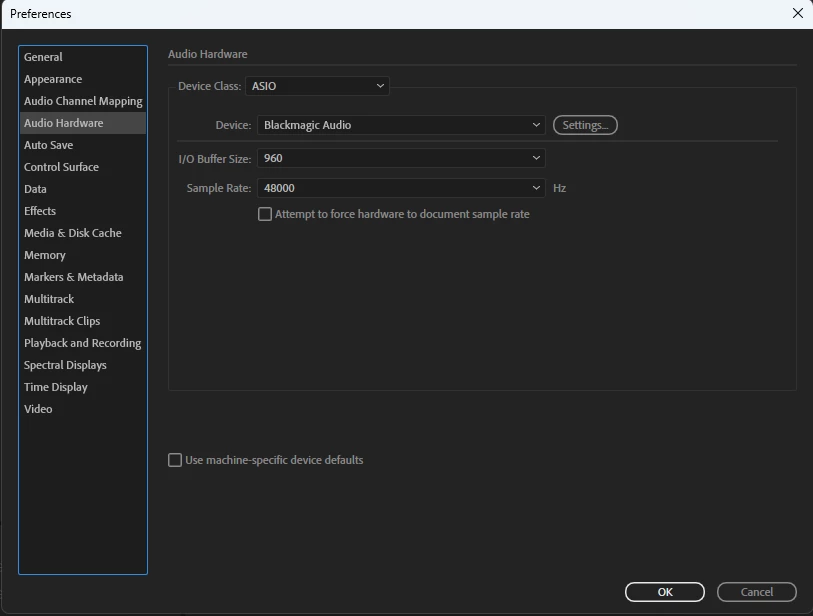
The exports are fine, just the monitoring.

Using the MME driver with the same hardware is fine.

Using the same ASIO driver and settings in Premiere is also fine.


Not sure if this is a Adobe or BM problem.


Windows 11

i9-9900k

64 GB ram

RTX 2070 Super

This topic has been closed for replies.

2 replies

Community Expert
June 7, 2024

I don't have any options to change the buffer size or the sample rate.

Here is a short video showing playback from Premiere and Audition, both using the same hardware and ASIO settings


It's ironic that it is music for a tap dancing show!

SteveG_AudioMasters_
Community Expert
Community Expert
June 7, 2024

It definitely sounds like a buffer issue. Here, the MixPre's ASIO settings allow this:

Do you get no options to change this at all?

Community Expert
June 7, 2024

This is the only option:

BM has never given any options.

I can only think it was the BM update that caused the problem, it's odd that it works with Premiere and any other media player.

SteveG_AudioMasters_
Community Expert
Community Expert
June 6, 2024

Have you tried increasing the buffer size?