
Can't find the right setting for my microphone
Hi, hopefully I can find some help here as I can't seem to find an answer through googling.
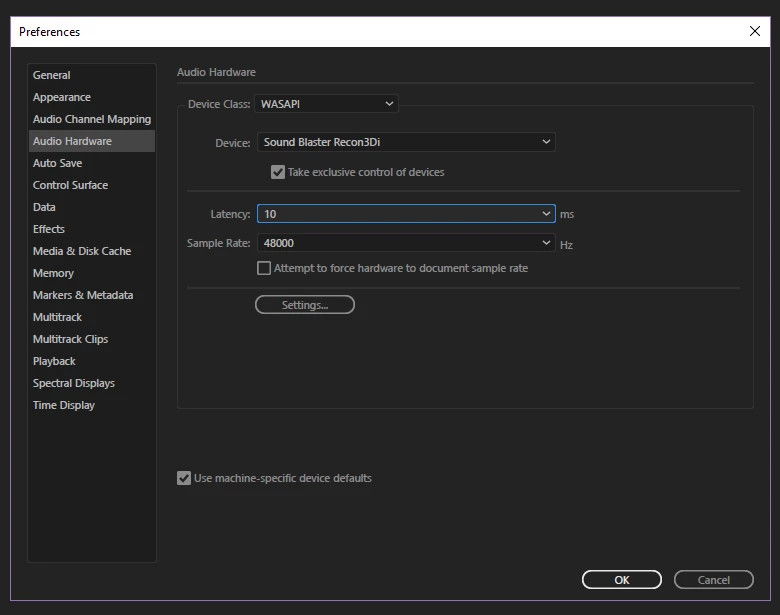
I'm starting a podcast and thought I would use Audition as my recording software seeing as it comes as part of the Suite. I'm 100% brand new to it but have been able to figure out a bit from going through the forums and what not. My issue is that the audio output seems to be corrupted from my microphone. I have a Rode VideoMic Pro that I've grabbed off my camera and I know it is working for input as I can see the waveform but, when I playback or export, the audio seems to be corrupted. I think I'm missing a setting or driver somewhere because I can record just fine in Audacity with WASAPI. In Audition, I have to change to MME for it to work, but having lower latency seems to be a good idea so I'd like to be able to record using WASAPI here as well.
If anyone has any thoughts on what to try, I'd really appreciate it. Thanks in advance 
Here is an example: audition - Google Drive
This is what my Audio Hardware looks like.
Channel mapping looks like this: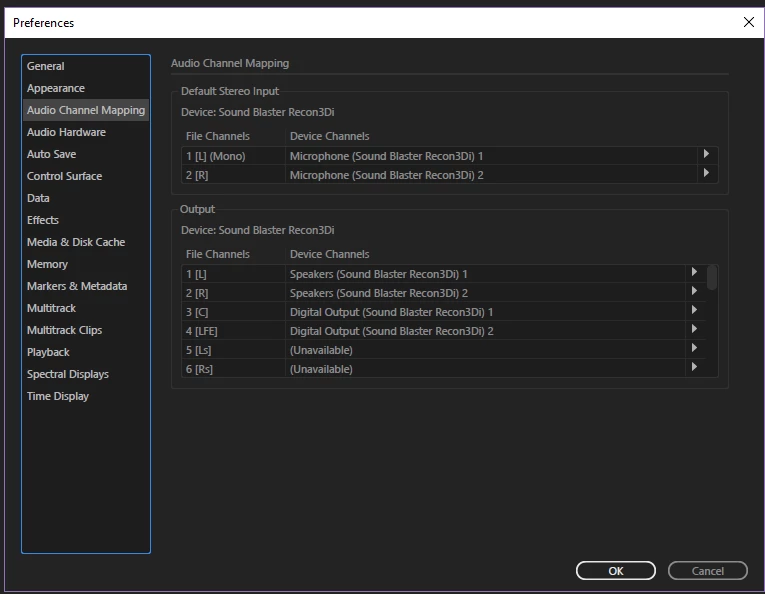
 AdChoices