Answered
Cant add facecam (CC 2015)
I cant get this yellow mark move , I want to add facecam , so i need facecam video to be smaller , and on top the main video , but it's doesn't move.
Any solution ?
Thanks
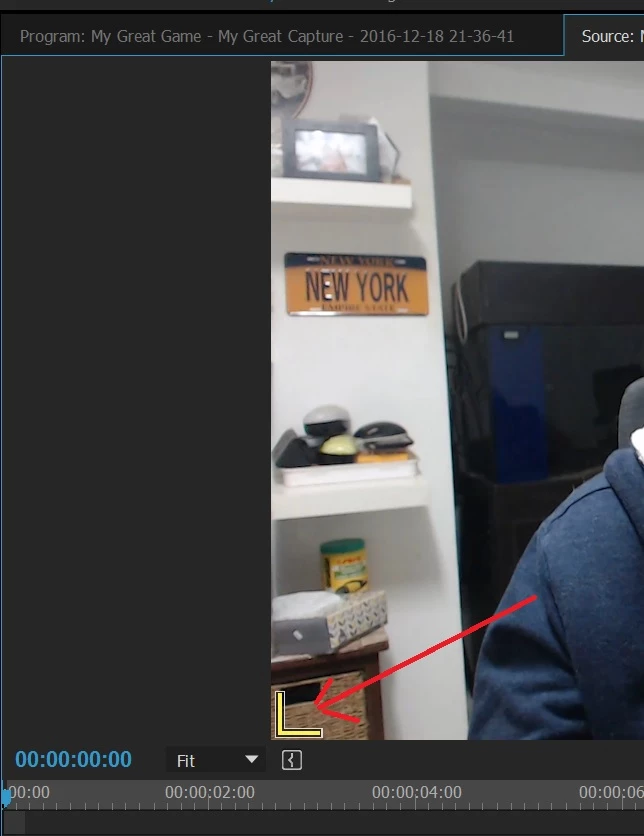

I cant get this yellow mark move , I want to add facecam , so i need facecam video to be smaller , and on top the main video , but it's doesn't move.
Any solution ?
Thanks
Are you trying to do a screen recording of yourself playing a game with your image up in one corner? If so, Audition is definitely not the appropriate software--it's for audio editing and, although it can show certain formats of audio as previews so you can do audio-for-video post production, it's not a video recorder.
My son sometimes does the "record himself playing and commenting on games" and I know he uses some specialist software designed for exactly such a purpose. I think there are some free apps or, if you a willing to pay, one called Camtasia is very good.
Already have an account? Login
Enter your E-mail address. We'll send you an e-mail with instructions to reset your password.
 AdChoices