
Drag-and-drop into Files window
PC user. I use a lot of sound effects from an online library when editing a podcast. So I'm regularly downloading files, dragging them into a set of organized folders on my HD, and then drag them into my project for use. It's on the fly, so I can't import everything I need before starting the work. It's odd to me that I can't drop the files directly into the largest box in the window, where the files actually live! I have to drop them in the narrow frame around that window. Kind of a dumb little issue and a minor nuisance at best, but it seems more intuitive to be able to do this, and it would increase my work speed just a bit. 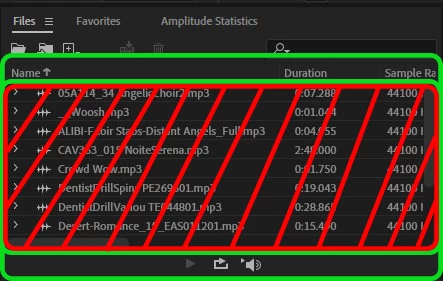
Image for reference if I'm not clear - can't drag and drop into the red area, you have to drop inside the green box.
Anybody else dealing with this? Am I missing something?
 AdChoices