Participant
April 23, 2024
Question

Having issues with ulaw file not uploading to IVA

  • April 23, 2024
  • 1 reply
  • 3603 views

I have recorded a 30 second piece for IVR and have gone through all of the steps to save it to a ulaw file, but the client is unable to upload it to their IVA system. Any suggestions on what the issue might be? 

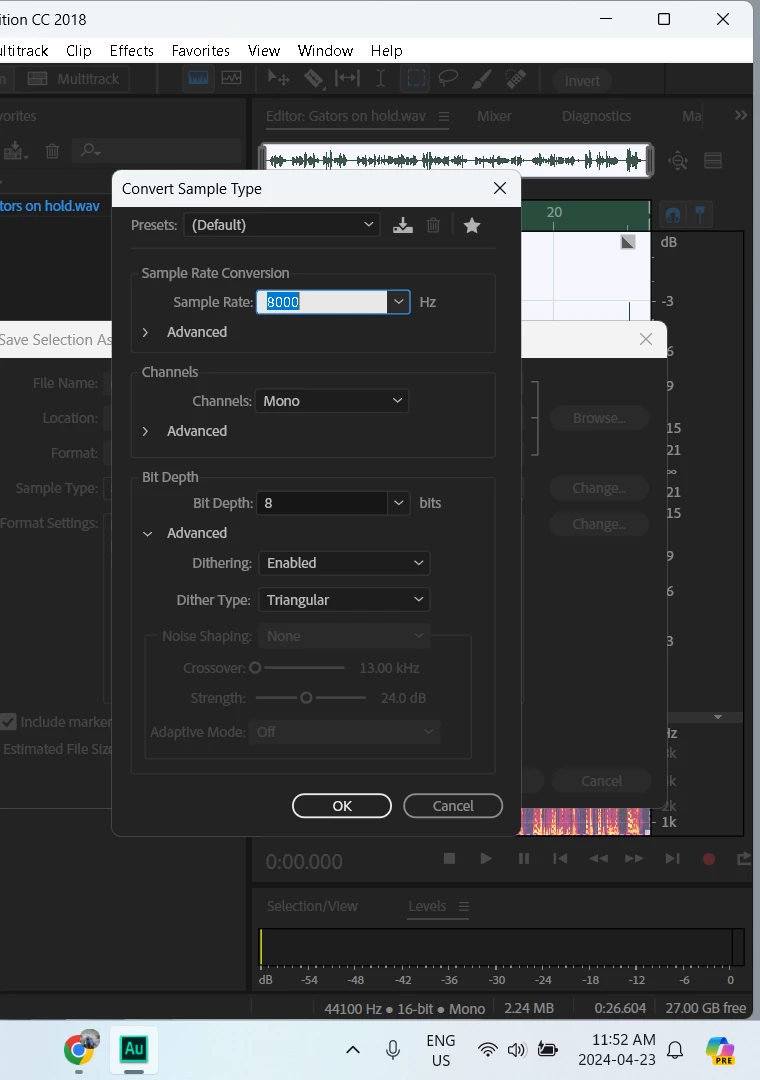
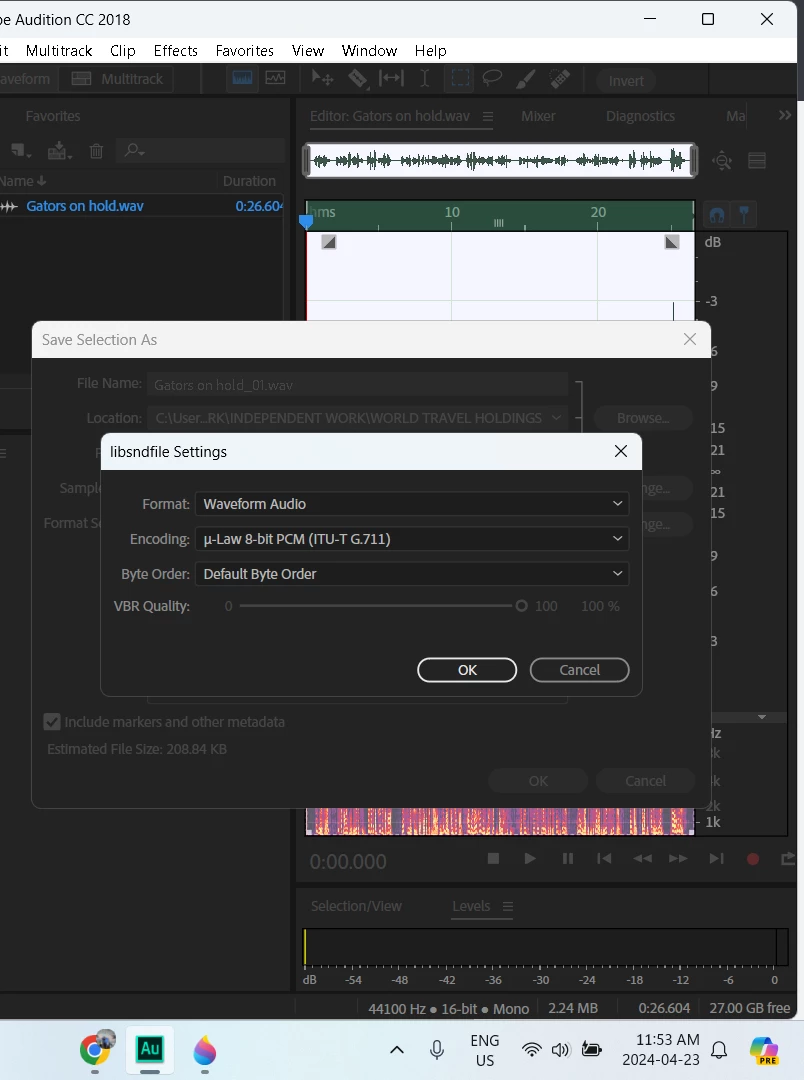
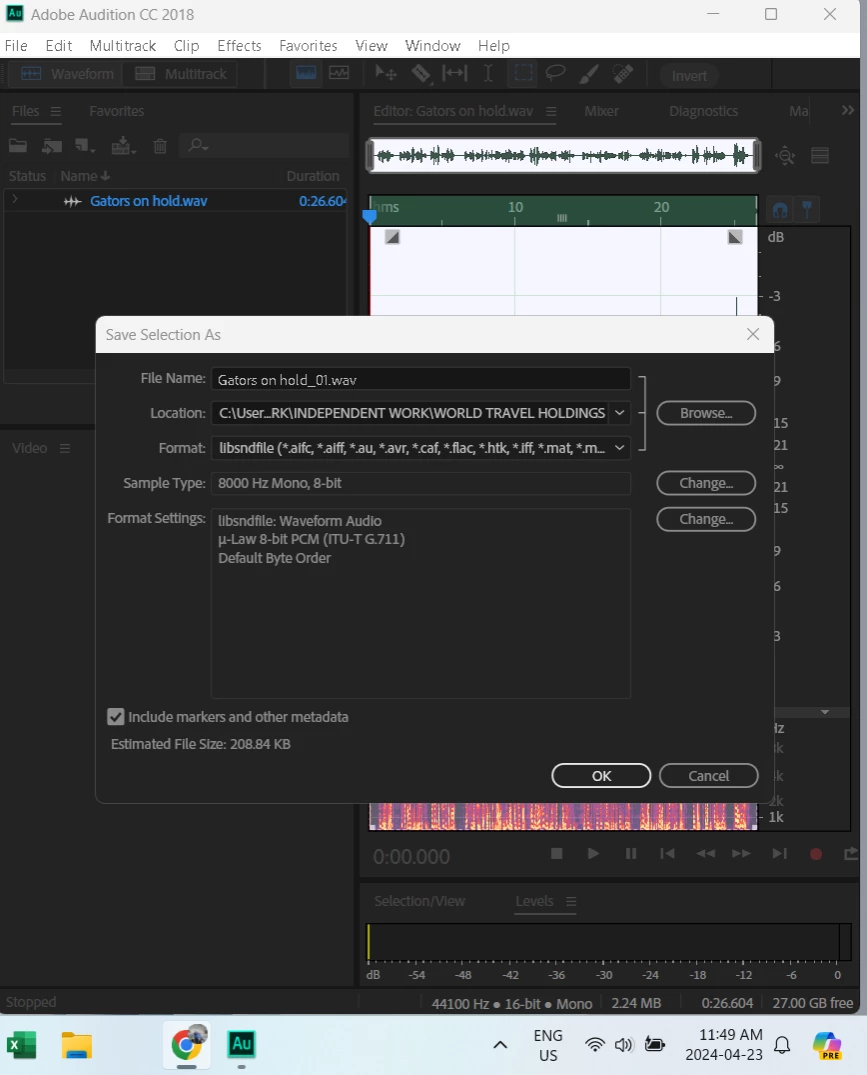
I've recorded an original wav file, then converted it to a ulaw file as per the pictures below.
This topic has been closed for replies.

1 reply

SteveG_AudioMasters_
Community Expert
Community Expert
April 23, 2024

There are quite a few slightly different formats used for IVR - do you have a specification for the one your client is using?

Participant
April 26, 2024

Yes, the client has given me 8,000 hz, mono, 8 bit settings saved as a ulaw file. We've tried several different settings to nail the issue down. Another issue I'm having is that I'm recording in 8 bit but the file properties are saving as 16 bit. Any idea as to why that might be happening?


SteveG_AudioMasters_
Community Expert
Community Expert
April 26, 2024

You'll probably find that the file is 8-bit, but when it's reopened in Audition it will be interpreted as 16-bit,  because Auditon can't open an 8-bit file directly - in just the same way that it can't open MP3 files directly - they have to be decoded. The way to check your file though is to right-click on it in the folder it's in and check its properties. For an 8-bit mono file with an 8k sample rate, it should show as 64kbps. In Audition, the properties will show the properties of the opened version - which is 16 bit, but the actual file isn't. Yes it's a bit confusing...


The normal procedure for making these files is to record them as 16-bit files at a sensible bit rate, keeping the dynamic range low and the audio normalized to -0.1 dB. Then make the saved version from this, using Audition to set the bit depth and sample rate in the 'Convert Sample Type' box that shows when you open the  ' Sample Type' settings. In other words, don't just rely on the Format Settings panel for this - select 8 bits in both.


If it still doesn't work after all this, report back.