
how to adjust volume of a selection as a ramp - shape volume
I want to adjust the volume of a selection so that it gradually gets louder or softer.
One repeating feature of voice files is that people often lower their volume as they complete a sentence. It starts out strong, but then the volume fades.
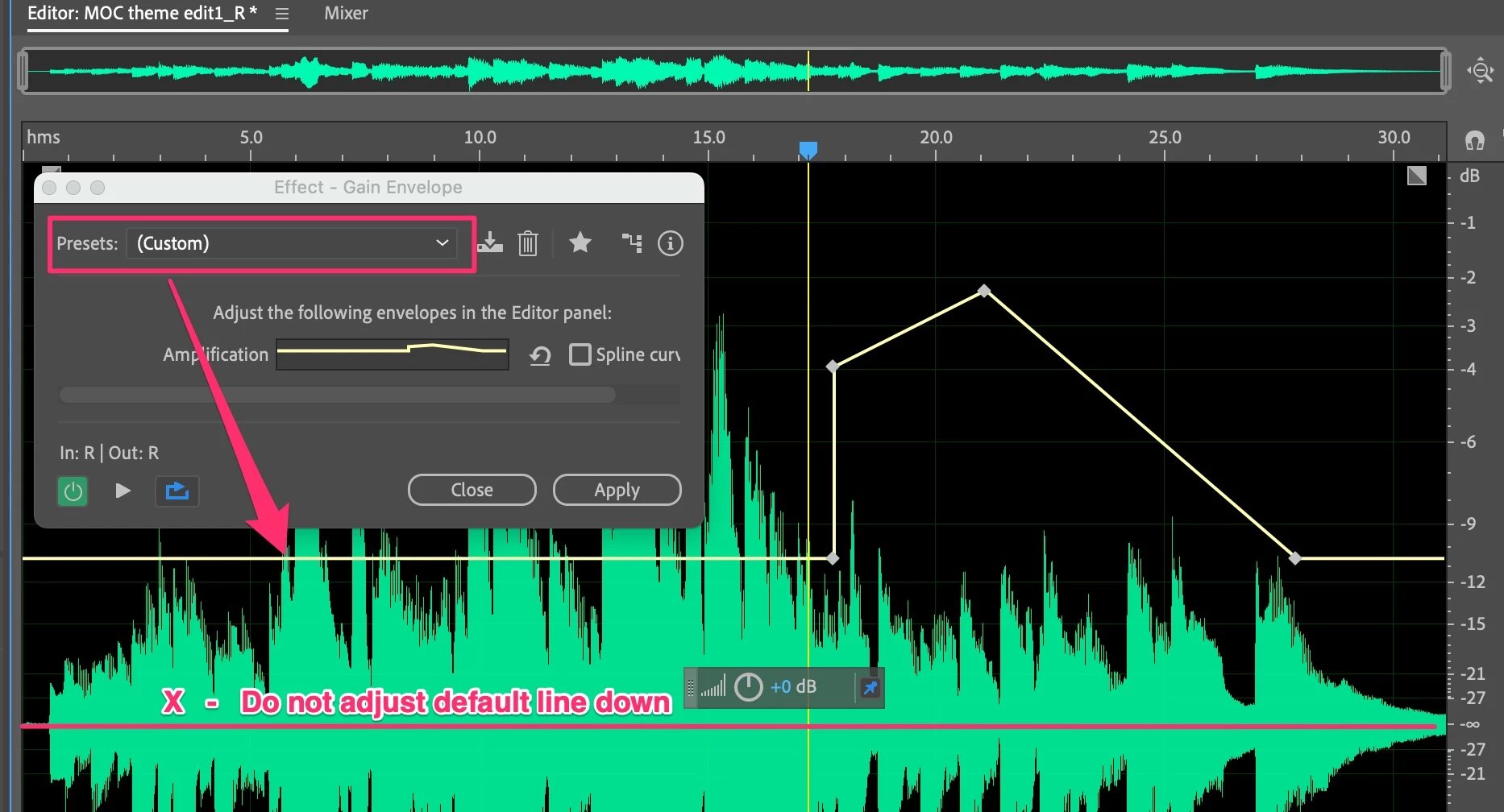
I moved from Goldwave to Audition. Goldwave had a feature called "shape volume" that allowed you to move points on a bar up and down across the length of a selected sound wave. So, you could select 5 seconds of a clip, then move the volume from 1 to 5 across the 5 seconds - so that the sound wave would get progressively louder. I could then "correct" the voice file so that the person's voice (sound wave) would go from fadeing in volume to steady in volume.
Is there a way to do this in Audition?
My compression SORT OF corrects for this, but is is global. I am wanting to do this for short selections of 3-10 seconds without changing the rest of the file.
 AdChoices