
oloccina
Participating Frequently
October 29, 2018
Question

Is it possible to manipulate a tone pitch with Audition?

  • October 29, 2018
  • 1 reply
  • 496 views

Hello,

I am new to Audition and I was wondering if it possible to manipulate a tone pitch.

Eg. I have created a 200 Hz tone and I want it to gradually ramp up to 300 Hz on a 15 minutes time span. Possible?

To say the truth what I want to accomplish is more complex, because I am working with monaural beats.

Eg. I create a 200 Hz tone and a 203 Hz tone, then I mix them together on a new track to obtain a 3 Hz beating frequency.
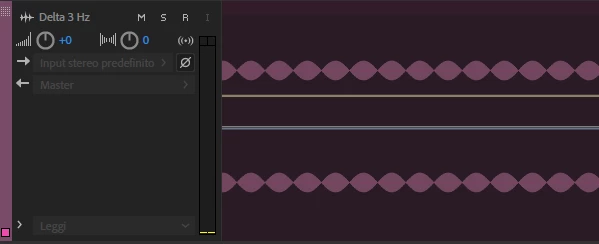
What I want is to gradually ramp up this beating frequency to about 200 Hz on a 15 minutes time span.

Thank you for any help!

This topic has been closed for replies.

1 reply

SuiteSpot
Inspiring
October 29, 2018

Have you tried using Manual Pitch Correction?

In the Waveform view select Effects > Time and Pitch > Manual Pitch Correction

If you are in Multitrack view double click the clip and then select Effects > Time and Pitch > Manual Pitch Correction

This is a 'destructive' effect so best to make a copy of the original first

ryclark
Participating Frequently
October 29, 2018

No need to change the tone in Audition since you can use the Generator in Audition to generate a sweep tone that starts at 200Hz and ends at 300Hz over 15 minutes.

oloccina
oloccinaAuthor
Participating Frequently
October 30, 2018

Oh... I see that option now, thanks. But my problem is I am trying to manipulate a beating frequency (monaural beat), not a normal tone.

For example I have a 3Hz beating frequency generated by mixing a 216 Hz tone with a 219 Hz tone, and I need to make this frequency ramp up to a 200 Hz beating frequency during 15 minutes.

I am not sure this is possible at all with Audition...

Thanks