
Items in the toolbar are greyed out - Audition 2020
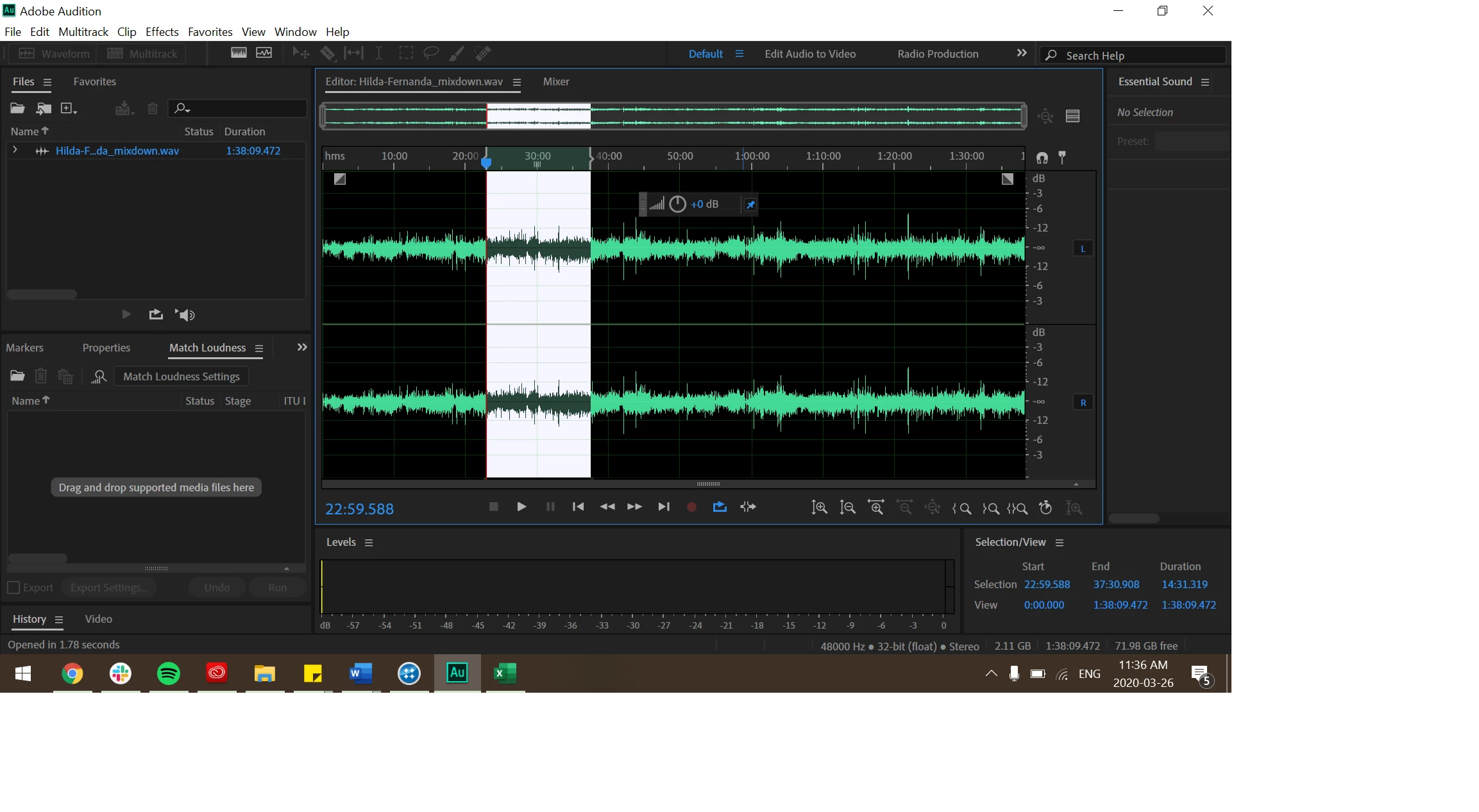
Hi everyone, I'm using Adobe Audition 2020. When I came on today to do some editing, I noticed that all my tools (to the right of "Show Spectral Pitch Display") are entirely greyed out. I have been unable to edit with the tools i.e. use the razor tool, move tool, etc. This is the first time it's happened to me and I was editing just last night.
- My Audition is currently up to date, and ran an update for the entire Creative Cloud this morning.
- The waveform file that is in the picture that I'm working on was actually a multitrack file from Audition 2019 from my work computer. I thought that there was a compatibility issue at first, so I created a mixdown on my laptop with Audition 2020 and tried to re-open it. I had found the issue again.
Any thoughts on how to deal with this? I'm going to restart my entire device as well and see, but I greatly appreciate any advice or fixes you folks may have. Thank you!
 AdChoices