
Participant
November 3, 2021
Question

Izotope RX8 plug-in not working in Audition 2022

  • November 3, 2021
  • 4 replies
  • 2843 views

Hello everyone


I've been using Izotope RX8 Elements for cleaning up audiobooks for a while now but suddenly it's stopped working. I get an error message on loading and the effects rack says 'missing'. If I try to re-add the plugin to a fresh session nothing happens - it just remains blank in the effect rack slot.


I still have Izotope installed and it still runs from it's own menu and seems fine. How do I get it back into Audition? Thanks! Screenshot below:
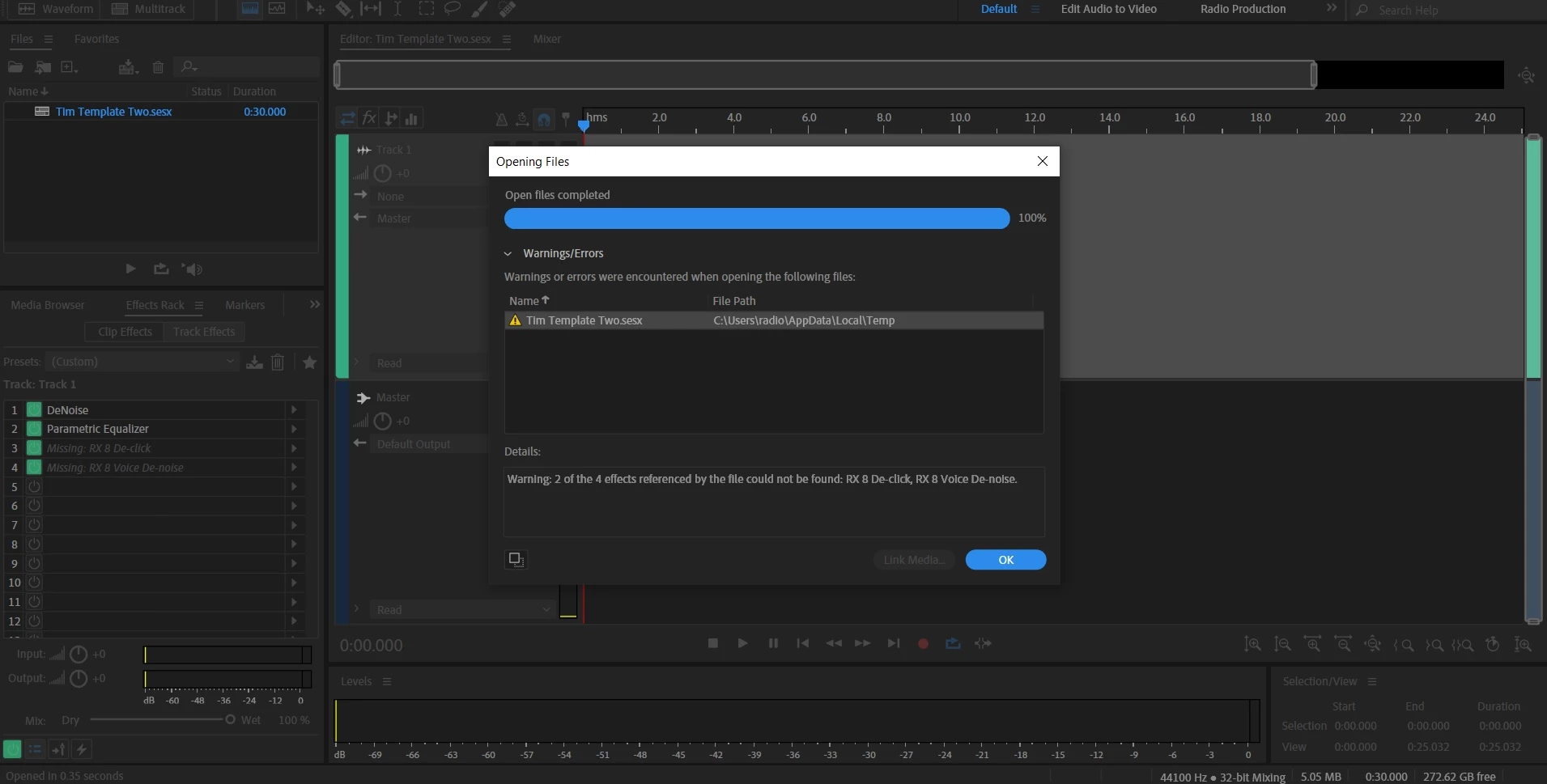


P.S Windows 10 PC.

This topic has been closed for replies.

4 replies

Participating Frequently
February 23, 2022

Did you update from 14.1?


I found the same thing with mine and reverting back to 14.1 fixed it.

Check this out - https://oeksound.com/articles/known-issues/

So I would guess that RX8 plugins are intel based, so you can't use on audition 14.2 onwards. humph.

Participant
December 19, 2021

i have a similiar issue. my plugins are now not showing anything except whats in that screenshot. What can i do now? 

Participant
October 29, 2022

were you able to resolve this issue? I've been looking EVERYWHERE and I still can't find a way to getting it to display correctly. It's driving me crazy. 

Participant
November 4, 2021

Strangely seems to be working again. I had to click on the arrow in the effects rack > AU> Izotope and then the plug-in and suddenly they load?! Didn't seem to want to do it under the VST/VST3 menu.


Never understood what the difference is between VST and VST3 anyway!

Legend
November 3, 2021

Interesting!


I have very recently updated to Audition 2022 and also have RX8 and RX9 installed on my computer.


On opening Audition (for the first time since the update) I noticed that RX8 was listed in the Audio Plugin Manager screen, but not RX9???  So I ran the Scan for plugins (without ticking the Rescan existing plugins box) and RX9 was now seen and available!


So, have you tried going to Effects>Audio Plugin Manager and ticking that "Scan for plugins" box"?  Does that "reinstate" the missing RX8 plugins for you?

Participant
November 3, 2021

I just tried scanning the plug-ins and they don't disappear. Also uninstalled and re-installed Audition and it's the same! 😞

Legend
November 3, 2021

Sorry, I don't understand what you mean when you write I just tried scanning the plugins and they don't disappear.  I wouldn't expect them to disappear, or am I missing something?