
Participant
April 4, 2019
Answered

'Mix Paste' Greyed Out in Multitrack Mode

  • April 4, 2019
  • 1 reply
  • 1177 views

Hi All,

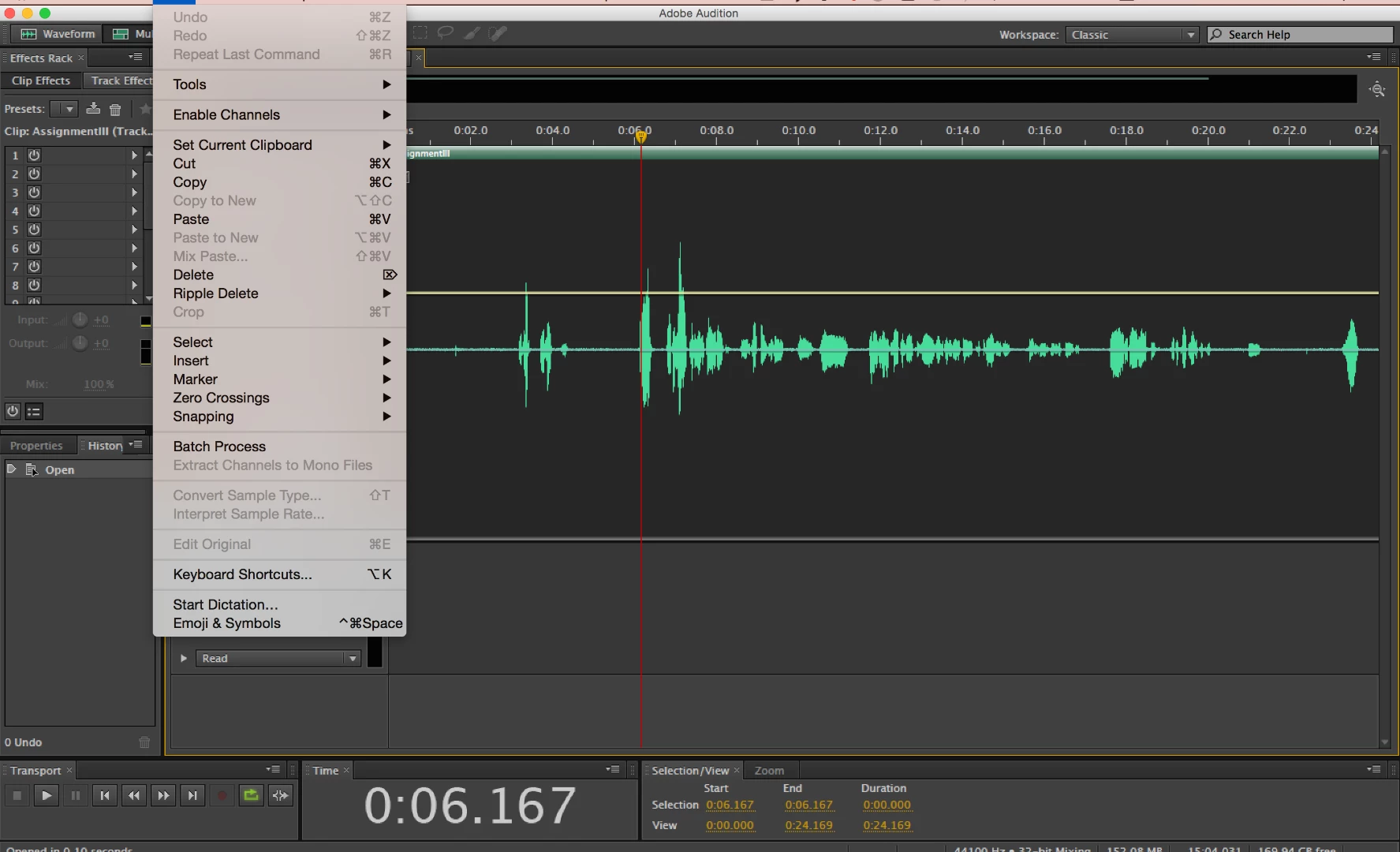
I'm trying to use the mix paste function while in Multitrack Mode, which has always been a simple enough procedure.

Lately, after selecting and copying a piece of audio, the option for mix paste isn't available, as shown in the image below. I'm using Audition CC6 and Mac 10.10.5. I'm not seeing anything in the forums on in help documentation that mentions this specific issue. Thanks!
This topic has been closed for replies.
Correct answer SteveG_AudioMasters_

I think you're a little confused... you've never been able to mix-paste in multitrack, because the concept simply doesn't exist; it's only ever been a Waveform option. The whole purpose of multitrack view is to let you be able to control the way things are mixed, by having everything as 'virtual' and therefore adjustable. A mix-paste operation goes completely against the grain of that!

1 reply

SteveG_AudioMasters_
Community Expert
SteveG_AudioMasters_Community ExpertCorrect answer
Community Expert
April 4, 2019

I think you're a little confused... you've never been able to mix-paste in multitrack, because the concept simply doesn't exist; it's only ever been a Waveform option. The whole purpose of multitrack view is to let you be able to control the way things are mixed, by having everything as 'virtual' and therefore adjustable. A mix-paste operation goes completely against the grain of that!

Participant
April 4, 2019

You're quite right. Thank you!

I seemed to recall mix paste being an option in Multitrack but your explanation makes sense...I was hoping for a perfect world where I could trim and cross-fade edited regions while also being able to mix paste.

ryclark
Participating Frequently
April 4, 2019

You can always copy a clip to a Unique copy which can go on another track to be mixed in with the rest (which is similar to a non destructive Mix Paste).