
Question
Phantom Workspace Icons
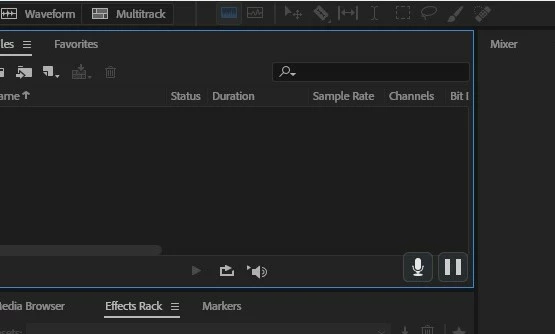
Since upgrading to Audition CC 2018, I have 2 phantom icons that appear in every workspace window within audition CC 2018 and i can not get rid of them.
I run a suite of Adobe products and this is the only one that has this issue. The icons in question are the mic and pause icons as depicted in picture below at bottom right.
If anyone knows how to get rid of them I would be greatly appreciated.
I have uninstalled and reinstalled and this has not changed it
 AdChoices