

Eileen Rose G
Participating Frequently
February 27, 2022
Question

Problems onverting stereo to mono in latest Audition v22.2

  • February 27, 2022
  • 2 replies
  • 251 views
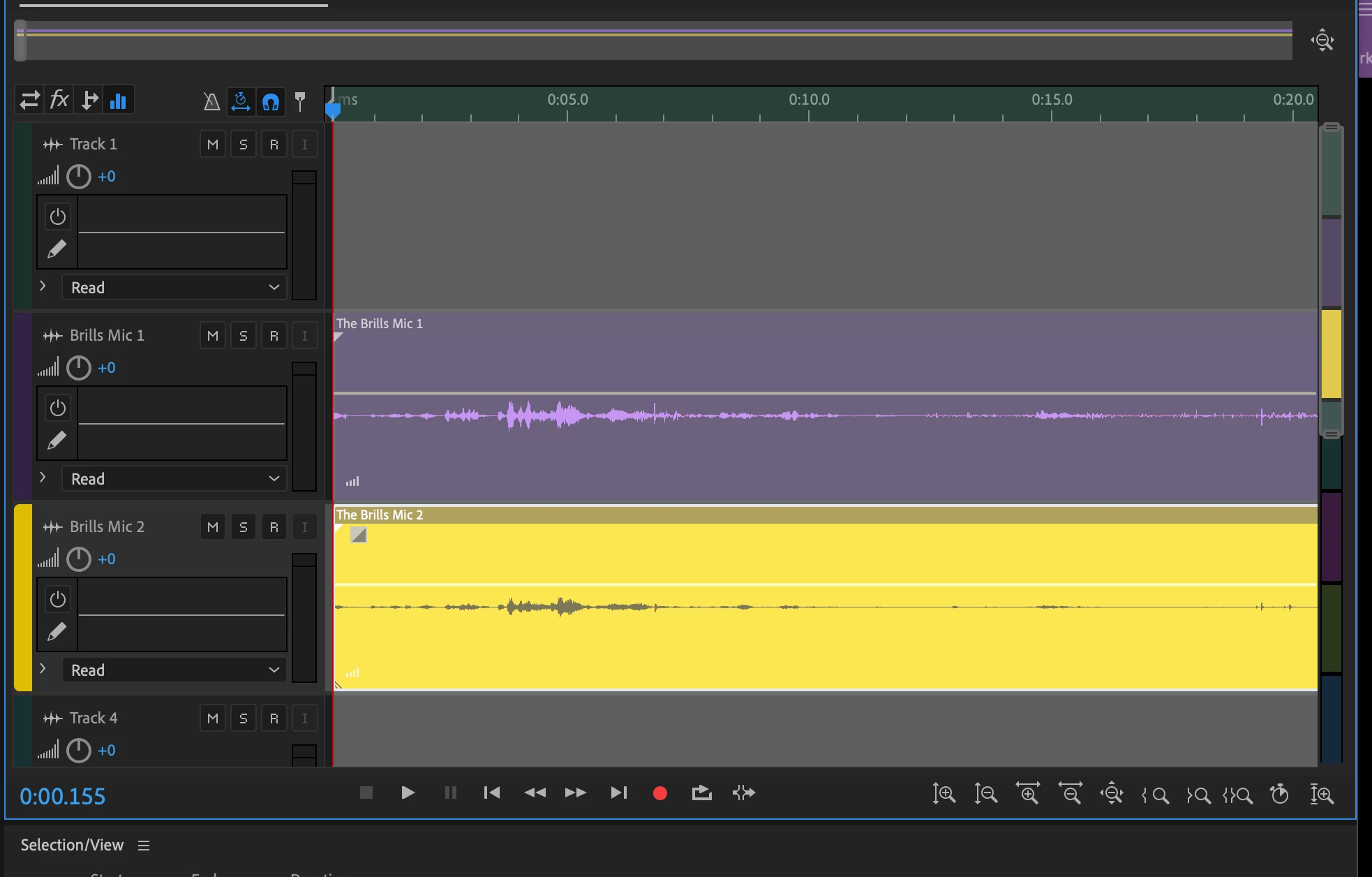
Hi there. I recently updated to the latest version of audition. Now, whenever I convert a WAV file from stereo to mono, the tracks gray out and are uneditable. Please see screenshot. (I have it set to 16 bit.) Any idea what I'm doing wrong? Or should I uninstall the update? Thanks very much for your help! ... View more
This topic has been closed for replies.

2 replies

SteveG_AudioMasters_
Community Expert
Community Expert
February 27, 2022

I'm not quite sure what you are doing here, because you are in Multitrack view, and actual file conversion is something you can only do in Waveform view. If you want to put the channels of a stereo file into their own individual tracks though, there's a much simpler way of doing it. If you just import the file into Multitrack view, you'll find that you can use the twirl-downs to expose each channel - which you can drag onto whatever track you choose.


That bit I've ringed is a twirl-down, and clicking on it will reveal:

Eileen Rose G
Participating Frequently
February 27, 2022

I'm sure this is user error, but just to clarify, here's what I'm trying to do.

I recorded my interview in stereo using an Zoom HN1.

I transferred the WAV files onto my desk top.

I loaded them into my Audition session.

I used the Waveform view to convert the stereo tracks to mono, chose convert sample session, Mono, 16 bit.

I clicked back to Multiview but the tracks our grayed out.  However, I've found that I can still edit them, they're just gray.

I'm going to start again and  try the way you suggested, though.

Thank you very much for your reply!

SteveG_AudioMasters_
Community Expert
Community Expert
February 27, 2022

It is a lot easier this way - you don't have to convert anything, and you retain the ability to alter the channels independently - without losing the original.

Peru Bob
Community Expert
Community Expert
February 27, 2022

I've moved this from the Using the Community forum (which is the forum for issues using the forums) to the Audition forum so that proper help can be offered.