kevinh42561106
Participant
December 11, 2019
Question

Problems with silence and amplitude effects applied to selections

Hey friends,


I've had an ongoing problem where: 1. I make a selection and 2. Apply the 'silence' effect or, reduce aplitude through the HUD or the aplitude effect tool itself.


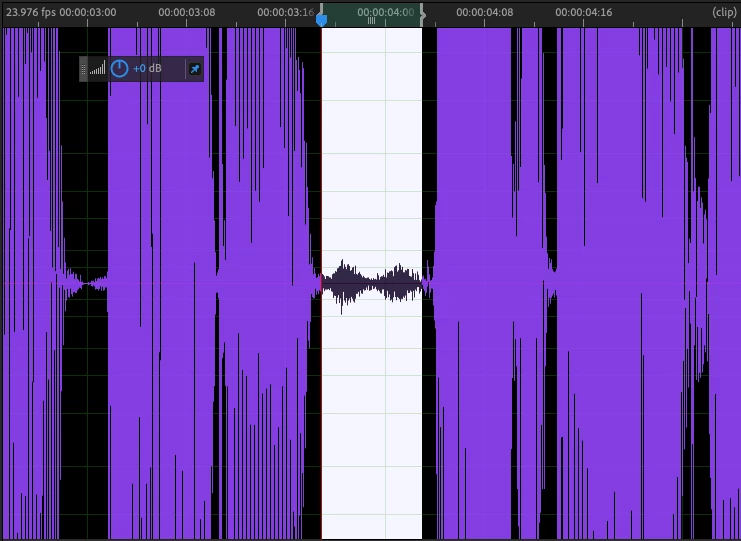
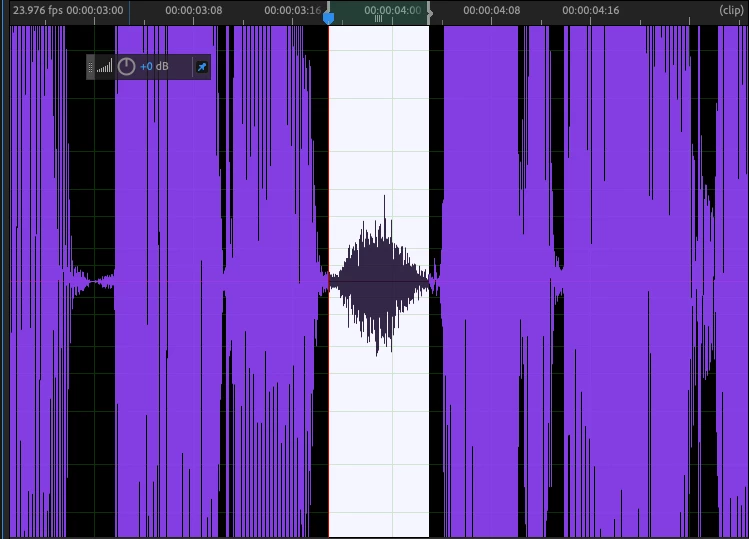
The result is always the same: Only the very center of the selection is adequately attenuated leaving the beginning and the end of the waveform within the selection at levels that are well above the applied level.


My only solution has been to keep re-selecting the waveform remnants and repeating the process. I'm removing breaths and ums from long dialauge recordings and the problem is driving me nuts!


Below are before and after pictures illustrating the problem:
 

Ce sujet a été fermé aux réponses.

1 commentaire

SteveG_AudioMasters_
Community Expert
Community Expert
December 11, 2019

Normally this sort of problem is associated with the 'smooth all edit boundaries' settings,  but the timing of your cuts seems to preclude that (when I'd converted your 23.976 drop frame setting back to time, it works out at about half a second). Not only that, but I can't replicate this here either. Which version of the software are you using? I think we need a little more to go on here...

kevinh42561106
Participant
December 13, 2019

Hi Steve,


I did look into the 'smooth edit boundaries' settings under Adobe Audition > Preferences > Data, and one of the two setting was set to 3000ms. I set it to match the other setting of 40ms, and it solved my problem. I'm not sure why is was defulting to 3000ms, but I'm glad I have a resolution to my problem.


Thanks for your help Steve!