Bruce in Gold Beach
Inspiring
July 8, 2023
Answered

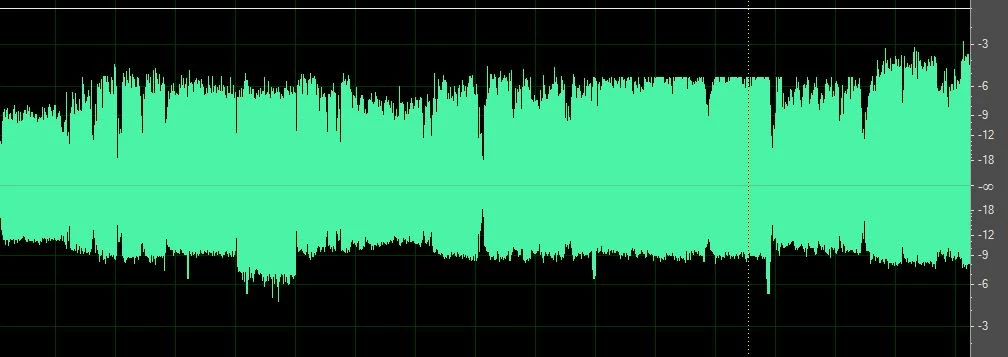
Recorded Music from infinity mark to -3 Db on top is greater than from infinity to the bottom

  • July 8, 2023
  • 1 reply
  • 351 views

This is a recording live from 1971 and I want to clean it up but do not know how to even the track so from the middle to the top and from the middle to the bottom are equal any ideas?

This topic has been closed for replies.
Correct answer SteveG_AudioMasters_

I will figure it out in time I am sure but in the mean time something else has happened and I don't know why, the amplitude adjuster I usuall see when I select a part of a recording in the edit section mot multitrack is missing this is what it used to look like....
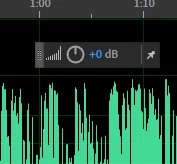
 Now it is gone and can't remember how I got it in the first place here is what I see now
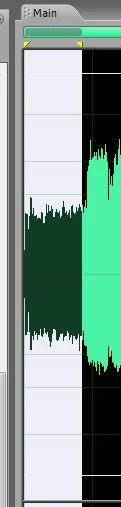
 i have clicked Amplitude where i can find it but do not see anyway to get it to be pinned when I select a section or for that matter the whole waveform. Sorry to be such a dork


View menu>On-clip UI - put a check in that, and it will come back!

1 reply

SteveG_AudioMasters_
Community Expert
Community Expert
July 8, 2023

This is asymmetry rather than a DC shift (read about the difference here ), and Audition used to have a tool that cleaned this up pretty well - but that was many versions and complete rewrites ago. If you have Audition 3 it's available in that. If you don't, then there are a couple of other options; There's iZotope's RX series of processors, as mentioned in the article I linked above, or for considerably less money (i.e., free) there's a suite of VST plugins available which includes one called PhaseNudge, which will almost certainly sort this out - you'll find them here. 

Bruce in Gold Beach
Inspiring
July 8, 2023

I do have Adobe 3.0 although after reading all the things you suggested I am more confused than ever, please know I am probably the oldest rookie radio host ever in history, so my learning curve is and has been quite steep. I only have been doing this for 5 years, my radio show is enjoyed by most of the folks in our community (super small market) So I guess what I need is help finding the correct place in Adobe 3.0 to click and fix this if that is even possible.

SteveG_AudioMasters_
Community Expert
SteveG_AudioMasters_Community ExpertCorrect answer
Community Expert
July 8, 2023

I will figure it out in time I am sure but in the mean time something else has happened and I don't know why, the amplitude adjuster I usuall see when I select a part of a recording in the edit section mot multitrack is missing this is what it used to look like....

 Now it is gone and can't remember how I got it in the first place here is what I see now

 i have clicked Amplitude where i can find it but do not see anyway to get it to be pinned when I select a section or for that matter the whole waveform. Sorry to be such a dork


View menu>On-clip UI - put a check in that, and it will come back!