
AJd3009
New Participant
January 18, 2017
Question

Remove reverb/echo after noise reduction

  • January 18, 2017
  • 1 reply
  • 18587 views

Hi everyone,

I'm very sorry, first time posting here so I'm not sure if this have been adressed before.

I'm having trouble getting rid of some reverb/echo sound around my voice after using "noise reduction (process)" (noise reduction 100%, reduction by 30dB). I'd like to have a crisp clear voice sound and not that echo, while remaining loud enough on a low to medium sound volume.

I use a Zoom H1 to record (settings 48/24, input 100 (can't really hear otherwise) and a Lavalier Audio-Technica ATR3350.

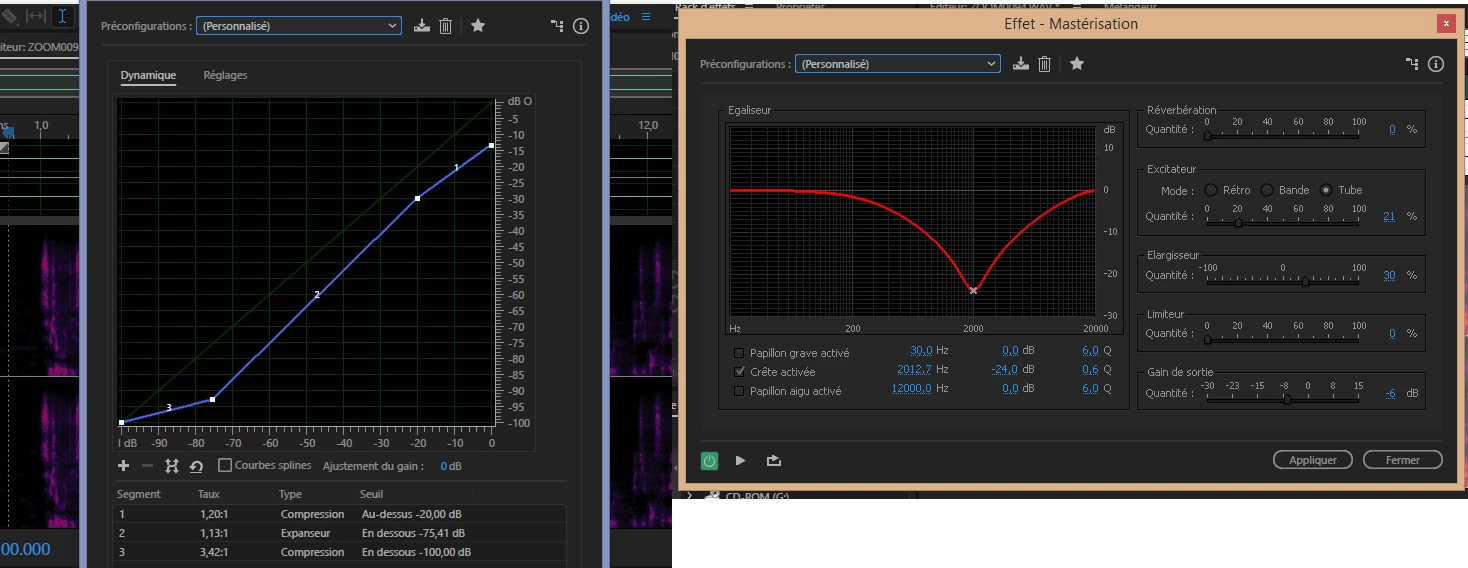
I tried to improve the sound through Dynamic Processing and Mastering and managed to work on it well enough that you can't really hear it, but the volume is just way too low. No matter how much I increase the volume, I still have to put my computer volume all the way up to be able to clearly hear the sound. Because I sync it with a video afterwards, causes huge problems with hearing properly. (see pictures below)

Can anyone give me a hand on how to fix this problem? That would be very much appreciated.

Thanks everyone.

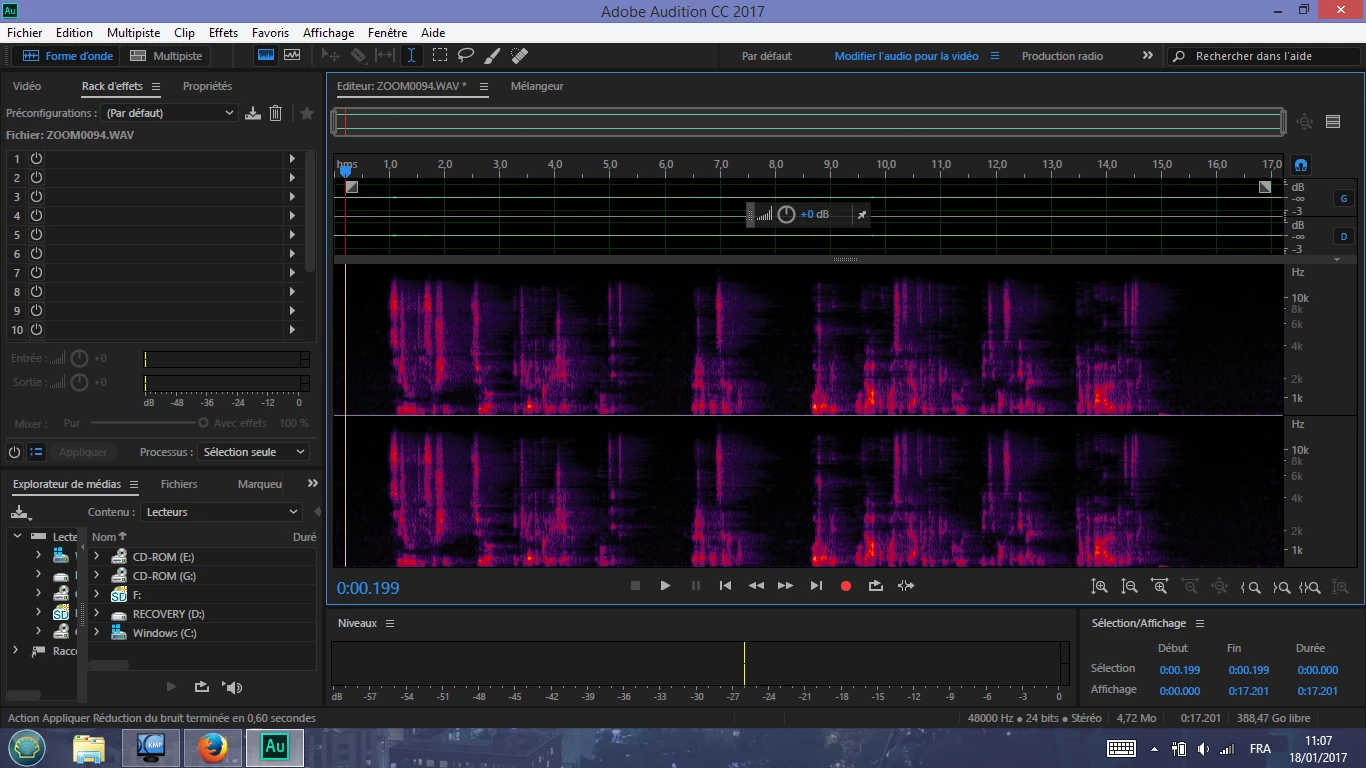
This is what it looks like after noise reduction
I used those two settings to improve a bit the sound
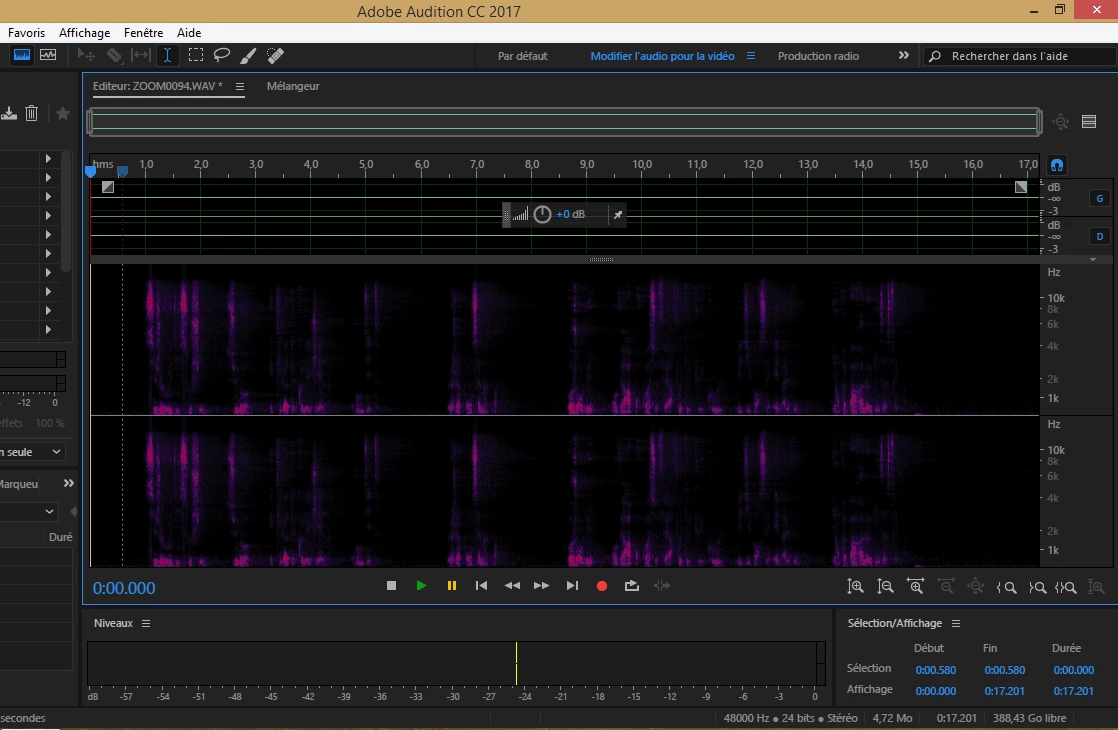
And this is what I get afterwards (very hard to hear and increasing the volume at this point doesn't do much).
This topic has been closed for replies.

1 reply

ryclark
Participating Frequently
January 18, 2017

Those hollow reverb type sounds after Noise Reduction indicate that you have tried to do too much NR. It is often better to do several passes at much less reduction with increasing FFT settings.

But in the long term there is obviously a problem with the way the original recordings are being done which is producing such low levels in the first place. You really need to sort out what is going on with the AT mic and the Zoom. Are the recording levels much better just using the Zoom's internal mic? Also how are you getting the audio files into Audition? Are you recording on the Zoom and then moving the files onto your PC or using the Zoom as an audio interface for Audition and recording straight in?

AJd3009
AJd3009Author
New Participant
January 18, 2017

Thanks ryclark for your answer.

I haven't tried much recording with the Zoom mic to be honest as I thought having the AT mic on me would work well straight away. I'll quikly try it.

Regarding the files, I'm recording on the Zoom and transfering the .wav files onto the PC. Does using the Zoom as an audio interface makes a big difference?

AJd3009
AJd3009Author
New Participant
January 18, 2017

I'm not surprised that you have trouble - those record levels (judging by the waveform levels anyway) are very low. At that sort of level, you'll have to get rid of a significant amount of system noise as well as general background noise.

So if you want to fix this properly, so you don't need to use oodles of NR, I think you need to look at the entire recording chain. Initially, how have you connected the mic to the H1? Have you made sure that the external input is set to mic, and not line?


Hey Steve,

It's entirely possible I didn't properly set the mic/H1 connection. I'm afraid I didn't understand what you said about external input though. I've connected the mic to the H1 via the mic/line in plug and then set to 48kHz/24bit, with a input level of 100 (which causes that significant noise, I know, I've decreased it). Is that not the correct way to proceed? I didn't see how to separate "mic" from "line".

Thank you very much for your help, I'm obviously lost here.