

Ripple Delete doesn't keep integrity of grouped clips and shifts only current track
I'm working in current Audition CC.
Perhaps it is my misunderstanding of how grouped clips work but when I group clips is so they stay in the exact same spot in relation to one another so if I move one they all move together, meaning they are sort of locked to one another.
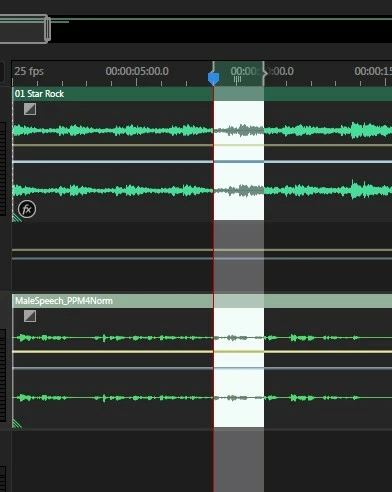
I was looking for a way to when cropping a clip to quickly delete that new middle clip and bridge the gap created instantly so I don't have to delete and move the tracks manually. Ripple delete seems to do exactly that but then suddenly I noticed that it moves the clip to the right of the gap to bridge the gap on the track I'm editing but the clips grouped to this moving clip on other tracks are not shifting with it, basically shifting the structure of the grouped clips I tried to maintain by grouping tem to begin with.
Am I missing something? Is there a way to force lock clips together to one another that nothing other than cropping/slicing will be able to mess with? Is there an alternative to ripple delete that achieves the same result without messing with my grouped clips?
Thanks in advance!
 AdChoices