

sound removal in "silent" areas
Hi all, following on from a previous thread (Re: Editing - faster selection of audio segments ) ...
Now that i am able to isolate areas of speech from "silent" areas using markers, i'm wondering if there is a way to apply the "sound removal" process to JUST the areas defined as silent, i.e. the areas outside the markers?
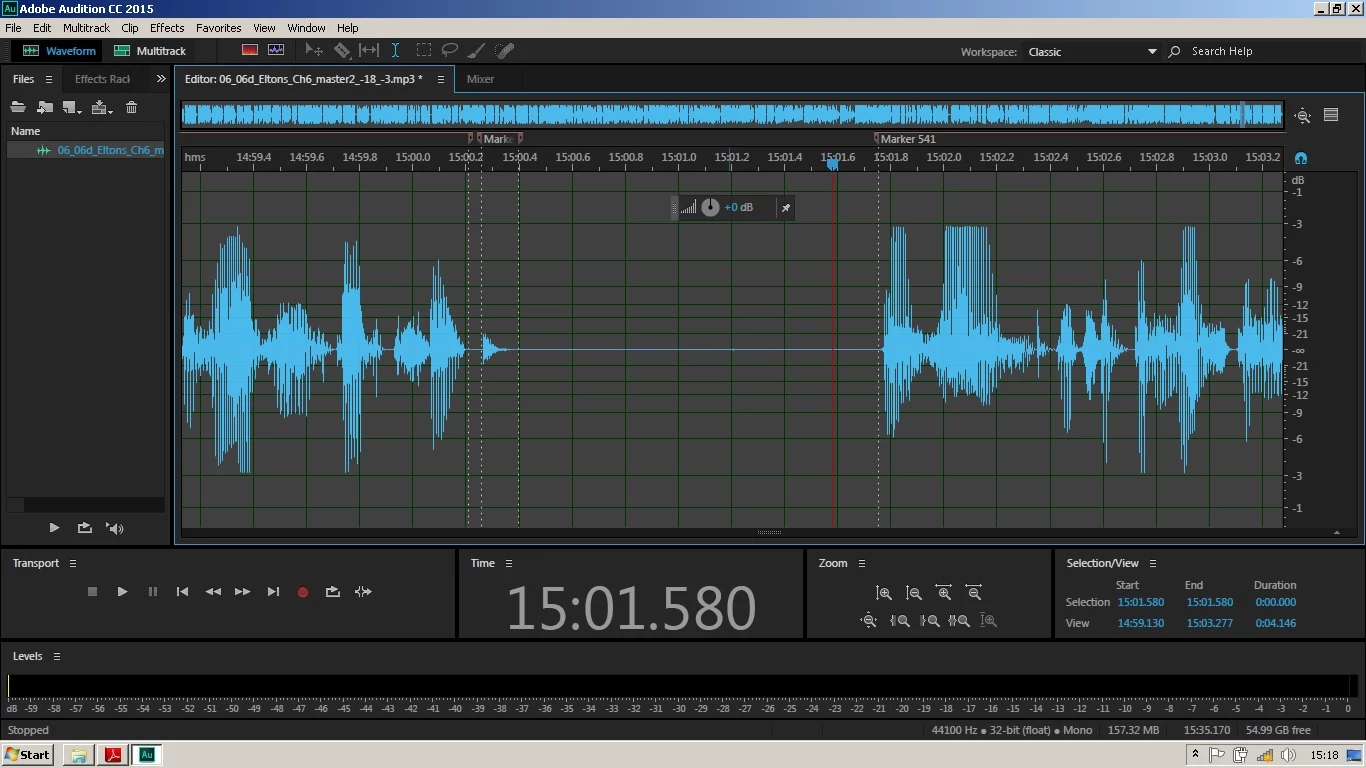
if you look closely at the "silent" area in the screenshot, you will see a slight blip around 15:01.2
I'm producing audiobooks and have an annoying, involuntary "flap" sound that my throat makes from time to time before taking a breath. It only registers about -43.5db, but still, i'd like to be able to clean it up! I have captured the sound and can remove it very effectively if i only apply the process to the silent area, but if i apply it to the whole file it totally destroys the main audio of my voice.
I want to be able to apply the process to the whole file in one go. At the moment, i'm taking them out manually as i go and it's fiddly and time-consuming.
Any ideas? Cheers 
 AdChoices