
Participant
May 21, 2021
Question

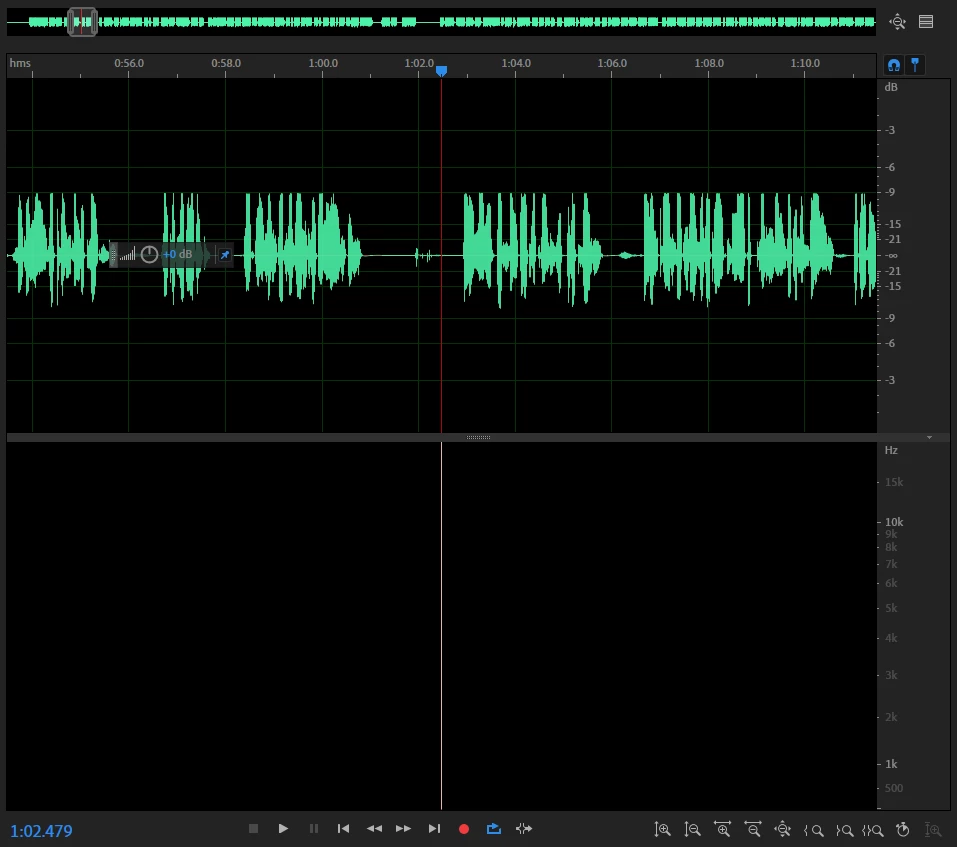
Spectral view is black, no sound, but wave forms show

  • May 21, 2021
  • 5 replies
  • 1048 views

Hello,

I was in the middle of working on editing a file, both wave form and sepctral view open, when all in a sudden I got a prompt to save my file and restart Audition to prevent damage. When I reopened, I could no longer hear any sound and the spectral view was all black, though the wave form would still show. Any ideas what's happened there?
5 replies

Participant
October 30, 2023

Same issue multiple times, just lost a week's worth of work because it overwrote the file and now opens with black spectral view and just a waveform but no sound


SteveG_AudioMasters_
Community Expert
Community Expert
October 30, 2023

Well I can tell you what it is - but I can't tell you why it's doing it. All the display information has come from the .pkf file associated with the actual audio file. Normally in the event of a discrepency between the waveform and the .pkf file results in the .pkf file being updated to represent what's in the waveform. Somewhere this process appears to have gone wrong, and what appears to be a file with audio in it doesn't contain any - hence no spectral display (which is generated differently).


I suspect that this has everything to do with dodgy temp files, since there appear to be crashes involved.

Participant
September 9, 2022

I've had this issue multiple times. I'd love a solution, sometimes I've lost hours of work. 

Community Expert
June 15, 2022
Paul_Ferguson
Inspiring
June 15, 2022

Is Spectral View blacked out for every file you open, or just for that one?

Participant
June 14, 2022

I am having the same problem. If you figured out how to fix it pls let me know T-T