
Participant
June 13, 2017
Question

Track Effect VST compressor is deactivated upon Export

  • June 13, 2017
  • 1 reply
  • 480 views

Hello!

I'm finishing up final audio adjustments for a video, and I'm running into a problem. When played back in Audition, everything sounds great and how I want it, but when I export back to Premiere my VST compressor doesn't affect the audio. I've tried exporting in several different formats, and exporting the "multi-track mixdown" to later import through Premiere but the same thing happened. Is there some way to export in real time to capture the effects? Or have I done something wrong?
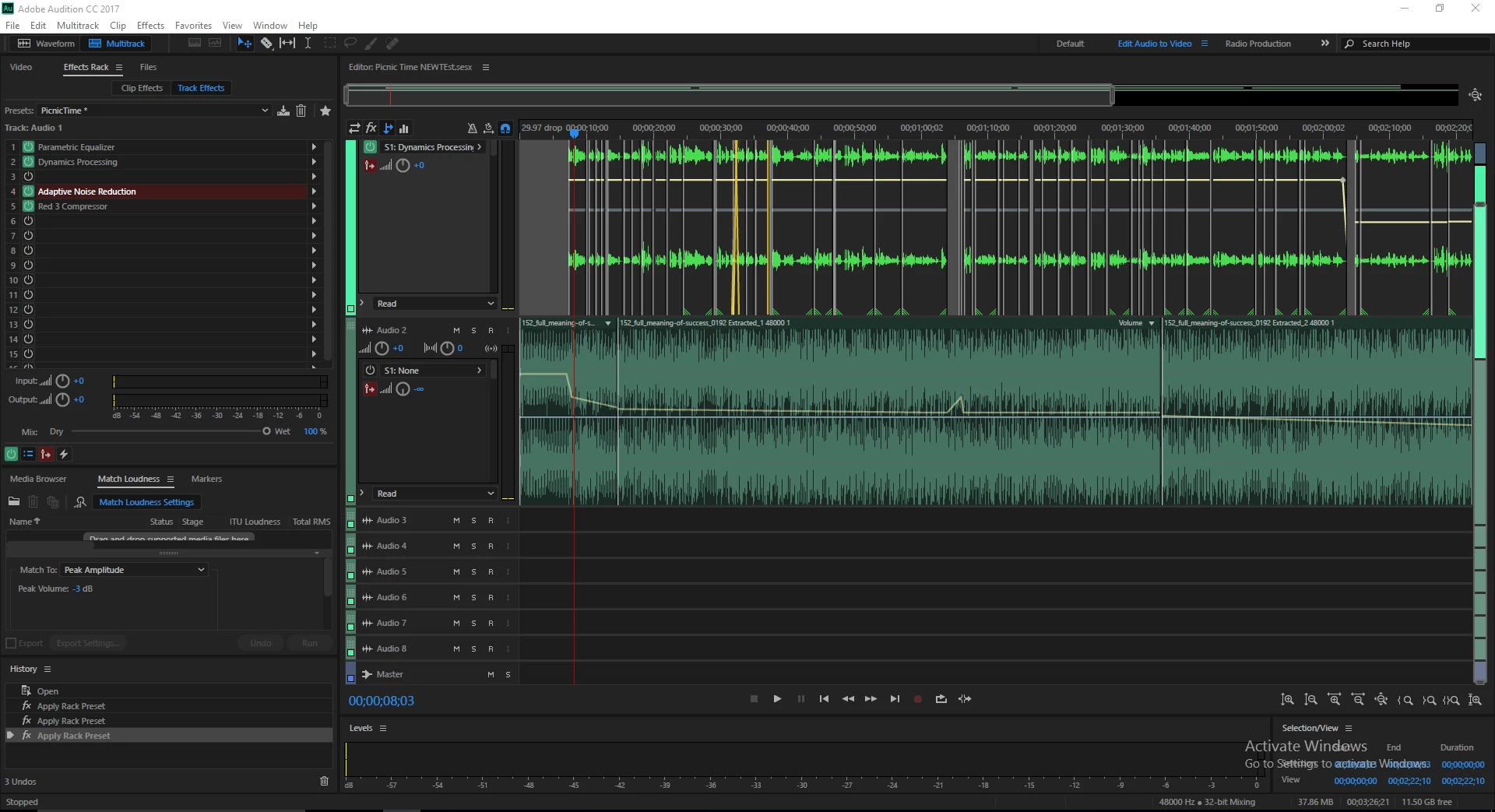
I have my narration side-chained to a separate, non-vst compressor if that could be causing the problem, but I don't think that's it. The VST compressor I'm using is the Focusrite Red 3 Compressor, which appears to be the only effect not working upon export.

Thanks in advance for help, let me know if there's more information you need.

-Sean

This topic has been closed for replies.

1 reply

Bob Howes
Inspiring
June 14, 2017

Puzzling.

When you export the multitrack mixdown, does the mixed track play properly in Audition and only fail in Premiere or does the VST disappear at the time of the mixdown?

Participant
June 14, 2017

Hi Bob,

The compressor doesn't disappear at the time of mixdown, and the exported mixdown is also quiet when played in Audition. I opened the project file today and noticed that the vst compressor wasn't working initially, but it started working again when I adjusted the output gain. Once I fiddled with the dial a little, it kicked in. I'll be troubleshooting more today.

Edit: After pre-rendering the track, the compressor turned off again. It is still powered and activated, but it had no effect. Again when I adjusted a parameter it kicked in.

Bob Howes
Inspiring
June 14, 2017

Side chain compression can take careful and very precise set up. Let us know how you get on.

Sent from my iPhone