Cicadas. Complicated little things...
It's not just a band of noise; they have a band, certainly - from 5.5kHz to 7.5kHz, but there are also two separate narrower lines at 4.4kHz and 4.8kHz, and they all have to be dealt with separately. And they are not continuous, but fortunately that doesn't appear to matter too much. With a little care, and some rather extreme settings on Audition's process NR, you can get them to the point where you can't hear them. Well I can't, and I certainly could initially!
I tried this several times using different settings, and I discovered that all of the usual things about NR apply, so it's careful selection, a high FFT setting and several passes. To give you some sort of an idea, I've redone this on my laptop, from where it's relatively easy to post screen grabs:
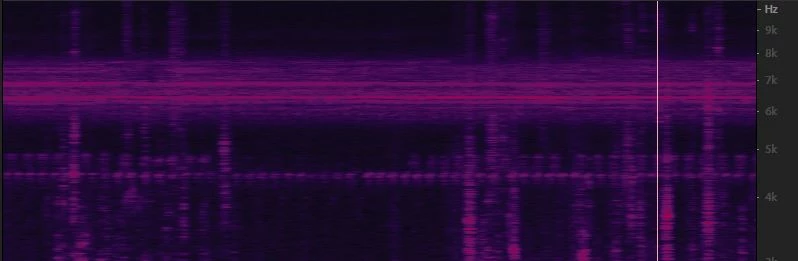
Okay, this is what you're up against. Initially I normalized the file to -1dB to make everything a bit clearer. We're looking at a section in the centre of the grab with no speech. At the top is the band you identified, but you will notice also that below it you can see the 4.4kHz and 4.8kHz (quieter) bands as well.
First you have to make a careful selection:
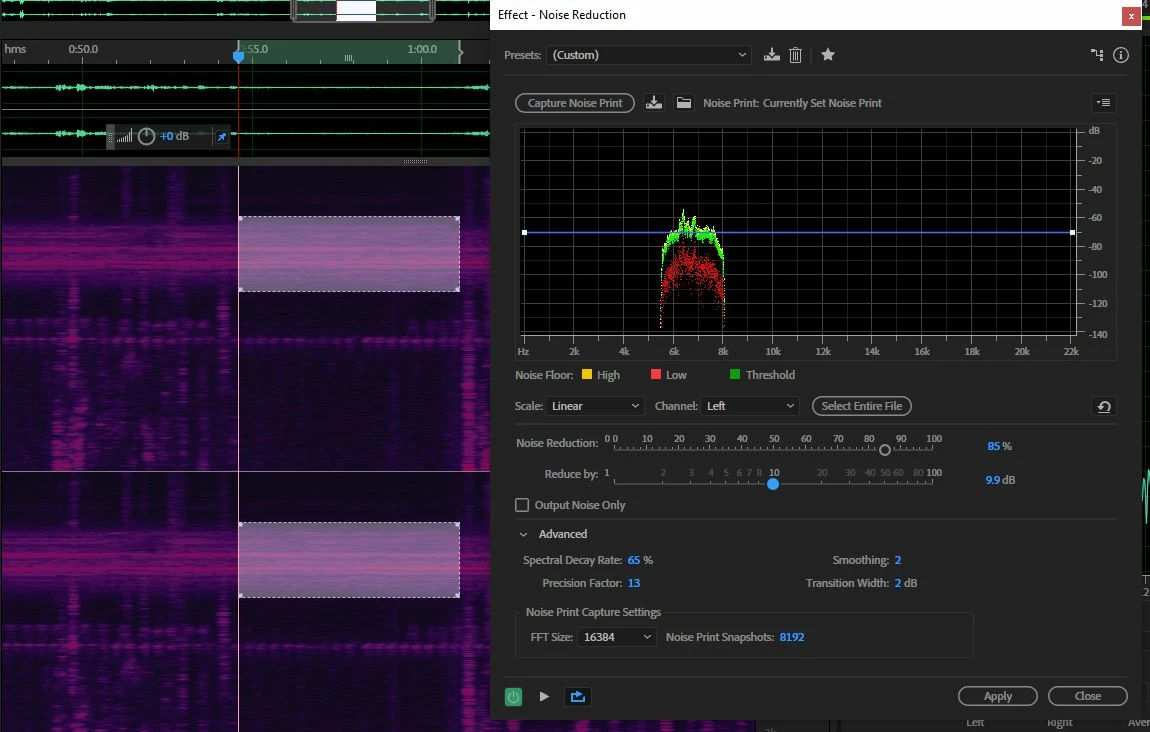
I've selected just the broad band. Before you capture the noise print, change the FFT setting in Advanced to the highest it will go - this is quite important; you can leave the rest of the settings there alone, but you need to alter the two sliders above to about where I've got them (don't overdo the 'reduce by' setting - that creates artifacts). Then select the entire file.
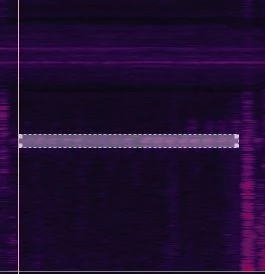
This is a grab after I've processed the top band, and selected the 4.4kHz line - note that you need to make quite a close selection, but not right up to what you can see, or the removal won't work effectively. I processed this with the same settings as above. Then do the same thing to the 4.8kHz band.
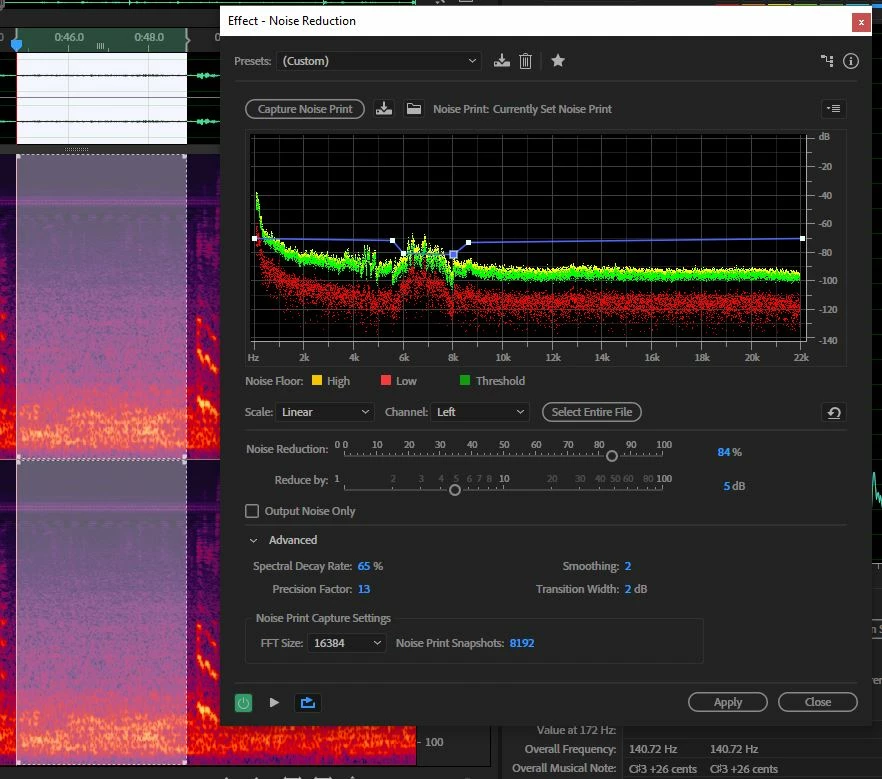
What I did next was to select all of that section with no talking and just noise, and use it as a sample to get rid of some of the rest of the background noise, just to see if the cicadas reappeared in a less noisy background. You could probably do this pass again, but you'd have to re-sample the remaining noise, and be careful not to take any more than about 5dB off per pass. You can see that the cicadas are still a little noisier than the background of the rest of the file, so I've used the rubber band to increase the amount of processing slightly at that point. This all seems to work quite well, and the speech quality is retained - I checked this at each stage. The overall NR in the final stage has increased the clarity, if anything. If it sounds okay on a pair of Neumann KH420 monitors (which it does) then believe me, it's okay...
Other points; if you save each step as a preset, you can use these on any files recorded with the same background. Also, the audio sounds like a camera mic; I'd try to avoid those under any circumstances! It sounds as though a carefully aimed shotgun might have got you some better results...
Yes I could do it again and post you a file, but really there shouldn't be any need - you should be able to manage this quite easily, and you'll learn something else in the process - which is really what we're about here. Anyway, give it a try and see how you get on.



 AdChoices