



Tutorial: Better automated ducking for music behind voice overs
I've been looking for a better way to automate ducking and use a technique favoured by sound engineers where they “filter” the music to make the voice over stand out.
I’m going to call it Deft Ducking
( for digitally enabled frequency tunneling )
Basically, sound engineers, instead of just lowering the music track, add a parametric equaliser is to the music track and adjust to make a “hole” in the frequency spectrum where the human voice has it’s most power.
This “hole” frequency will be different for a male and female voice.
In older versions of Audition, before there was automatic ducking, one method of doing this was by using a side chain in conjunction with a “dynamic processing” effect.
This allowed automation of the ducking and didn’t need key framing.
Two things however:
The “dynamic processing” effect is the only one that comes with Audition that works in the side chain.
It takes some skill to set this up.
So, along came auto ducking in Audition.
Select your voice track, select you music track and turn on.
Simple, but it only uses amplitude ducking, no compression or dynamics.
I wanted to have frequency ducking AND automation.
Here is the workflow I came up with:
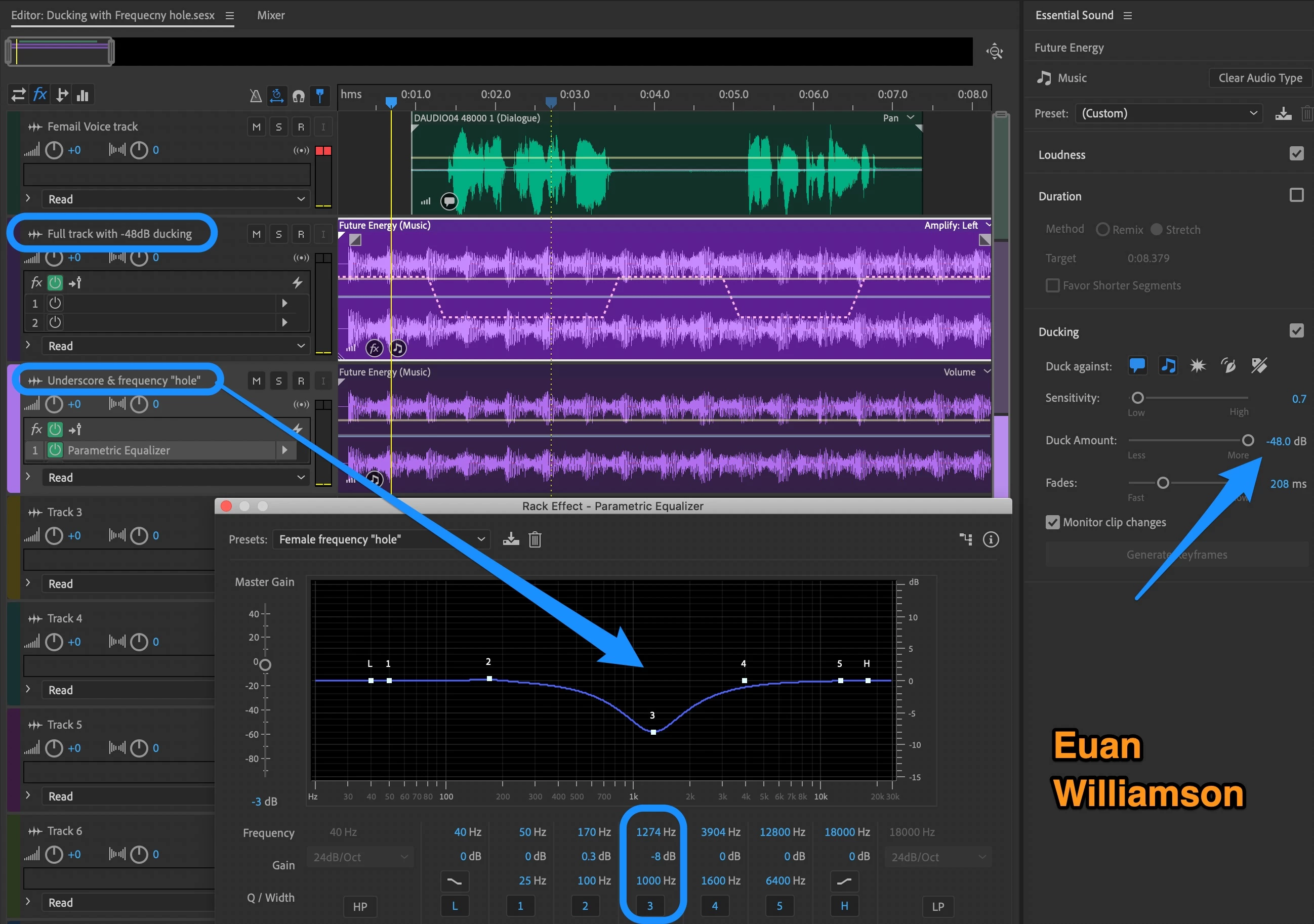
In Audition,
Add the voice over to track one.
Add the full music clip to track two.
Duplicate the music clip to track three.
Apply the parametric equaliser to the duplicate music track and adjust it to make the frequency hole.
Add the automatic ducking to the full music track and set the Duck Amount to -48dB.
Now when the ducking occurs we only hear the music with the frequency hole
and the voice over is now clear.
Adjust your levels to taste.
Of course, that duplicated clip on track three can have ANY effects or be an underscore or anything else you wish.
I hope this helps.
Euan.
 AdChoices