
slothm57212708
Inspiring
August 8, 2018
Answered

Voice Over effects

  • August 8, 2018
  • 1 reply
  • 487 views

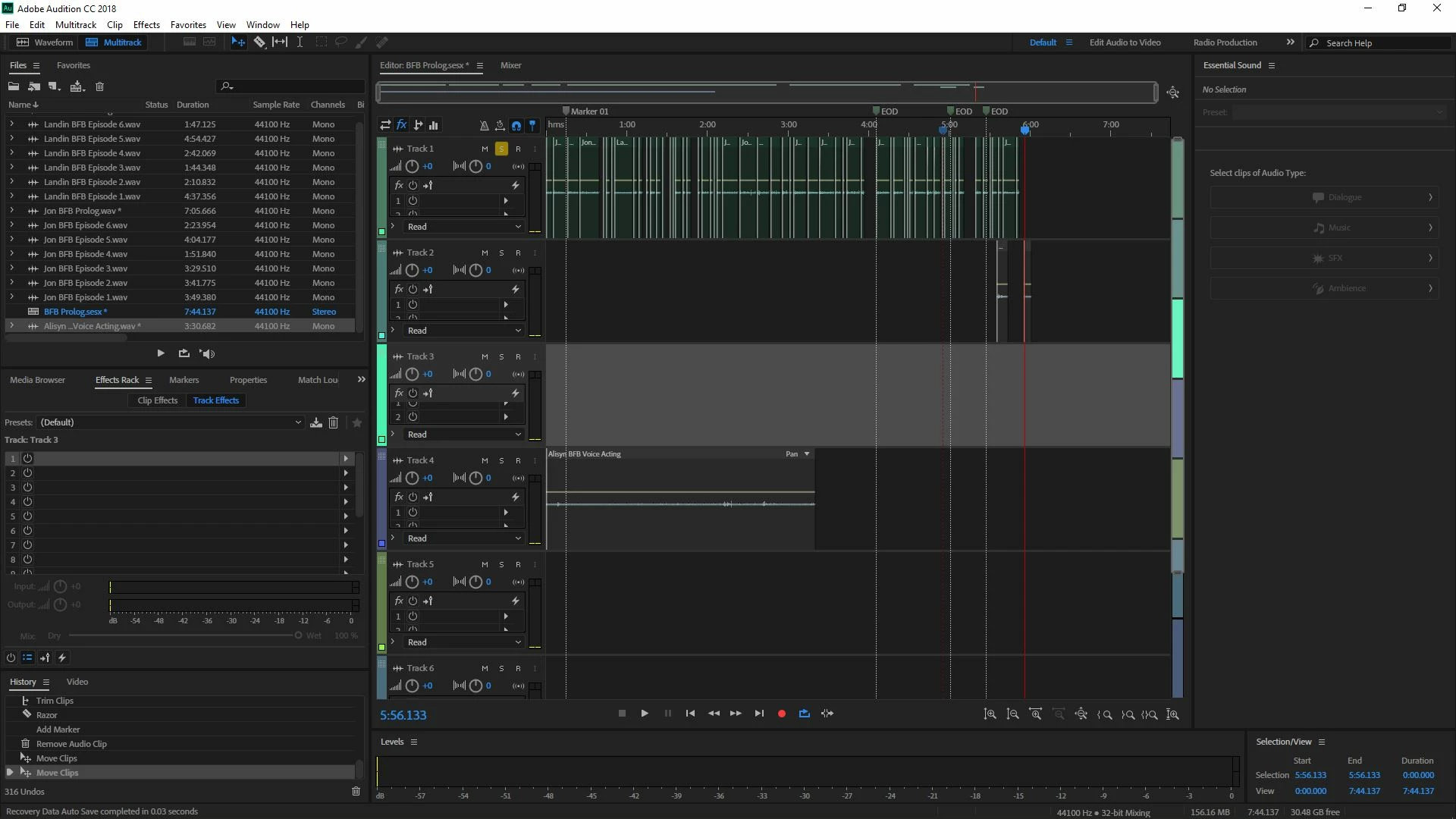
I know how to add effects in this program, infact for the voice overs I did, I EQ'd all the characters which is 3 voice actors, but theres 21 characters, so I need to put effects on each of the characters, but the problom is I just had one person do their lines for 1 episode (It is a 6 episode series each episode being from 3-6 minutes long) at a time, which means that all the differnet characters have similar voices, and I can't just simply apply a effect for episode 1 on 1 character, I have to manually go back and do something, so what I am trying to ask is their a way to select audio file in Multitrack Session, and simply just add effect only on the 1 audio file, Heres a screenshot of what it looked like after me putting all 3 of our voice overs together in order, this is for the prolog

Let me know if you have any questions, because I will be happy to answer, and thanks in advance
This topic has been closed for replies.
Correct answer ryclark

Which audio file do you want to add effects to in your session image above? There are two ways to add effects in the Multitrack view. First make sure that you have the Effects Rack window open. There will be two selections at the top of the Rack. One is  the Track Effects Rack. This will effects to all the clips in that one track. If you want to just add the effect to a single clip you need to select the Clip Effects Rack for that Clip.

Alternatively if all the characters for one voice are in a single audio file you could add the effects to that audio in Waveform view and Save As Voice1FX.wav for instance. Then which ever bits are added as clips to a track in the Multitrack view will have the correct effects already added.

1 reply

ryclark
ryclarkCorrect answer
Participating Frequently
August 8, 2018

Which audio file do you want to add effects to in your session image above? There are two ways to add effects in the Multitrack view. First make sure that you have the Effects Rack window open. There will be two selections at the top of the Rack. One is  the Track Effects Rack. This will effects to all the clips in that one track. If you want to just add the effect to a single clip you need to select the Clip Effects Rack for that Clip.

Alternatively if all the characters for one voice are in a single audio file you could add the effects to that audio in Waveform view and Save As Voice1FX.wav for instance. Then which ever bits are added as clips to a track in the Multitrack view will have the correct effects already added.

slothm57212708
Inspiring
August 8, 2018

Thanks, it was individual files on Track 1 that I wanted to add the effect, it helped when you said something about the track effects and clip effects at the top of the screen, I will beable to add effects how I want now, thanks again