


Copy link to clipboard
Copied
Hi all,
I am trying to use Audition for the first time ever and coming across a undesirable behavior. When I record my voice in Multitrack mode and play it back, there is a lot of variable white noise between my words. The noise virtually disappears when there is voice and picks up dramatically during silences. If I switch to Waveform and play the audio I just recorded, it sounds great, no noise a very rich sounding voice. If I then save the single file as an mp3 and play it back in iTunes or something, it also sounds great. If I export the multitrack mix down to an mp3 and listen to that file in iTunes, all the noise is back. Why the difference and is there anything I can do about it? I've searched but all I can find is stuff about using noise reduction. That seems wrong to me because I can clearly save the file without noise which should indicate that the noise is actually not there. It is being added by something in the Multitrack mode. Any help would be greatly appreciated by this absolute newbie.
Thanks in advance.


 1 Correct answer


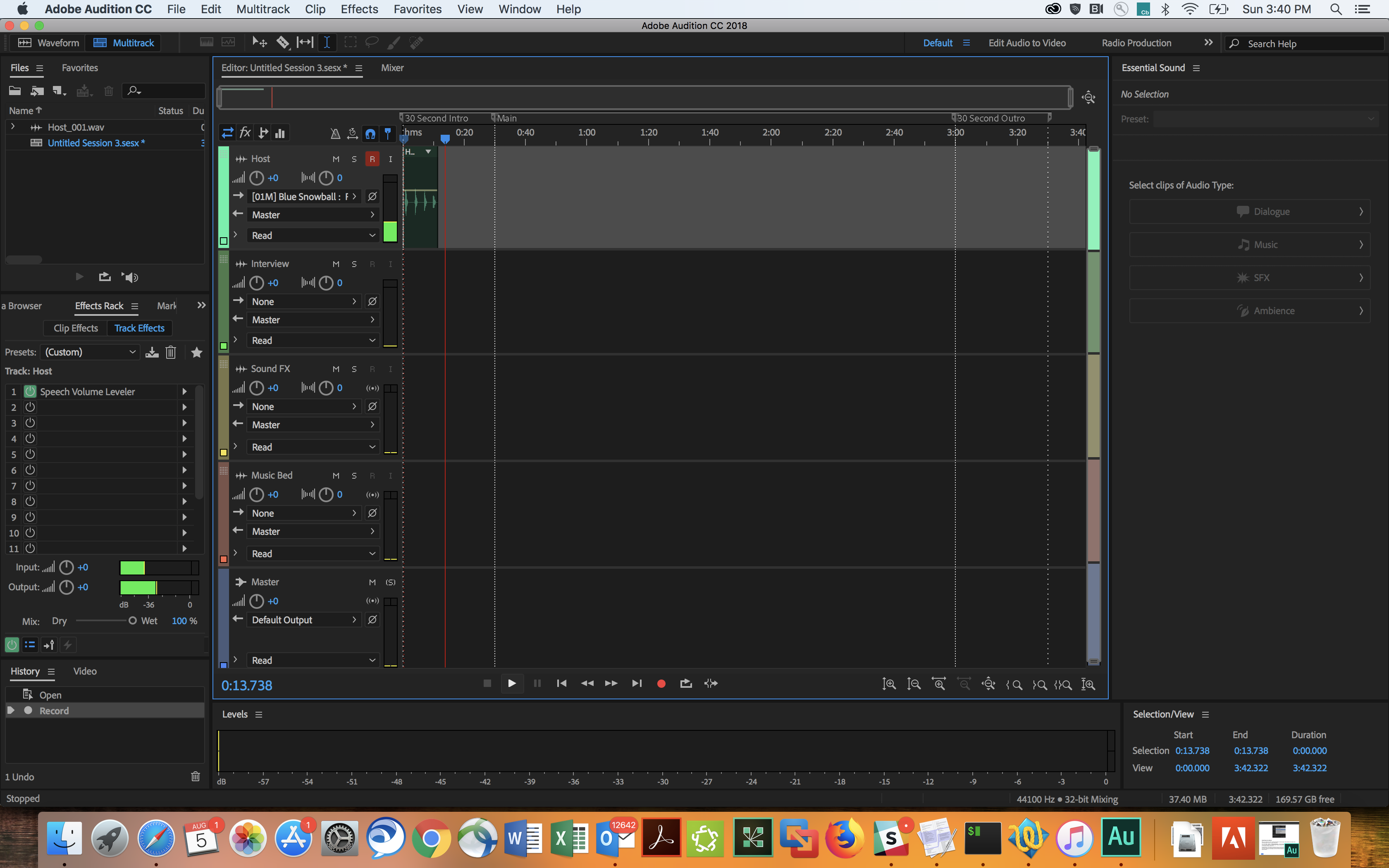
Well... you haven't provided a shot of the mixer, but even so it's pretty clear what's happening. You've got the speech volume leveler on track one as a track effect. Remove that (it has no place being there) and all will be well. What the speech volume leveler does is even out speech levels by altering the gain of the signal, and this inevitably has the effect of modulating the noise. It's worst when you have silence in pauses - it thinks there ought to be speech there and turns it up as far as
...
 7
Replies
7
7
Replies
7

Copy link to clipboard
Copied
Can you show us a screen-grab of the multi-track mixer, please?
Copy link to clipboard
Copied
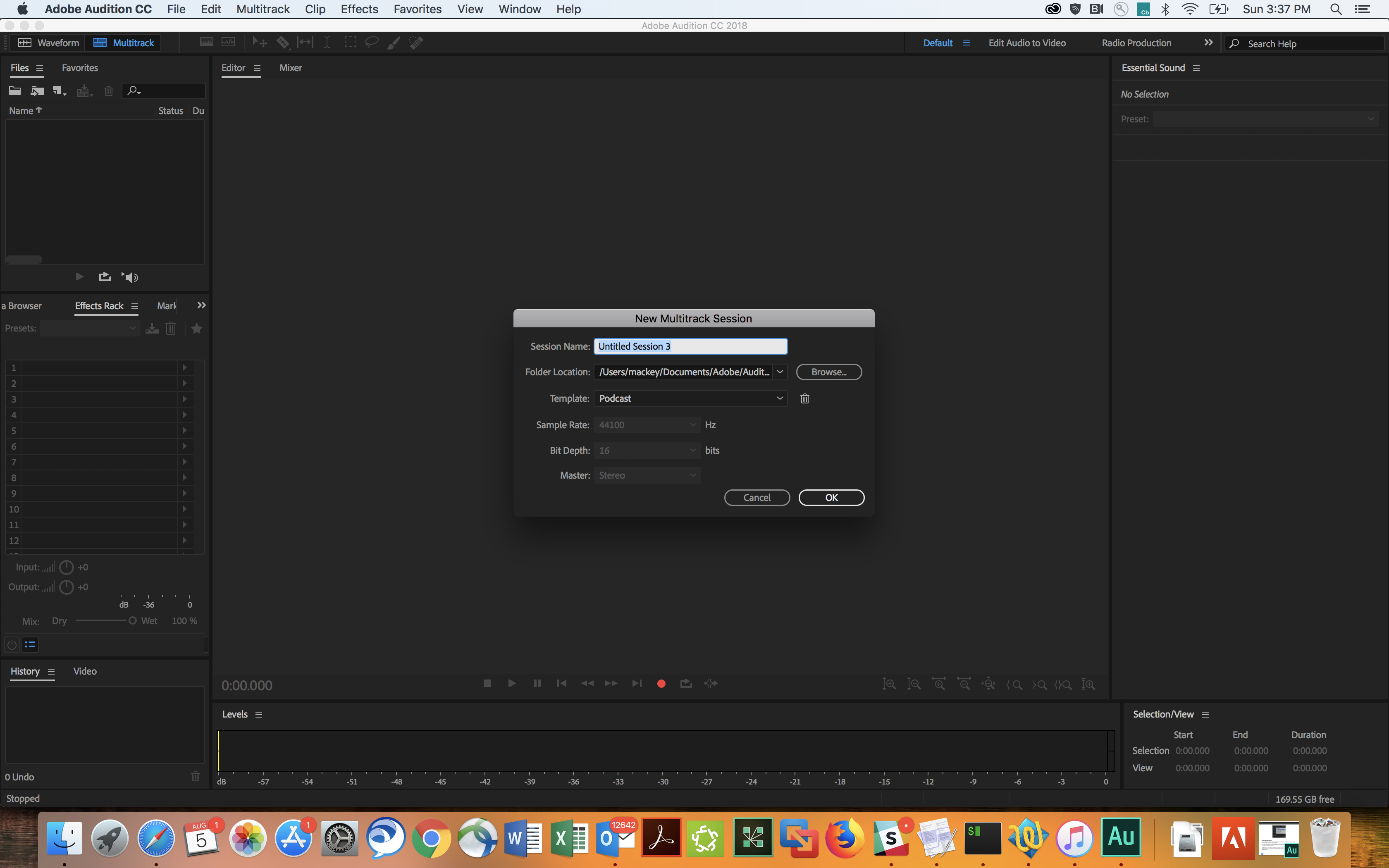
I hope you can see enough from these. I have the respective mp3s but I can't seem to find a way to post them.
Thanks again.
Copy link to clipboard
Copied
Well... you haven't provided a shot of the mixer, but even so it's pretty clear what's happening. You've got the speech volume leveler on track one as a track effect. Remove that (it has no place being there) and all will be well. What the speech volume leveler does is even out speech levels by altering the gain of the signal, and this inevitably has the effect of modulating the noise. It's worst when you have silence in pauses - it thinks there ought to be speech there and turns it up as far as it will go! If you want decent sound from speech, it's not exactly an ideal way to achieve that; looking at the levels you have after you've recorded them and applying a limiter to the peaks is a much better-sounding approach, as it doesn't alter the overall level.
Copy link to clipboard
Copied
First, thank you very much for the quick response. Sorry about not posting the right screen shot. Like I said, I have just downloaded Audience and didn't know that I wasn't posting a shot of the mixer. I had just followed the directions in the "Your First Podcast" tutorial. I opened Multitrack session, set my microphone, and recorded some sound. Nothing else. Does Audience just automatically add the speech volume leveler? I certainly didn't do it and would have no idea how.
Copy link to clipboard
Copied
It's not Audience, it's Audition 
And I've just had a look at the Podcast template. Quite frankly, I wouldn't use it - it seems to be adding all sorts of effects that are quite unnecessary to add until there's actually some evidence of needing them. I'd start again, just using the default template with no effects whatsoever, and discover what's actually necessary to add. Your experience here is a typical example of the reason why - strange stuff starts happening and you have absolutely no idea why. The speech volume leveler needs using with some understanding and care, and just having it whacked onto a track like that isn't going to help you learn about it at all.
As I said - yes, you may well need to apply some effects to your voice to maximise its level, but they should be the correct ones and you should learn how to use them. A good starting point is to look at a tutorial about Normalization, Compression and Hard Limiting - this is much more like a sensible approach. Once you've picked up the basics (not that difficult) then it will be much easier to fix anything you get thrown, rather than just getting confused by a 'cooking recipe' approach.
Peak Normalization, Compression, and Hard Limiting - YouTube
Copy link to clipboard
Copied
See, I'm such a newbie I can't even get the name right. Again, thanks for the tip. I will start from the default template, i.e. no effects, and figure out what I need to add as I go along. It's nice to know that the application actually works though if one doesn't break it before starting.

Copy link to clipboard
Copied
Or if Adobe don't break it themselves before starting by providing rather confusing, IMHO, templates.

Get ready! An upgraded Adobe Community experience is coming in January.
Learn more
 AdChoices