
SOLVED! Audition detects no mic input on iMac
This was solved via this brilliant thread: https://support.apple.com/en-us/HT209175
Still no idea why this effected on machine and not the other but glad to have it working!!
==========================================================================
This is driving me insane.
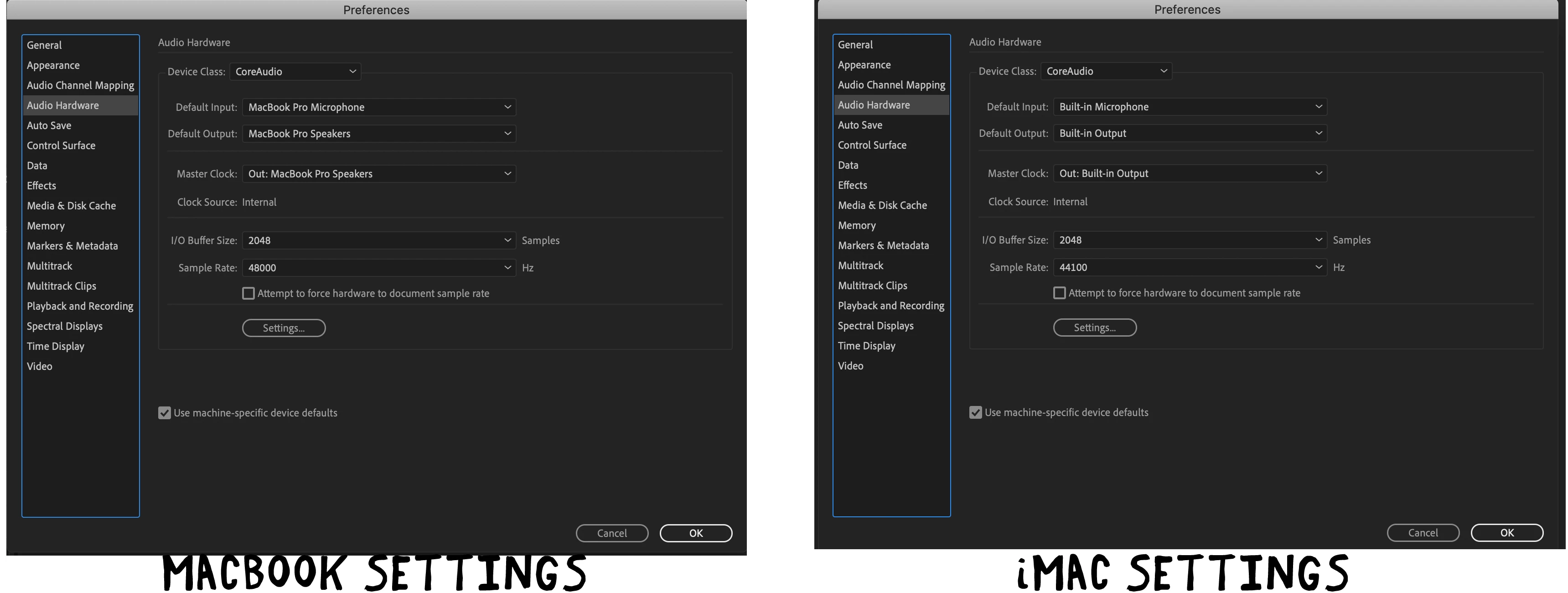
Both macbook and iMac running Audition 2020 - same settings on both but iMac detects no mic input when I try to record. I know iMac mic inputs are working as voice recorder and other programmes detect it fine.
I've had Adobe support on an hour long screen sharing session and they couldn't work it out. Tried changing every setting, reverting to older versions of Audtion but still doesn't work.
Does anyone have any ideas or else Audition is pretty useless on my iMac for no apparent reason!
Screenshot below of settings on both computers if it helps.
Steve


 AdChoices