


Copy link to clipboard
Copied
Hello there - I am new to the forum and have been using photoshop now for a long time. Recently I have been having issues with sorting my images in bridge and I can't seem to figure it out. I am downloading from 3 cameras - 2 of mine and 1 assistant. I can't seem to get bridge to sort them in the correct order - or to date created. There are times on the images in the file info but no matter how I sort them is doesn't seem to do it correctly. This is making my editing job so much harder. I do a time stamp before I shoot - but it doesn't seem to matter any more - I have to go back and manually sort them which is a huge pain!! What am I missing? Thanks so much! Kathy


 1 Correct answer


Hi @kathyb46383068,
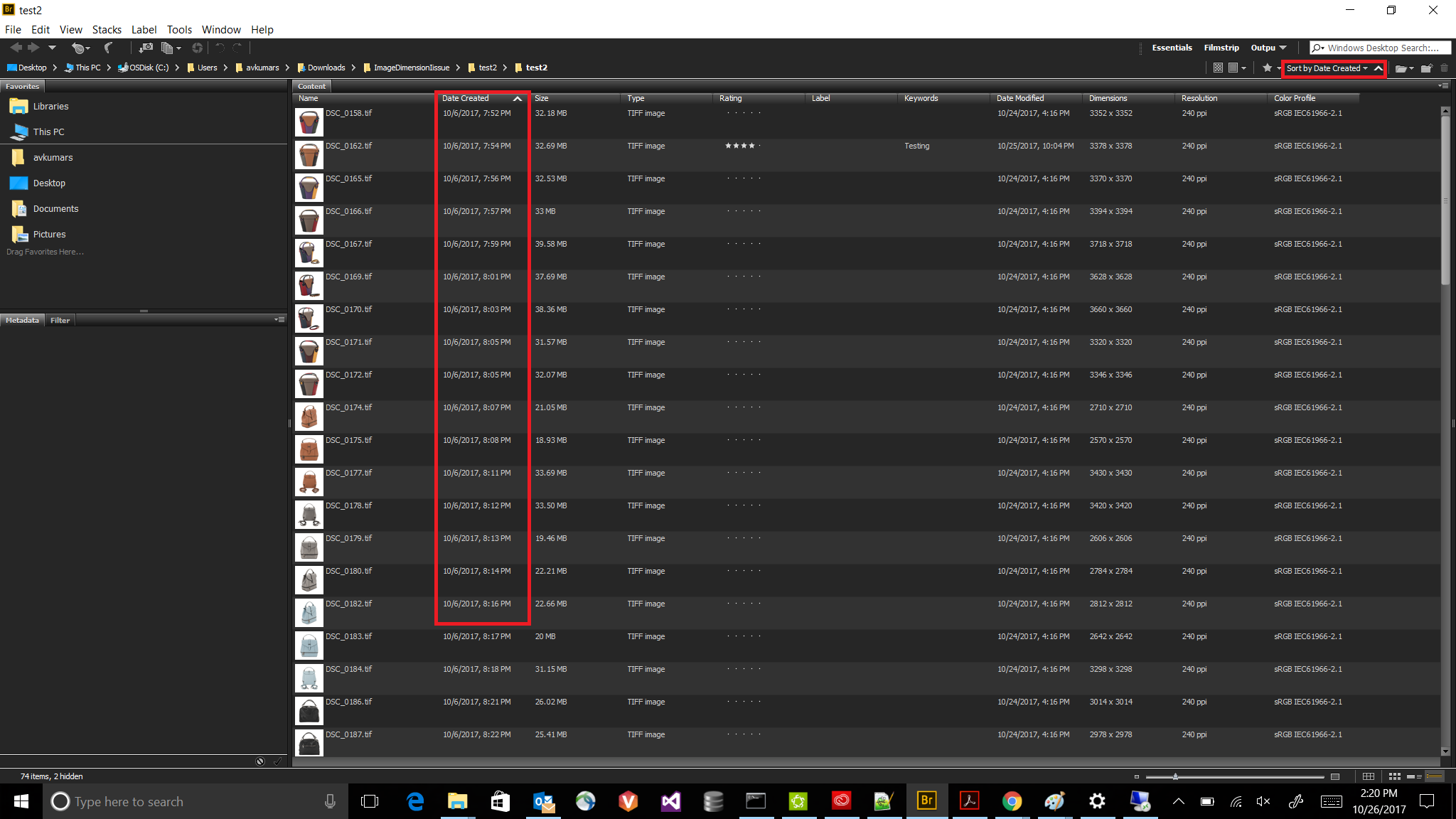
It seems you sorting them based on date created and you are looking the date-modified data or the vice -versa. As I have checked it is working fine for me. Please refer the screenshots .
Still you are facing the issue please let us know the OS , bridge version and please attach the screenshot so that we can help you out.
Thanks,
Avinash

 9
Replies
9
9
Replies
9


Copy link to clipboard
Copied
How is it sorting, and what sort method are you using - date created? Are all the images out of order or just some of them.
Moved post to Bridge Forum.
Copy link to clipboard
Copied
Hi @kathyb46383068,
It seems you sorting them based on date created and you are looking the date-modified data or the vice -versa. As I have checked it is working fine for me. Please refer the screenshots .
Still you are facing the issue please let us know the OS , bridge version and please attach the screenshot so that we can help you out.

Thanks,
Avinash

Copy link to clipboard
Copied
This has been an issue for me for 15 years. Adobe bridge doesn't use a "downloaded date" or last opened or viewed. When you have a photostock account like many of us do. The downloaded file contains it's own "Date's of use" and when created and so on.
What happens for most designers, we open a stock file grab our items from it, paste in to our project and close this open file. Saving it alone doesn't help. UNLESS YOU MAKE A CHANGE> THEN SAVE. So, we need to refer to the original source and it's mixed in with all download (eg), and Bridge is so bad at not having a search criteria for this, SO.... we go back to the stock source, redownload it and grab what we need.
This may not be a problem for Apple Users due to different file and time stamping. But for PC users it's horrible. WHAT'S NEEDED:
1. Tie in to the either recently opened functionality of windows and give us this criteria to search from OR
2. By downloaded date.
The current set of criteria options does nothing for most of us..... so we rarely use the softwate and rely on our stock sites to REDELIVER our assets.
Michael

Copy link to clipboard
Copied
I am having the same issue at the moment.
Windows 7 64 bit
Adobe Bridge CS6
5.0.2.4 x64

Copy link to clipboard
Copied
I'm having the same problem when trying to sort by file name; this is a new problem as I've been using Bridge for years. Adobe Bridge CC 6.2.0.179 x64 with Windows 10

Copy link to clipboard
Copied
That drives me crazy. Instead of putting them in the order created, it just sticks thme anywhere, even if I want them loaded by the order when I download them, not some weird random placement requiring me to look through a bunch of images in the specific file to find them.

Copy link to clipboard
Copied
Image files have numerous different dates stored in the file, some file system and some in the metadata, and those can be changed by both system activity or by applications. Download order is not stored or something that Bridge has access to.
Copy link to clipboard
Copied
Thanks. So I'm out of luck. At least I know why now.
Copy link to clipboard
Copied
Yeah this has come up before and its a major PITA to deal with.


Get ready! An upgraded Adobe Community experience is coming in January.
Learn more
 AdChoices