Exit
  • Global community
    • Language:
      • Deutsch
      • English
      • Español
      • Français
      • Português
  • 日本語コミュニティ
  • 한국 커뮤니티
0

Compact Cache Notification

Community Beginner ,
Dec 26, 2022 Dec 26, 2022

Adobe Bridge - Version 13.01.583, Windows 10.0.19044 Build 19044, NVidia 3080Ti, 32 GB Ram, Intel i7-9800x


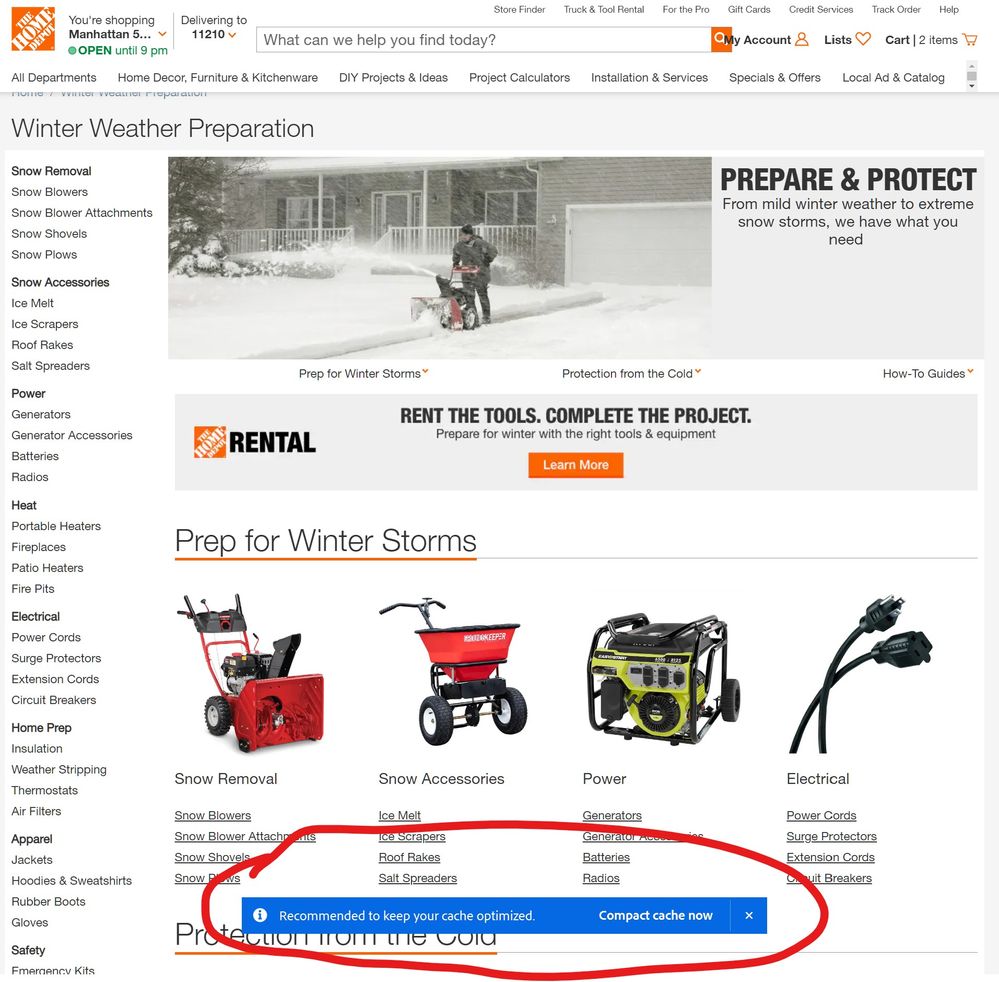
Every time I start up Adobe Bridge I get this annoying Blue Notification Sticker that hovers on top of ALL of my open Windows. It doesn't "time out" or eventually "fade away"....it JUST STAYS THERE until "I" am forced to close it......EVERY TIME, I open the program!


......PLEASE STOP THIS NONSENSE!🤬😡:fire:Adobe.Bridge.01.jpgAdobe.Bridge.03.jpg

TOPICS
Bug , Feature request , How to , Performance , Problem or error
2.0K
Translate
Report
Community guidelines
Be kind and respectful, give credit to the original source of content, and search for duplicates before posting. Learn more
community guidelines
LEGEND ,
Dec 27, 2022 Dec 27, 2022

You can adjust cache settings in Bridge preferences.

Translate
Report
Community guidelines
Be kind and respectful, give credit to the original source of content, and search for duplicates before posting. Learn more
community guidelines
Explorer ,
Jan 12, 2023 Jan 12, 2023

It doesn't solve the problem! I've changed every cache adjustment there is in preferences, but it did nothing. I've had Adobe Bridge for over 5 years and this just started about 2 months ago (Nov. 2022)

Translate
Report
Community guidelines
Be kind and respectful, give credit to the original source of content, and search for duplicates before posting. Learn more
community guidelines
New Here ,
Feb 16, 2023 Feb 16, 2023

Same problem for me, it s annoying.

Translate
Report
Community guidelines
Be kind and respectful, give credit to the original source of content, and search for duplicates before posting. Learn more
community guidelines
New Here ,
Feb 20, 2023 Feb 20, 2023

Screenshot 2023-02-21 at 06.47.05.png

So I have unchecked "Compact cache on idle" let's see if it solve the problem for now. 

Translate
Report
Community guidelines
Be kind and respectful, give credit to the original source of content, and search for duplicates before posting. Learn more
community guidelines
Explorer ,
Feb 21, 2023 Feb 21, 2023

This is mighty annoying, yes.....But it is definitely not on my Top 10 Things they need to fix ASAP 😉

Translate
Report
Community guidelines
Be kind and respectful, give credit to the original source of content, and search for duplicates before posting. Learn more
community guidelines
New Here ,
Sep 01, 2023 Sep 01, 2023

Still no fix for this??? 

Most irritating.

Translate
Report
Community guidelines
Be kind and respectful, give credit to the original source of content, and search for duplicates before posting. Learn more
community guidelines
Adobe Employee ,
Sep 03, 2023 Sep 03, 2023

Hi @Scotography 

Could you please share the OS and Bridge version you are using, as issues have been fixed in this area for Bridge version 13.0.4.

Thanks,

Bridge Team

Translate
Report
Community guidelines
Be kind and respectful, give credit to the original source of content, and search for duplicates before posting. Learn more
community guidelines
New Here ,
Sep 04, 2023 Sep 04, 2023
LATEST

Thanks, I had 13.03.693 on Windows 10. Have just updated to 13.0.4 and so far it seems to be resolved.

Regards. 

Translate
Report
Community guidelines
Be kind and respectful, give credit to the original source of content, and search for duplicates before posting. Learn more
community guidelines