Inspiring
February 5, 2023
Resuelto

Camera Raw Radial Filter Adjustment Handles Missing

  • February 5, 2023
  • 1 respuesta
  • 3473 visualizaciones

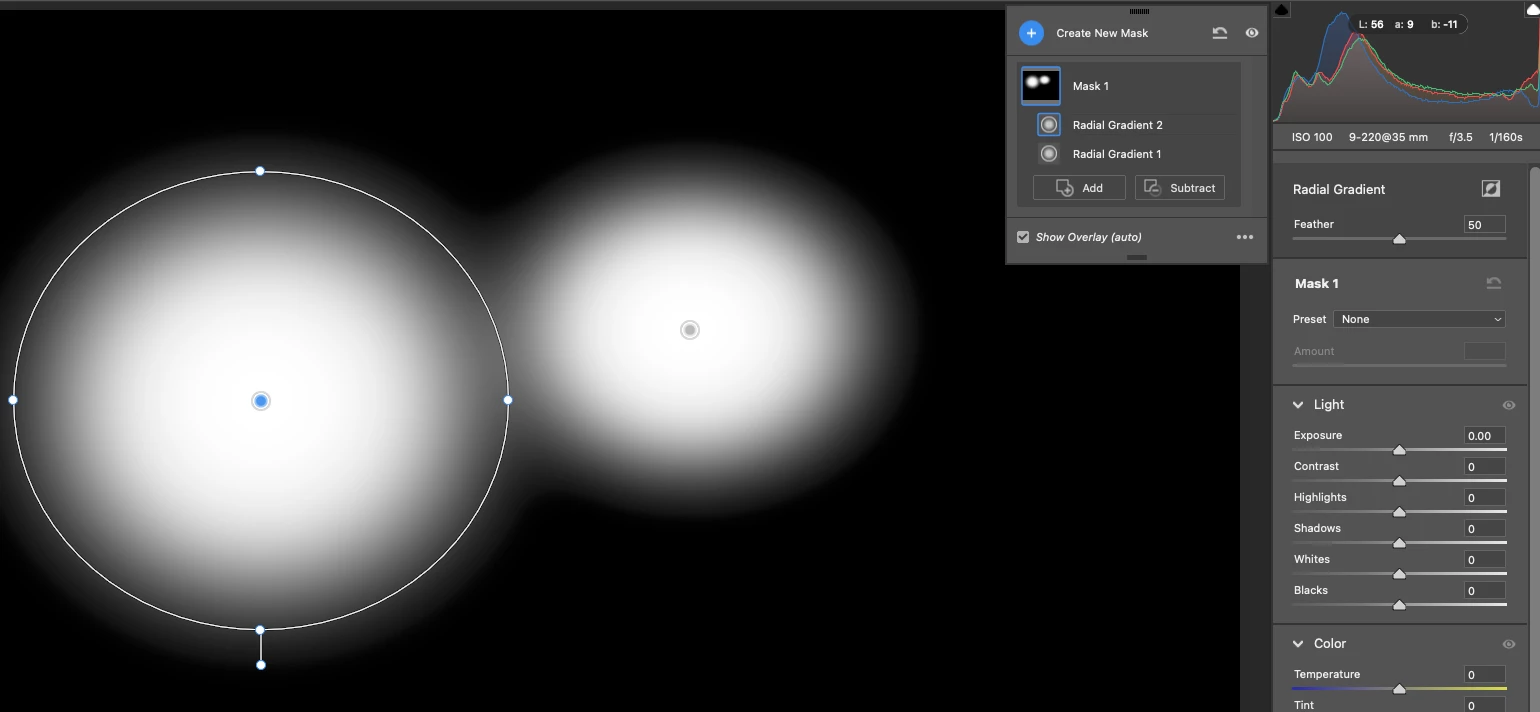
When I drag out a Radial Filter in Camera Raw (15.1), there there are no ajustment handles/pins/frame. I cannot move, reshape or resize the filter area.  This only happens on my desktop PC, on my laptop everything works as expected. Am I missing something?  I can't see any difference in any of the settings.

Este tema ha sido cerrado para respuestas.
Mejor respuesta de TheDigitalDog

In the new masking, once you stop dragging, that's it; you've got a mask. To refine thereafter, type the V key for that mask (show pins and tools):


1 respuesta

TheDigitalDog
Inspiring
February 5, 2023
Author “Color Management for Photographers" & "Photoshop CC Color Management/pluralsight"
Inspiring
February 5, 2023

Pretty sure thats NOT the issue I have as I'm using exactly the same version of Camera Raw on both my desktop and laptop and the problem occurs only on the desktop. The on the laptop I can drag out a filter and I can see a white border, when I'm done I can drag and move the filter and use the handles to change the shape etc. On the Desktop I can only drag out the filter vertically it seems. It has a white border when I start to drag it, but as soon as I release the mouse the while border disppears. Ive tried clicking on it or just dragging it and nothing. I've tried disabling the graphics processor but that makes no difference. Its either a bug that for some reason is only surfacing on the desktop or I'm missing a setting somewhere. Not sure how to reset the Camera Raw Settings as the YouTube video that people are normally refered to is for an older version and I don't have the menu options it references. 


Inspiring
February 5, 2023

In the new masking, once you stop dragging, that's it; you've got a mask. To refine thereafter, type the V key for that mask (show pins and tools):


YES that works. I'm still at a loss to explain why I need to press V on my Desktop but not on my Laptop even though I'm running exactly the same version (15.1.1) on both.