



SC-Agency
Inspiring
April 17, 2017
Answered

.CR2 Color Cast Adobe Camera Raw

  • April 17, 2017
  • 1 reply
  • 3026 views

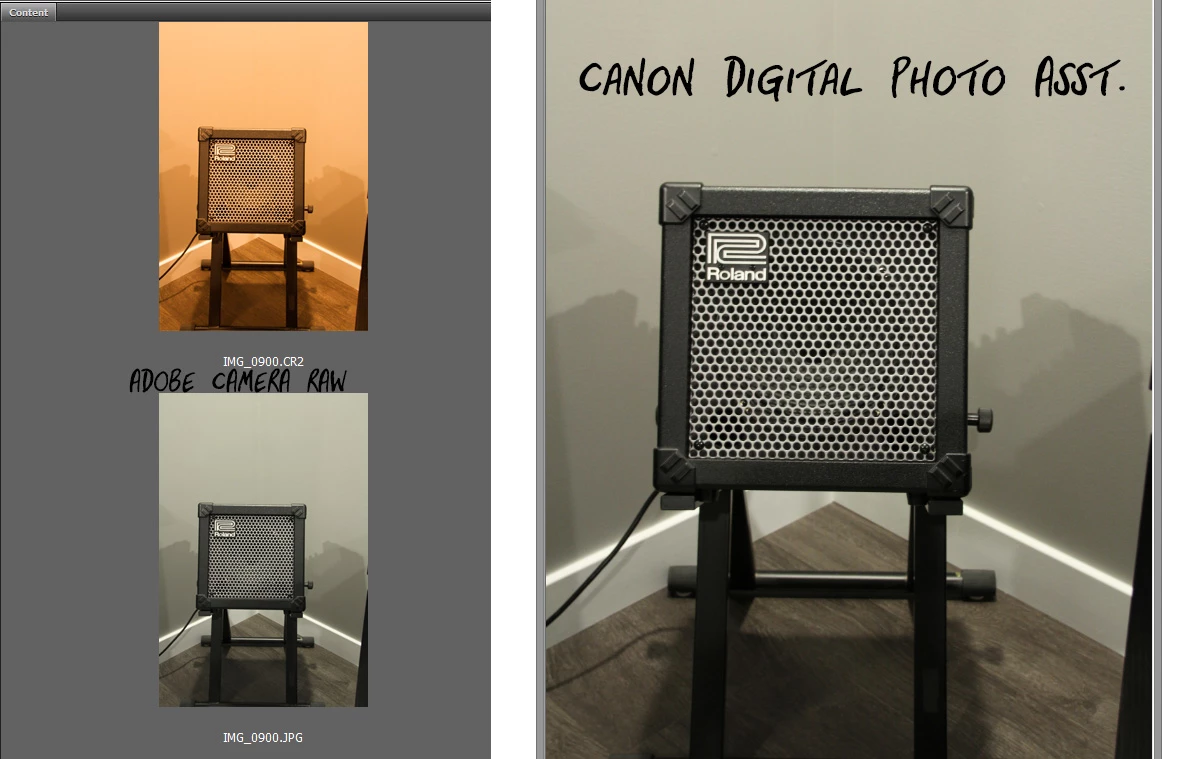
All the sudden all my .CR2 files from my Canon 7D have a yellow or red tint. This happens in Camera RAW or Lightroom.

If I open those same .CR2 files in Canon's Digital Photo Assistant they look fine.

How can I get the Adobe apps to not display them with the tint?

Thanks.
This topic has been closed for replies.
Correct answer JP Hess

"Maybe" your default settings were changed somehow. Open a newly imported image and change the white balance to "As Shot" and then save new camera defaults. Do this for both Camera Raw and Lightroom. That should solve the problem. Any images that you have already imported can be corrected by clicking the reset button.

1 reply

SC-Agency
SC-AgencyAuthor
Inspiring
April 17, 2017

Also noticing when I open the .CR2 that the White Balance is listed as Custom. If I switch to As Shot it looks better like the Canon Digital Photo Assistant view.

Why would the .CR2 even open to a Custom WB?

Seems like a bug.

JP Hess
JP HessCorrect answer
Inspiring
April 17, 2017

"Maybe" your default settings were changed somehow. Open a newly imported image and change the white balance to "As Shot" and then save new camera defaults. Do this for both Camera Raw and Lightroom. That should solve the problem. Any images that you have already imported can be corrected by clicking the reset button.

SC-Agency
SC-AgencyAuthor
Inspiring
April 17, 2017

Jim,

Wow, that might have fixed it for Bridge/Camera RAW. AMAZING!

In Camera Raw in the Basic tab I changed the WB to As Shot then in the hamburger menu (flyout) top right I chose Save New Camera RAW Defaults. Then I noticed I could click the Default link above Exposure in the Basic Tab and in the flyout menu click Reset Camera Raw Defaults. Now when I purge the thumbnail cache for any recent picture THERE IS NO COLOR CAST!!!

Would you help me figure out how to change the default for Lightroom? Do I just go to Develop and then under Settings (top left) go to Reset all Settings?

Thanks again!