Exit
  • Global community
    • Language:
      • Deutsch
      • English
      • Español
      • Français
      • Português
  • 日本語コミュニティ
  • 한국 커뮤니티
0

HSL targeted adjustment tool in ACR?

Community Beginner ,
Jan 16, 2019 Jan 16, 2019

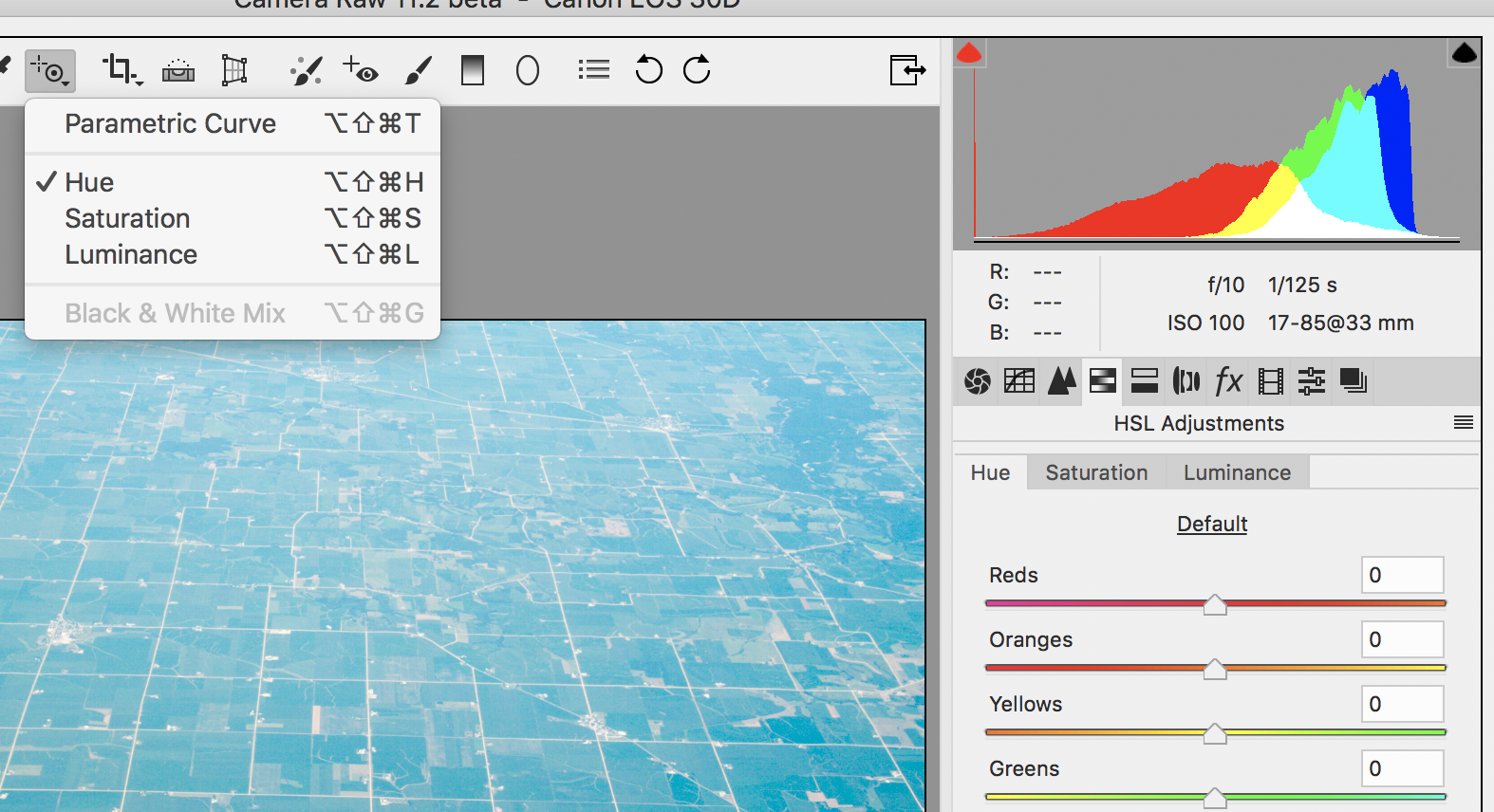
I cannot find a targeted adjustment for HSL in Camera Raw. I know there is one in Lightroom and thought they both had the same features. It is a very useful tool and don't see why ACR wouldn't have it. Am I doing something wrong, or is there not one?

1.2K
Translate
Report
Community guidelines
Be kind and respectful, give credit to the original source of content, and search for duplicates before posting. Learn more
community guidelines

correct answers 1 Correct answer

Community Expert , Jan 16, 2019 Jan 16, 2019

HI Steve,

Very true it's not obvious because one would think it would be located in the HSL region, it's not. It's part of the top tool-menu items. To make matters worse, if you select the HSL from the drop down menu and then click on (say) the magnifying tool to get back to the basic panel is to click on the Basic tab (there's not even a key-command for that).

But anyway, that's where to access the Target Tool!
target adjustment.png

Translate
Community Expert ,
Jan 16, 2019 Jan 16, 2019

HI Steve,

Very true it's not obvious because one would think it would be located in the HSL region, it's not. It's part of the top tool-menu items. To make matters worse, if you select the HSL from the drop down menu and then click on (say) the magnifying tool to get back to the basic panel is to click on the Basic tab (there's not even a key-command for that).

But anyway, that's where to access the Target Tool!

target adjustment.png

Translate
Report
Community guidelines
Be kind and respectful, give credit to the original source of content, and search for duplicates before posting. Learn more
community guidelines
Community Beginner ,
Jan 16, 2019 Jan 16, 2019
LATEST

Thank you very much, I'll give it a try.

Translate
Report
Community guidelines
Be kind and respectful, give credit to the original source of content, and search for duplicates before posting. Learn more
community guidelines

