

A Fatal Error Has Occured - Captivate 6
Hi there, I have seen some threads on different error issues of Captivate, but mine is worse.
Since the Captivate 4 installed in my office PC, it never ran smooth. Our IT purchased version 6 for PC with hope to improve performance. But since day one, it has never worked.
First, it refused to boot, because the folder 'My Adobe Captivate Projects' was set to be installed in 'user's documents' folder, as by default. There wasn't much space in that folder because our company PC was set to limit the users' personal space, and I wasn't able to ask it to install in another folder (such as C drive, which would solve my problem). This folder wasn't installed at first. My Captivate opens then quits instantly. Our IT came and manually copied the 'My Adobe Captivate Projects\Layouts' folder from another computer which has it installed. Now I have one file named White.cptm in the folder named 'My Adobe Captivate Projects\Layouts\6_0\en_US'. That's the only Captivate file I have under Documents.
After adding the 'My Adobe Captivate Projects' folder, it can be opened. But as soon as I set to 'capture', it quits with fatal error message within 6 seconds into capturing. The temp folder, the export folder and cache all set to D drive (local drive). I can not open someone else's project files, I can not record, or any other operations.
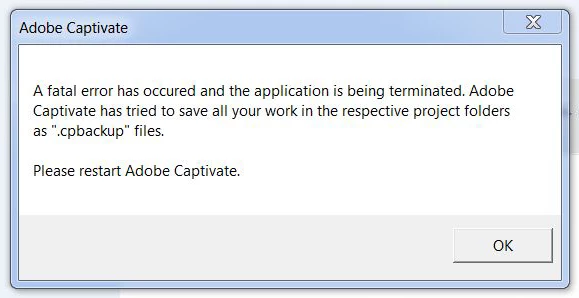
Our IT came in again, we did a major clean up of all temp files, cache, etc... Still no luck, same fatal error. The message look like this (classical, like many users')
Could anyone tell me where has gone wrong? How can I ask Captivate to NOT READ FROM MY DOCUMENT FOLDER, instead I move everything to C drive (where rest of Captivate programme files are located)? Or there is a problem somewhere else?
I would be very greatful if someone can give a hint...!
OS: Windows 7 Enterprise. Intel Celeron 2.5GHz. Ram 8GB.
 AdChoices