
Participant
April 21, 2021
Pregunta

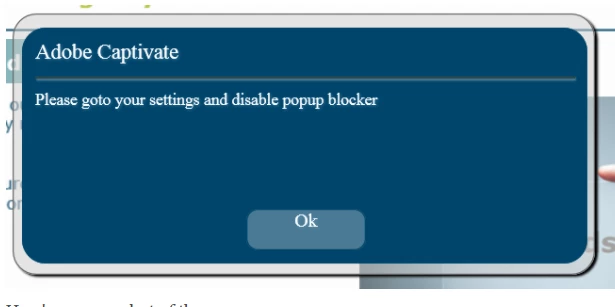
Adobe captivate 2019 popup blocker message

  • April 21, 2021
  • 2 respuestas
  • 1202 visualizaciones

We have just upgraded to Adobe Captivate 2019 and the published courses on our LMS are getting this error message when users try to access links. I have looked throught the community and this has been raised before but the last response was 2019, so I was wondering is there is an update. Thanks 
 

    Este tema ha sido cerrado para respuestas.

    2 respuestas

    kdmemory
    Inspiring
    July 22, 2021

    Hm, the OP debbie.griffin might have left the conversation, but for everyone else and in particular WSDB9 I'll be a bit picky now:

    The two CPM.js methods to open up an URL are very different and that is not because they are distinguished through the use of openURL respectively window.top.location.href - it it the use of _parent as opposed to _top that makes them so different.


    cp.openURL(\'https://www.mycustomer.com/directory/subdirectory/file.xxx?module=I1\',\'_parent\')
    
    'window.top.location.href = \'https://mycustomer.com/directory/subdirectory/file.xxx?module=LH5\'


    According to W3 Schools there are four HTML link target attributes:

    1. _self - Default. Opens the document in the same window/tab as it was clicked (Cp interface: Current)
    2. _blank - Opens the document in a new window or tab (Cp interface: New)
    3. _parent - Opens the document in the parent frame (Cp interface: Parent)
    4. _top - Opens the document in the full body of the window (cp interface: Top)

    _parent or _top makes a big difference. Supposed there is no _parent window, because there is no subordinate window (i.e. iFrame) in which the link is clicked, then the browser with activated popup-blocker might be triggered into an attempt to create such a _parent window on the fly which somewhat comes close to a window.open() method. That of course triggers the popup-blocker. On the contrary with _top this problem doesn't arise.

    Just saying

    Klaus

    Lilybiri
    Legend
    July 22, 2021

    @kdmemory  Interesting! What could be the reason that they choose _parent over _top ? Any guess? 

    Paul Wilson CTDP
    Community Expert
    Community Expert
    April 27, 2021

    My suggestion would be to talk to your IT department and make them aware of the issue. This is a security setting in either the deployment of browsers or perhaps a setting that is imposed by your LMS.

    Paul Wilson, CTDP
    Participant
    July 21, 2021

    Hi Paul and others who encouter this problem,


    In reply to Paul: I disagree with the answer that this is a security setting in the deployment or browser.


    I encountered this problem myself today when uploading some new courses for a new customer.


    The problem is in the CPM.js file that is generated. I was in the lucky circumstances that there was another course which was working well. I compared the way the link was opened:


    The course which is showing the popup has the following code

    cp.openURL(\'https://www.mycustomer.com/directory/subdirectory/file.xxx?module=I1\',\'_parent\')


    The other course opened the url with: 

    'window.top.location.href = \'https://mycustomer.com/directory/subdirectory/file.xxx?module=LH5\'


    Once I replaced the cp.openURL with the "window.top.location.href" way of opening, the problem was solved. The popupblocker message disappeared.


    The problem is: my customer can't find the way to change this in Captivate. But this makes clear it can be solved by the way Captivate is generating the html/js code.


    I hope this helps to analyse and solve the problem.

    Paul Wilson CTDP
    Community Expert
    Community Expert
    July 21, 2021

    That's great. Thanks for sharing. I wonder how the difference was generated in the first place so as to avoid this issue in the future.

    Paul Wilson, CTDP