


- Home
- Captivate
- Discussions
- Adobe Typekit Fonts not Working when Published
- Adobe Typekit Fonts not Working when Published

Copy link to clipboard
Copied
Hi There,
I am publishing a piece of responsive eLearning using a Typekit font 'Runda' and 'Nimbus Sans'.
When I upload it, the Typekit fonts disappear and the project reverts back to Times New Roman.
I'm entering the appropriate domains on publish.
What could I be doing wrong here?
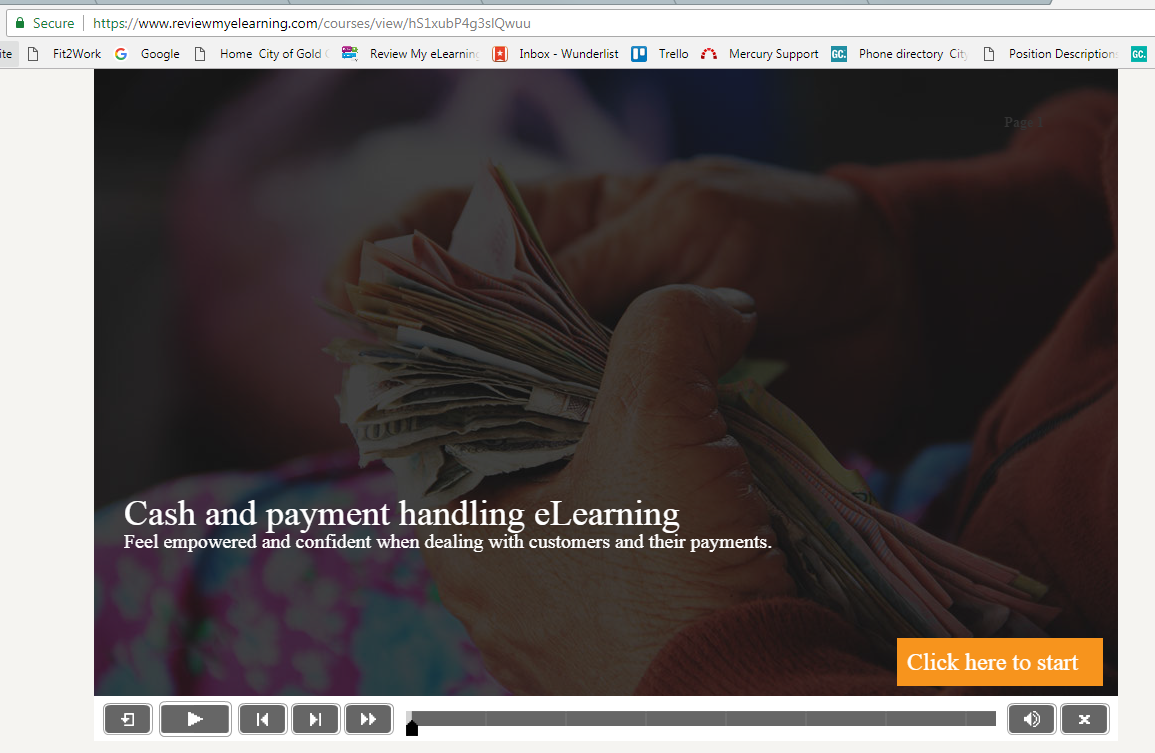
This is my eLearning hosted on reviewmyelearning.com - the font has dropped off and is displaying as Times New Roman.
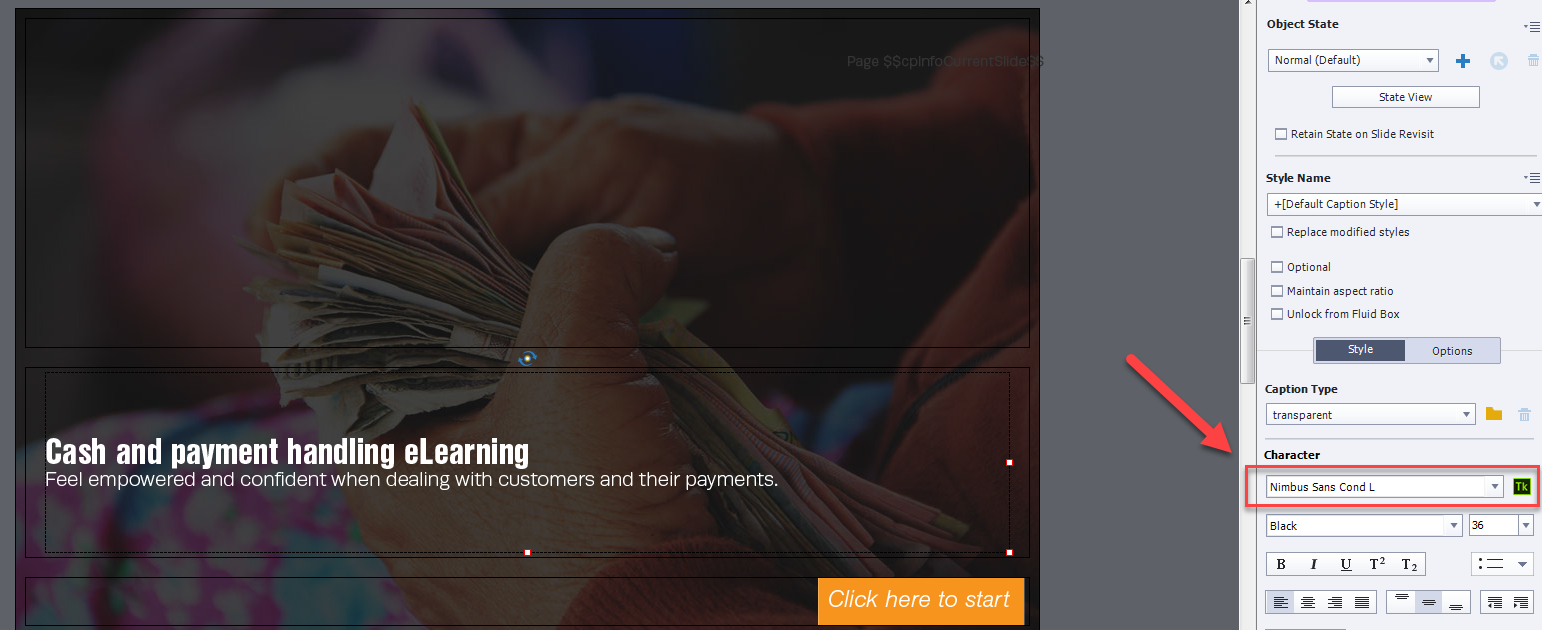
This is the eLearning within the Adobe Captivate program - I have under 10 type kit fonts with my free plan, which is under the quota.
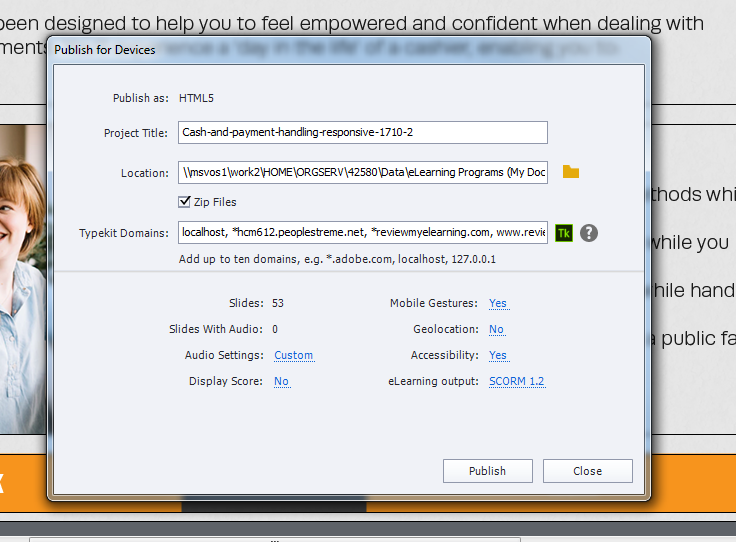
Here is my publish screen. Enter in 'Typekit Domains', I have included : localhost, *reviewmyelearning.com, www.reviewmyelearning.com, reviewmyelearning.com, https://reviewmyelearning.com/
(I just entered all of the variations that I could think of - in case!)
I'm new with using Typekit, any help would be appreciated.


 1 Correct answer

Update - there was a bug with the newest update that means typekit wasnt working with responsive projects. Adobe have fixed this and sent me a new download link which has resolved the problem.

 29
Replies
29
29
Replies
29


Copy link to clipboard
Copied
It is just sort of intution. Only Adobe can give you an answer, I'm just a user. Can you contact them?

Copy link to clipboard
Copied
I did that this afternoon and after a huge, more than 5 hours long conversation we realized that the different account IS actually an issue. At first, I thought it's impossible because you can actually use the fonts in any other authoring tool or software that supports Adobe Fonts, no matter about the login details, emails, subscriptions etc except in their own authoring tool.
Copy link to clipboard
Copied
My intuition proved correct (again) 🙂
The other applications are all part of the CC, not Captivate.
Copy link to clipboard
Copied
Yes, but you can use adobe fonts in other different software that supports Adobe Fonts, so I assume other authoring tools that supports adobe fonts can use the font no matter the account?
Copy link to clipboard
Copied
For Adobe applications everything is linked to the Adobe ID (subscription). That is for sure not the case for other software. The fact that you need to have the CC app open when using fonts in Captivate looks to be the origin: it needs to verify if you are entitled to Adobe fonts. The CC app will be linked with another ID.
Understand your frustration, Adobe is not very user friendly...

-
- 1
- 2

Get ready! An upgraded Adobe Community experience is coming in January.
Learn more
 AdChoices