
EBC
Known Participant
June 9, 2018
Question

Advance action requires two clicks?

  • June 9, 2018
  • 1 reply
  • 950 views

Having a bit of trouble with a seemingly straightforward advanced action. Three stacked Lesson boxes, to be used a buttons. When learner clicks Lesson 1 box/button, Lessons 2 and 3 collapse (Lesson 1 box remains visible) and three images Ease In (these will eventually be used as buttons to dig deeper). For this sample I only have the 3 Lesson boxes and one image (to keep it simple). Image below, including Timeline.
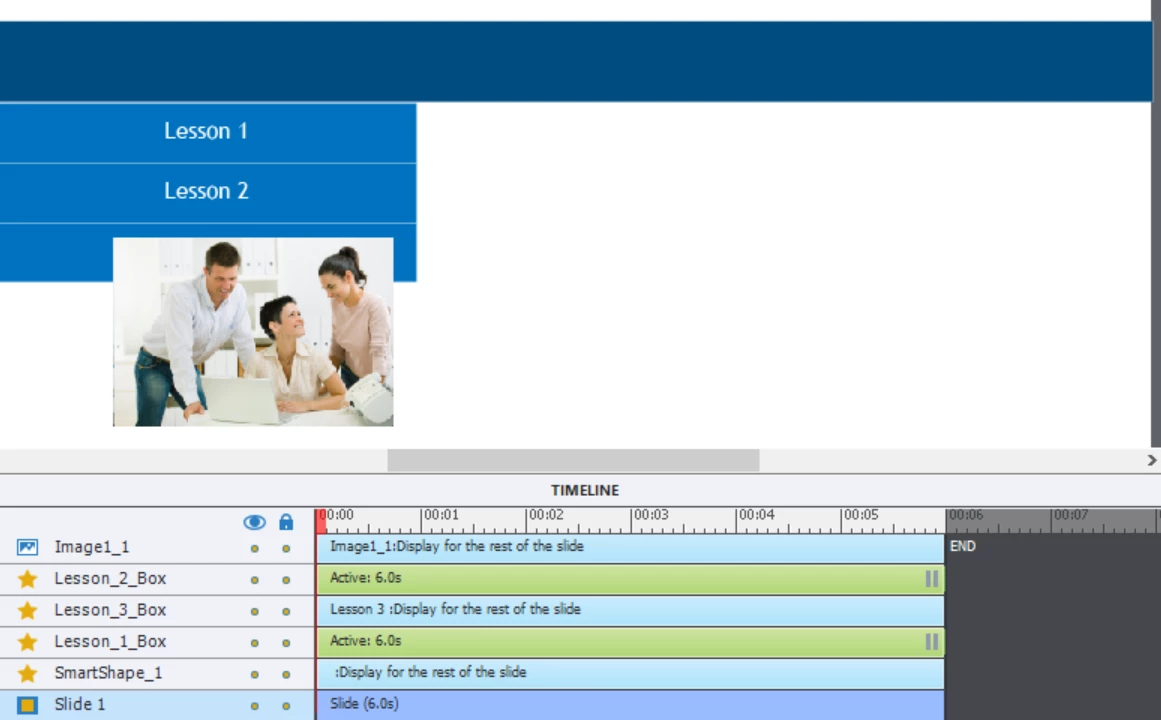
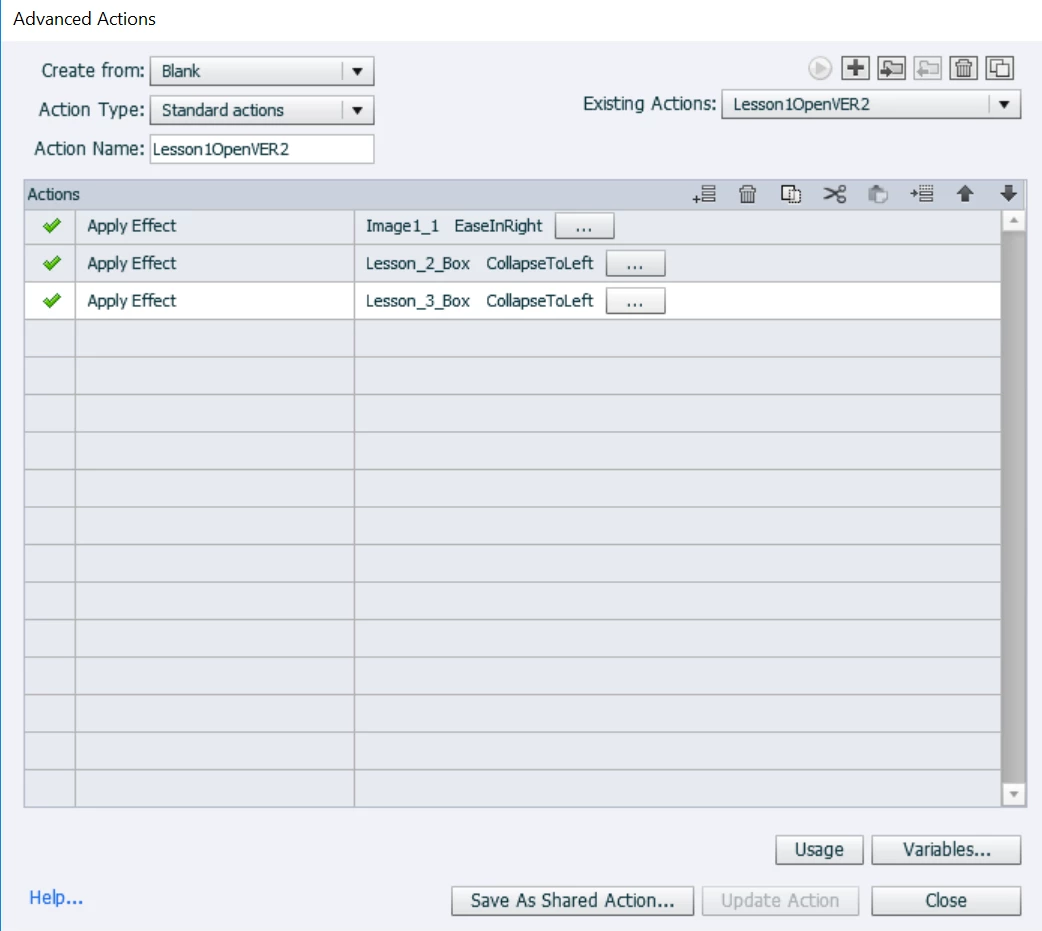
The Advanced Action (below) applies 3 effects. The problem: the collapse effects happen on the first click, as intended, but the image ease in requires a second click. An additional detail: the image EaseIn always happens AFTER the collapses, even if I reorder steps and change timing. Note: I have fiddled with Pause intervals for Lesson buttons...no change. Any ideas why the double click might be necessary? Seems like a simple Advanced Action otherwise...
This topic has been closed for replies.

1 reply

Lilybiri
Legend
June 9, 2018

Why is one of the 3 a non-interactive shape?

For the two other buttons you have moved the pausing point to the last frame, I never do that because it can lead to issues, especally sin since you have timed effects. Are the two buttons set to Infinite attempts or not?

What are the timings of the effects?

Which version? It is not CP2017, an older version, but which one? Please the full version number.

EBC
EBCAuthor
Known Participant
June 9, 2018

Thanks for response! I have only been testing the first Lesson button, so did not really do much with Lesson 3 button. I have moved Pause point from default 1.5 sec to full slide length thinking that might have an effect…nope. Timing effects: Image EaseIn - Start 0, Duration 1; Collapse – Start 1, Duration 1. I have also adjusted these timings with no effect. The collapses always happen first, then the image entrance requires a second click.

Captivate version 9.0.0.223. Thanks!

EBC
EBCAuthor
Known Participant
June 9, 2018

My answer probably crossed yours. You need to use a custom effect for the entrance of the image, not a canned Entrance effect.


Were you able to get this to work? I added Custom animation, and now do not see image Entrance no matter how many times I click. But this is interesting: When I untick the little eyeball next to Object Name, making the photo visible all the time, the Custom Entrance effect works. Only problem is that it sits on screen from the start, then blinks off and makes the proper entry as programmed for the Custom effect. Am I missing something?