
Energized_trainer
Known Participant
May 28, 2015
Question

Appearance issues in LMS

  • May 28, 2015
  • 2 replies
  • 493 views

Not sure why this is happening, but I could use some help!   When I put the information in Captivate, it looks like this (only one of several examples)
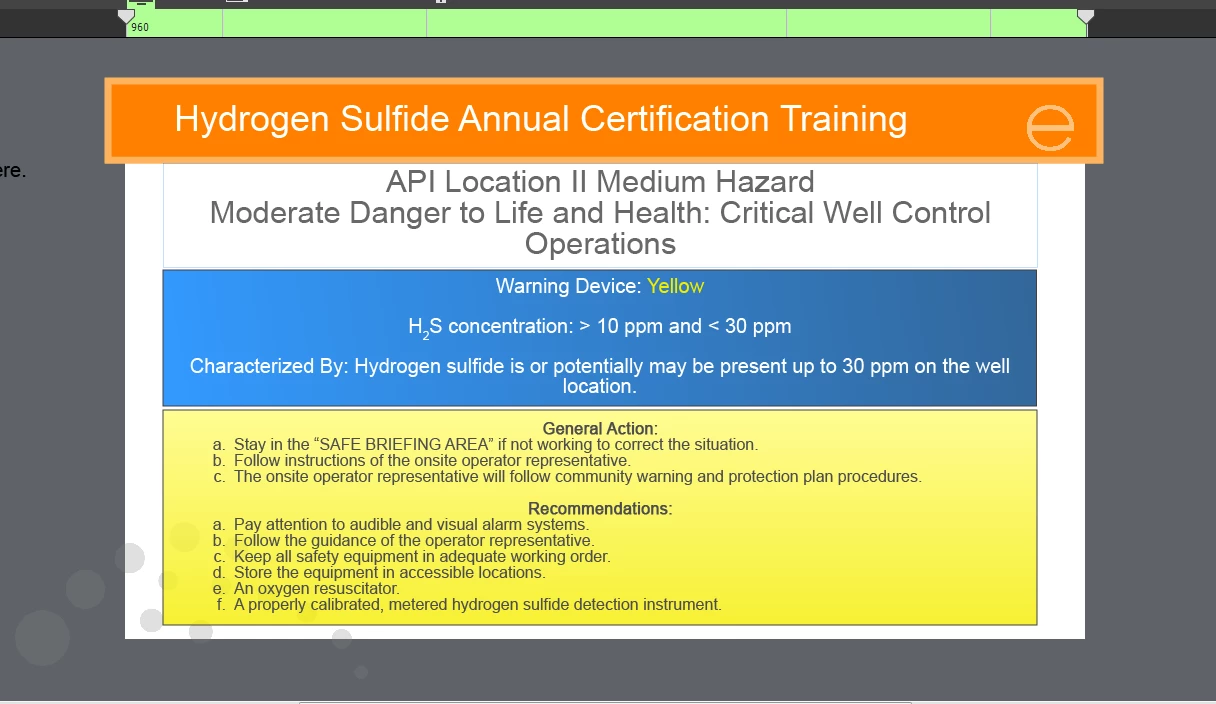
but when it is uploaded to the LMS, it shows this:
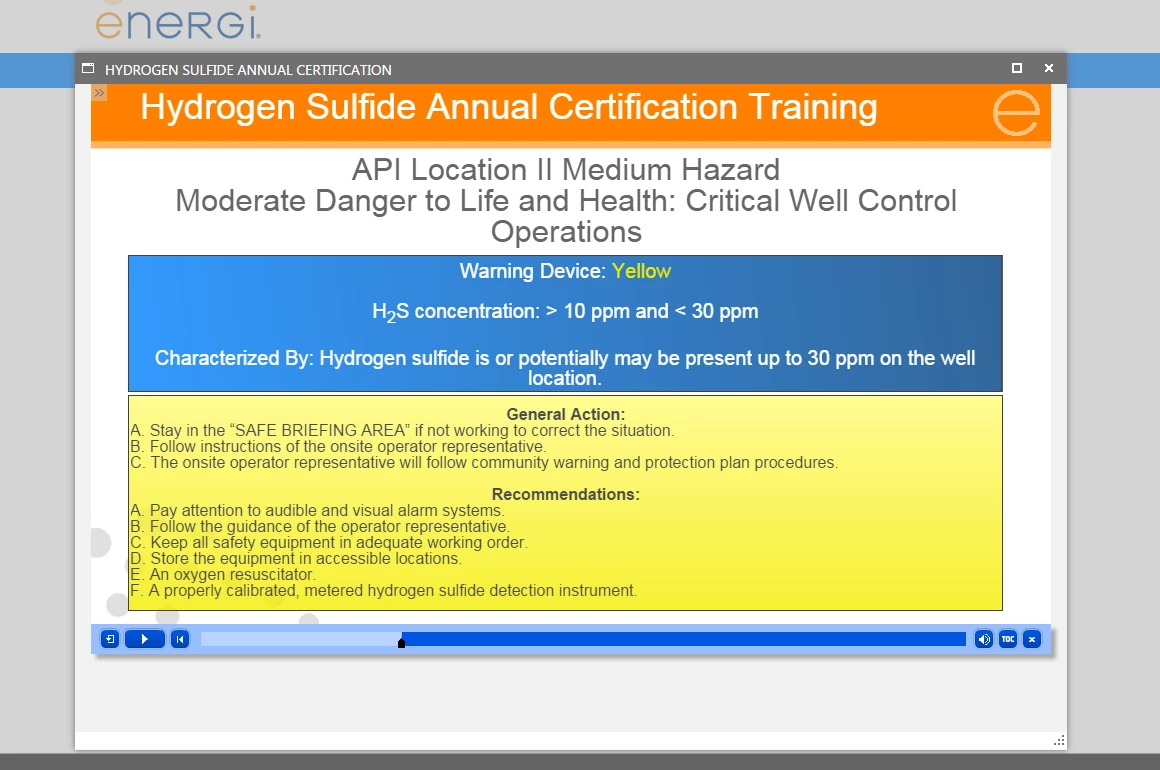
Several times the formatting in Captivate does not show in LMS.  Any thoughts?

    This topic has been closed for replies.

    2 replies

    Energized_trainer
    Known Participant
    August 20, 2015

    I was just about to post about other formatting issues and thought I would add it to my original thread.  Here is what is happening:

    • Fonts that are in Arial Black in Captivate show as Arial Normal in the LMS
    • Fonts that are italicized in Captivate show as normal in LMS
    • Indents show up in the LMS that are not in Captivate
    • Arrows that are correct in Captivate show up backwards or in completely different locations in the LMS.

    We are using Captivate 8.0.1.242

    The LMS is Accord

    I have run the course on the SCORM Cloud and see the same issues. Thoughts?

    RodWard
    Community Expert
    Community Expert
    August 21, 2015

    Download a trial version of Captivate 9 and test it to see if the issue is resolved in the new version.

    Energized_trainer
    Known Participant
    August 21, 2015

    Thanks RodWard, just downloaded the trail of Captivate 9 and here is what I found:

    No difference.  Here is a screen shot from Captivate 8  in captivate

    Same course run in Captivate 9 in the SCORM cloud Preview

    Note that the Titles should be in arial black, the first line in the top two boxes is not indented. (i did not play the slide to the conclusion, when I took the snippet, which is why the third example is not there.)

    Another slide to show the issues.(Captivate 8 in first slide, Captivate 9 LMS Preview in SCORM in second)

    The issues with the arrows was corrected in Captivate 9.

    Lilybiri
    Legend
    June 1, 2015

    Which LMS? Could you try to upload to SCORM Cloud to see if results in the same problem? I never did see that kind of issue. Did you try to change the font (which do you use?).

    Energized_trainer
    Known Participant
    June 1, 2015

    Hi Lilybiri,

    The program is too large to look at on the cloud without upgrading the account – which right now I do not have the approval for.  The LMS is Accord. The font is arial.  The other thing that I have seen with this is that bullets do not indent correctly.  When I look at in the Captivate 8 and the LMS, they don’t always match up and it’s hard to fix something if you can’t see it! Any thoughts would be greatly appreciated.

    Lilybiri
    Legend
    June 1, 2015

    I definitely would try then to upload some slides (you can hide other slides) to see if the problem occurs, no need to upload the total course. The reason is to identify if the problem is originating in Captivate or due to the LMS. I don't think this LMS is on the 'approved' list.