

andreleal
Inspiring
September 16, 2016
Answered

Apple devices "aria-label"

  • September 16, 2016
  • 3 replies
  • 831 views

Guys I have automate the task of creating a course here for the company, all the elements, navigation elements, intro and exit motion videos, name of topic, company logotype, etc are created dynamic, there´s a style sheet for every kind of element, h1, tables, paragraphs, lists, etc...

Done that to automate the creation of the courses, ok 4 years now since the first version of the script, eveything running good, I have a doube about the generated HTML from CP, the fact is that on android and desktop it create the elements with the same classes, I mean, using cp-accessibility to display the text on the course and all other classes that CP create. So for the final content I have this:
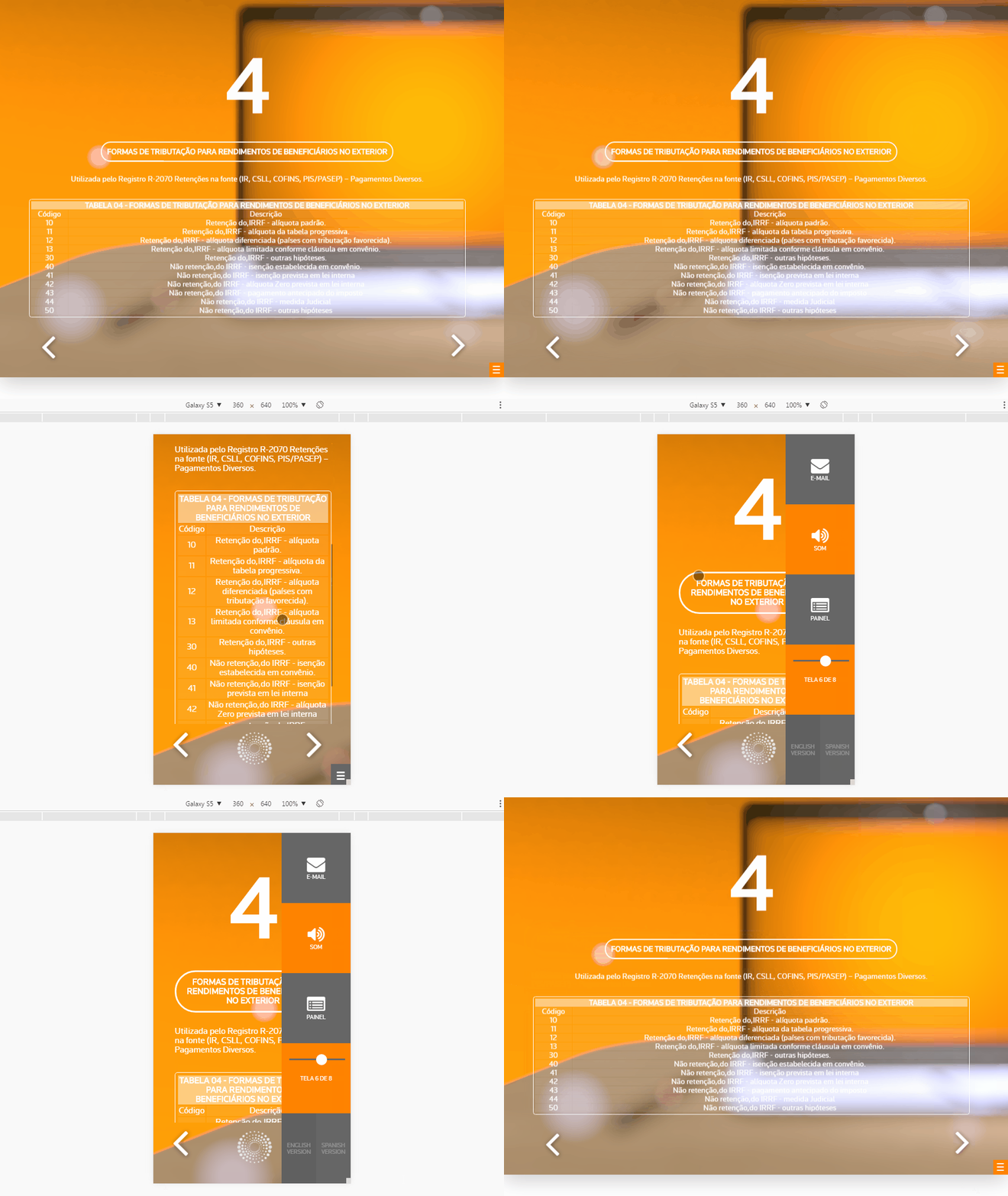
My question why is it that for apple devices CP dont use the current setup from android/desktop but uses an "aria-label" atributte for the informations? Asking that because every time I have to develop something I have to create a different function for apple devices.

Thanks!

    This topic has been closed for replies.
    Correct answer BDuckWorks

    First, let me say this sounds like brilliant work, I hope you'll spend some time for writing a few posts about your techniques. I'm particularly interested in your code generation for navigation elements.

    In answer to your question about the "aria-label," the most direct reference I could find was in the iBooks Author How To:

    Make content in HTML5 widgets accessible using WAI-ARIA. More information about WAI-ARIA is at these websites:

    I searched support.apple.com and found links to iBooks Author and the User Guides for iOS (Multiple versions and multiple hardware configurations: iPod Touch, iPad, iPhone).

    Apple - Support - Search

    3 replies

    BDuckWorks
    Inspiring
    September 16, 2016

    Those changes did it, thanks for the guidance.

    BTW, Cp version is 8, we haven't made the jump to 9 yet.

    That should give me a running start for Monday, I'll dig in and see about custom graphics and links.

    Thanks again for your efforts on this!

    Have a good weekend.

    andreleal
    andrelealAuthor
    Inspiring
    September 16, 2016

    A few more instructions:

    Using on the slide label this tag:

    Then all the text it´s going to display not on a floating box but on the sides like this, and every image placed the script check the side and change the side of the text:

    1.gif

    Also every squared images placed on the slide like 800x800 images the script round the borders:

    4.gif

    And if you use on the project details the information, Character, and load a sound for the slide:

    It will load a character using spriteshhets, that will only talk when the audio is playing.

    I have other 3d characters ready to create poses, maybe if you want to invest on this script, ill be glad to take the time to taking the project further:

    3.png2.png1.png

    But as I told you lets use the GIT page or andrepazleal@gmail.com, ill be thankfully to you.

    Cheers.

    BDuckWorks
    Inspiring
    November 7, 2016

    I'm working to understand this guidance, but some of the images are linked from the TR server.

    (BTW, I worked at TR in Ann Arbor 2 1/2 years ago on TechStreet.)

    BDuckWorks
    Inspiring
    September 16, 2016

    <blush/>

    Er, that HTML5 thing is important, isn't it!

    Now I get a spinning gear, a quick video, it jumps back to slide #1 and overlays some missing graphics.

    andreleal
    andrelealAuthor
    Inspiring
    September 16, 2016

    Did you change the seconds of the first, second and third slides to like 5000sec? As I told you I dont have a manual to design the courses using the script, the basic is, all the text must be inserted in the Accessibility:

    Using HTML <tags>:

    So that screen end up like this for desktop:

    And like this for mobile:

    Inside the code I´ve explain what does every function, a few of them not all, but it´s something that can help you. Comment on the GIT page, Ill like to have feedback on this project.

    Cheers.

    BDuckWorks
    BDuckWorksCorrect answer
    Inspiring
    September 16, 2016

    First, let me say this sounds like brilliant work, I hope you'll spend some time for writing a few posts about your techniques. I'm particularly interested in your code generation for navigation elements.

    In answer to your question about the "aria-label," the most direct reference I could find was in the iBooks Author How To:

    Make content in HTML5 widgets accessible using WAI-ARIA. More information about WAI-ARIA is at these websites:

    I searched support.apple.com and found links to iBooks Author and the User Guides for iOS (Multiple versions and multiple hardware configurations: iPod Touch, iPad, iPhone).

    Apple - Support - Search

    andreleal
    andrelealAuthor
    Inspiring
    September 16, 2016

    Thanks for the kind words, as to the aria-label I´m gonna try to find an alternative, about the techinique used, unfortunately I haven't got time to update the content anymore, but you can check my git and try it for yourself, have a lot of things to make, if I had the time, my focus was to create a plugin to use inside CP or maybe the best alternative for me was to create a plugin to create courses inside Moodle.

    Take a look:

    GitHub - andrepazleal/captivateCourseAutomation: Captivate Course Automation

    Thanks again.

    BDuckWorks
    Inspiring
    September 16, 2016

    I've been at this since your earlier posting, and no joy.

    I tested the URL in the javaScript code and both resolved to the file correctly, but loading onEnter doesn't have any effect.

    I've added extra slides, and extended the play time to 25 seconds, is that enough?

    I've also tried copying the TweenMax and courseScriptTR files to the local directory and shortening the url to just the filename.

    Again, no joy!

    I know this is asking for more time, but is there any chance you can get a minimal working Cp file into the GitHub project?

    the filename courseScriptTR has be wondering if this is for Team Rubicon?

    Have a good weekend, thanks for sharing it!