
May 23, 2014
Question

Autoplay Issue

  • May 23, 2014
  • 1 reply
  • 128 views

Hi,

I have button created on my slide. The slide is not advancing as soon as the content finished with its display. However when the slide's time is up, it advances automatically still.

Is the only way to circumvent this is to set a longer slide's time duration? Thank you.
    This topic has been closed for replies.

    1 reply

    RodWard
    Community Expert
    Community Expert
    May 23, 2014

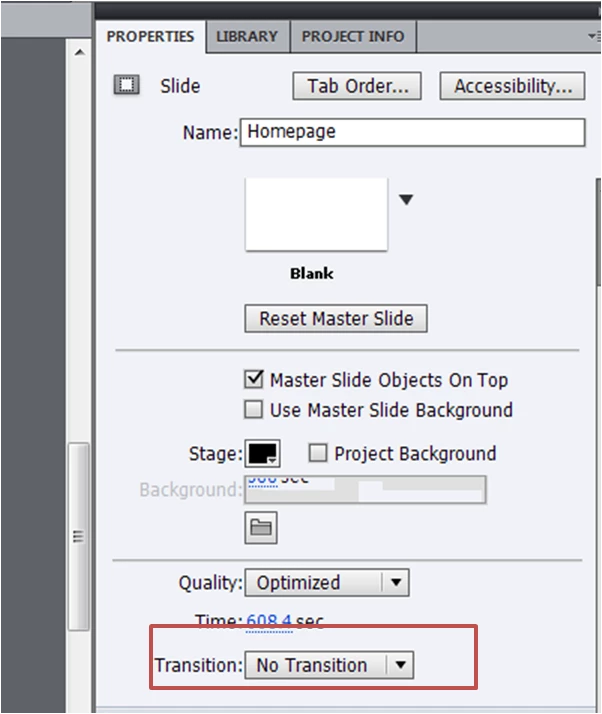
    I think you may be misunderstanding the meaning of the Transition drop-down option.  This refers to whether or not the slide has some kind of fancy transition applied when it loads.  E.g. whether it fades in, wipes in, etc.  This drop down does NOT determine whether or NOT the slide transitions from one to the next.  It controls the WAY it transitions.

    If you are trying to prevent a slide's timeline from automatically transitioning to the next slide without user interaction then you need to add an interactive object on the first slide that will pause the timeline.  The usual objects are either a button or a click box or a Smart Shape button.

    May 23, 2014

    Hi Rod,

    Sorry the highlight to my picture was not positioned rightly.

    The first slide always work well. It is the subsequent slides that always advances inspite they have buttons.

    What I notice is when the slide's time, in this example, 608.4sec is up, the slide will just advance inspite user has not clicked on the button.

    Therefore in the case of user's inactivity on my module, the slide would just advance which I do not want.

    RodWard
    Community Expert
    Community Expert
    May 23, 2014

    You have single slides that go for over 600 seconds?  That's more than 10 minutes.  Why would you want to have slides that long?  Do you have voiceover or video that goes for 10 minutes on that slide?