Answered
Blue box in Preview
A weird blue box popped up on my slides. It shows when I preview in HTML5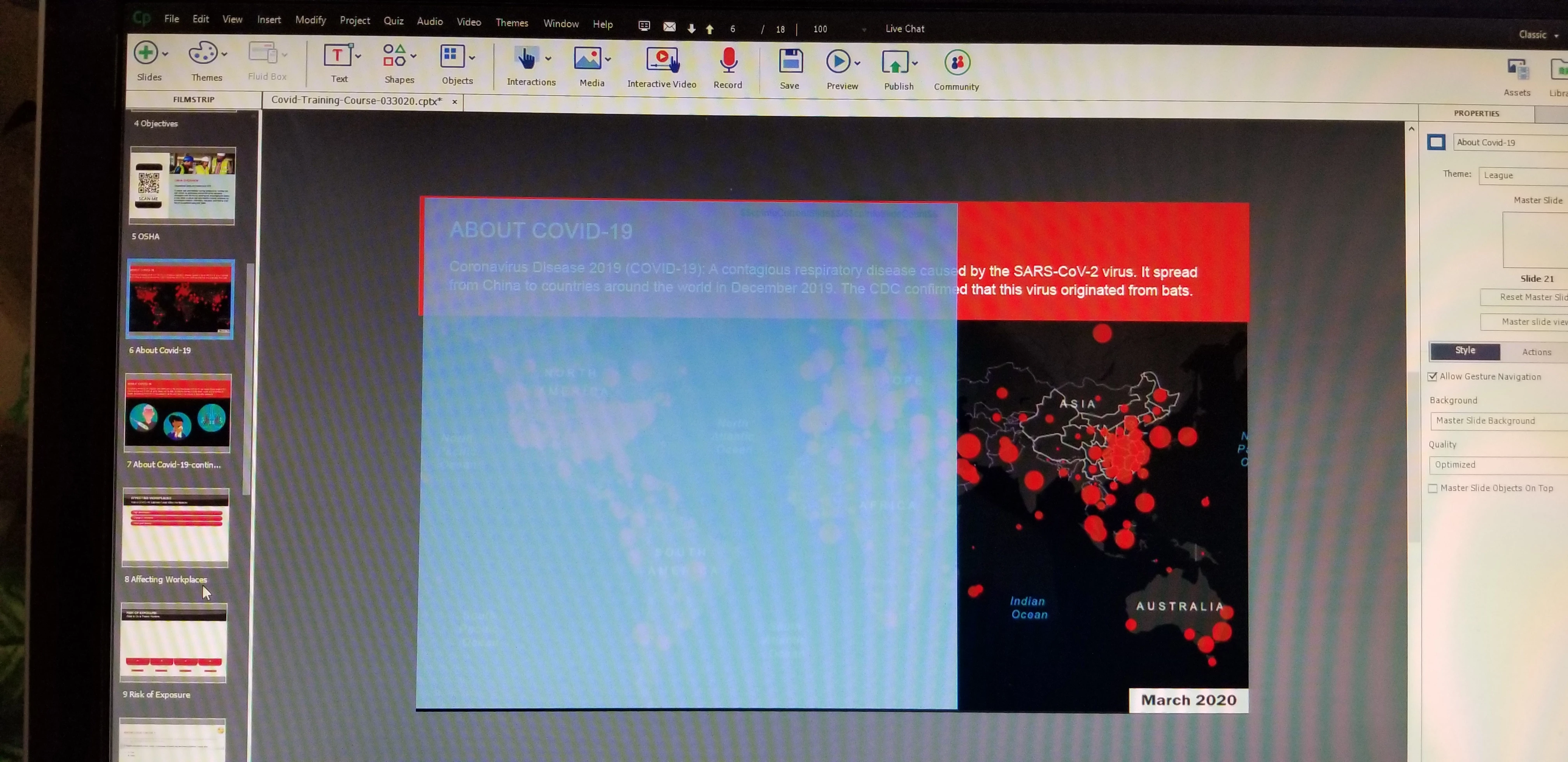 .
.
What happened? How can I get it off?

A weird blue box popped up on my slides. It shows when I preview in HTML5.
What happened? How can I get it off?
You have posted several questions which is fine. But please, try to put something significant in the Title of the thread, will probably get you quicker answers. When I receive an email, only the topic title is shown immediately. Moreover, it is kind of dangerous to use your e-mail address as a user name, you don't want spam?
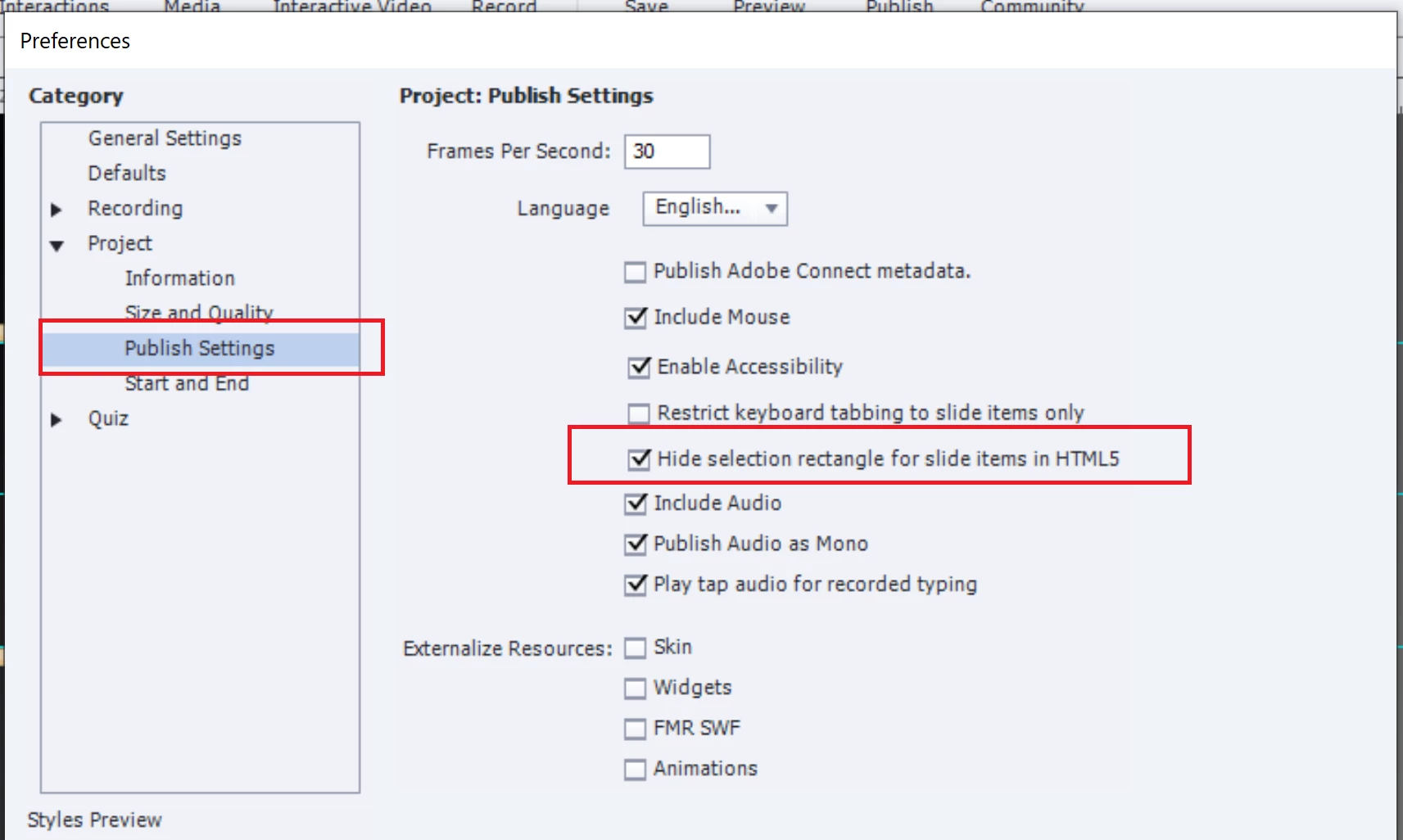
Since I cannot remember which version you use, I am a bit astonished. Someone has changed the default setting for this. Please check the Preferences (under the Edit menu in Windows, Captivate menu on Mac), option Project, Publis Settings The option 'Hide Selection Rectangle....' should be checked, not unchecked:
Already have an account? Login
Enter your E-mail address. We'll send you an e-mail with instructions to reset your password.
 AdChoices