
Inspiring
September 15, 2016
Answered

Bullets not always lining up

  • September 15, 2016
  • 1 reply
  • 305 views

I am using Captivate 9.0.2.421 on a Mac. I am creating a responsive project. 

Sometimes the bullets don't line up correctly on the left hand side. It looks fine when I am creating it in Captivate, but when I Preview it in a browser, and when I publish it to LMS, some bullets are a bit too over to the left. 

Here is what a slide looks like in Captivate:
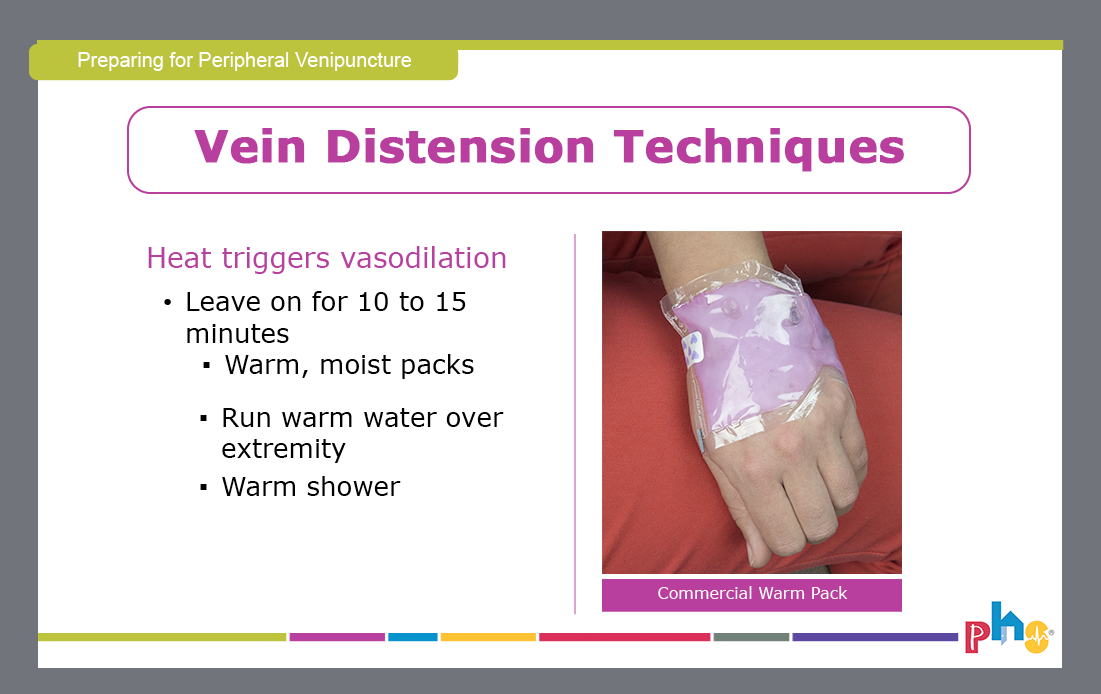
screen-shot-2016-09-15-at-11-08-54-am

And here is what it looks like in the Preview browser (it looks the same online after published to the LMS): (see how the last bullet is too far to the left, when it should be lined up with the bullet above it?)
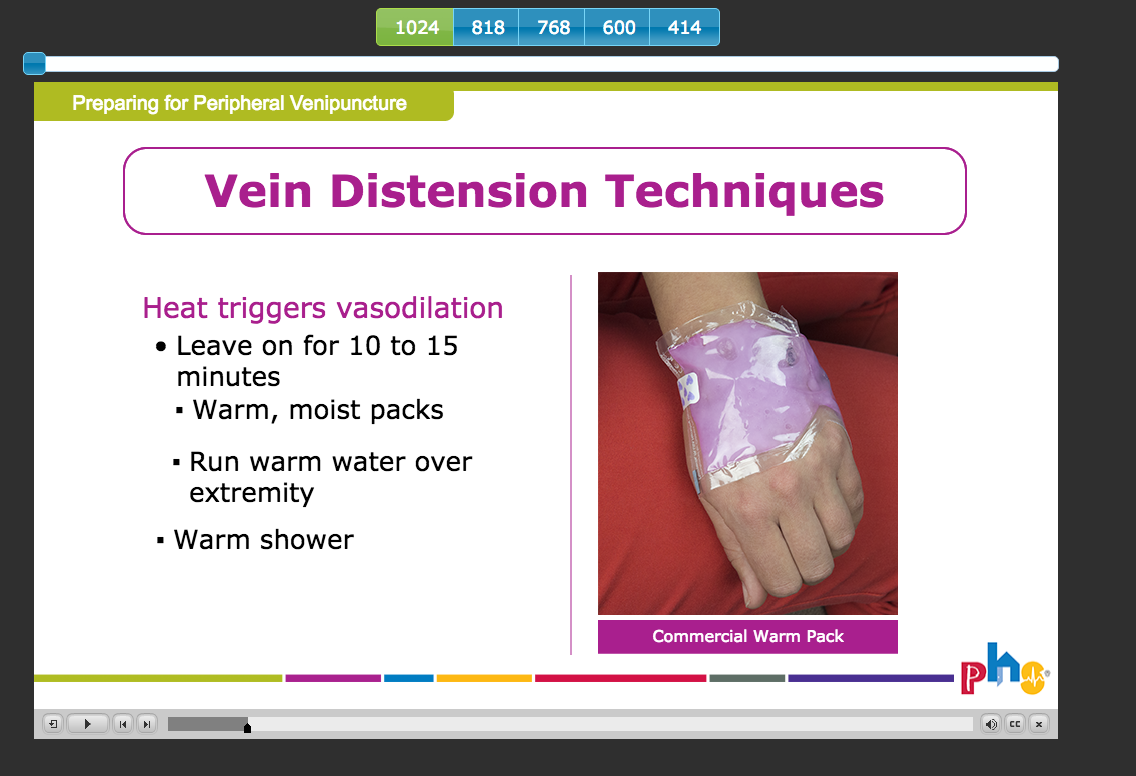
screen-shot-2016-09-15-at-11-09-21-am

This topic has been closed for replies.
Correct answer briec21342685

Did you try typing on the master slide?

Not that you would leave the text there, but if the master slide has an extra character it would appear on all the slides.

If you can reproduce it on the master, rebuild the master slide, then create a new slide using the edited master, recreate the bullets and delete the original slide.


I wasn't able to reproduce it on the master slide.

I ended up redoing this slide and deleting the old one and that solved the problem. Which is annoying, but at least it worked. Thanks for all of your assistance!

1 reply

BDuckWorks
Inspiring
September 15, 2016

Cp has some quirks when it comes to handling text, one sure way to trigger issues is to Copy and Paste text from MS Word into CP.

Is there any chance this text originated from MS Word?

If so, rebuild each bullet on this screen by copying the text into TextEdit (or NotePad on windows), which will remove invisible characters copied from Word on either platform.

Then, copy and paste snippets for each bullet into Captivate.

Lilybiri
Legend
September 15, 2016

@BDuckWorks Totally correct, but wouldn't label that as "Captivate quirks' at all. The hidden formatting indicators in Word will screw up any other tool that has proper styles (sorry MS, I'm not a fan) like InDesing, Quark XPress etc... It is never a good idea to copy/paste formatted text into another application, certainly not from MS Word.

Still nostalgic for WordPerfect where you could perfectly see which formatting indicators were applied, not hidden like with MS apps.