
Inspiring
January 22, 2019
Answered

Can I supply a Lynda.com-like transcript?

  • January 22, 2019
  • 1 reply
  • 1647 views

Lynda.com has this nice feature allowing you to choose to display a transcript of the lesson. It even highlights the words currently being spoken, as shown in this screen shot:
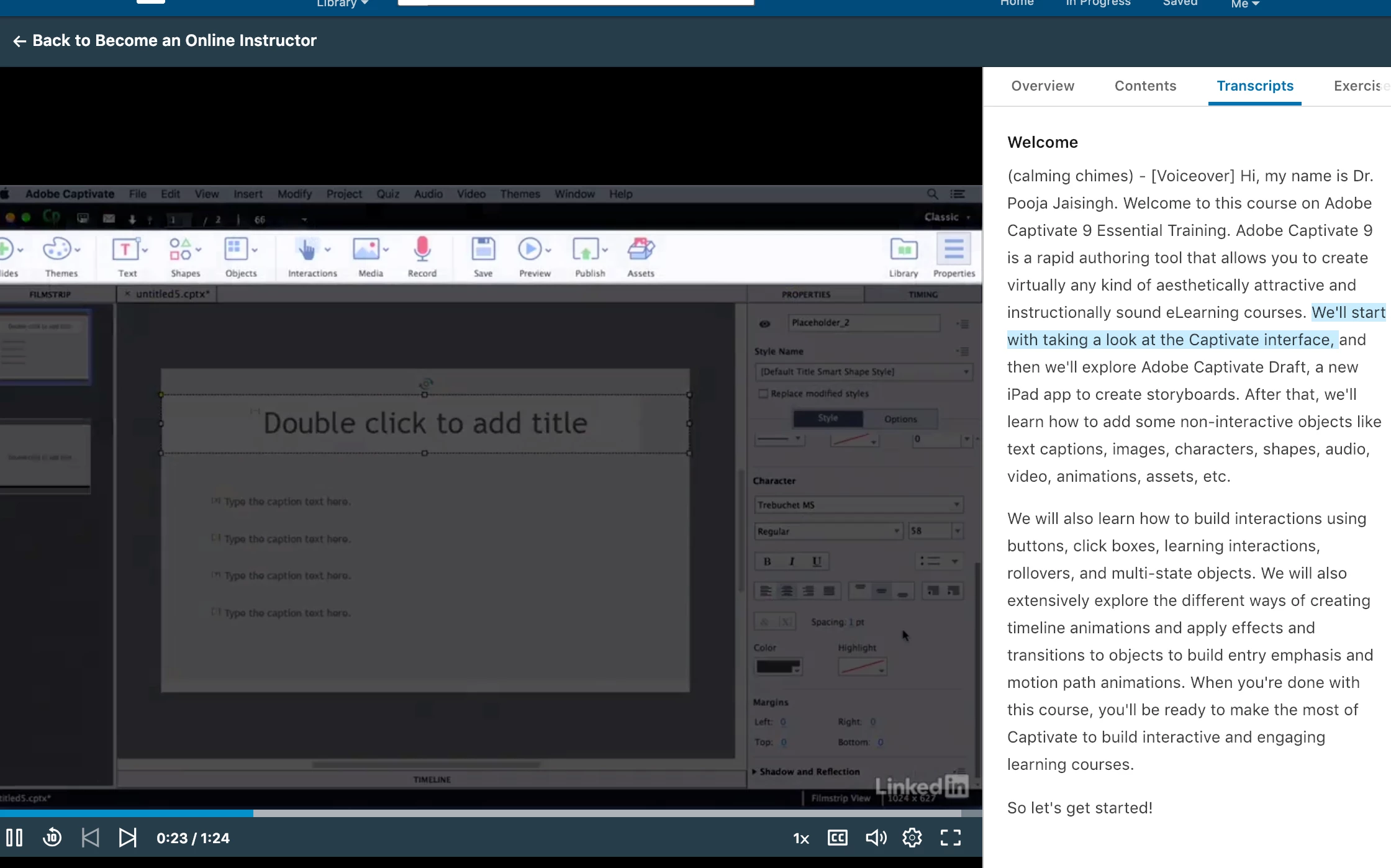
What's really nice is you can choose to hide it if you find it annoying.

Is it possible to do something similar in Captivate?

    This topic has been closed for replies.
    Correct answer Lilybiri

    Was not aware that feature existed (I am a newbie).


    Closed Captioning is a good functionality in Captivate. It has been r"efurbished in CP2017. Use slide notes: one for each sentence in the audio. From the slide notes panel it is easy to go to the CC management (also indicated as Speech management.

    1 reply

    TLCMediaDesign
    Inspiring
    January 22, 2019

    That would take some serious JavaScript to achieve that.

    I's possible, and I have done something similar as far a pulling the CC out, but it would be a chore to format the text and then find out which caption is being shown to highlight it.

    Inspiring
    January 22, 2019

    I can live without the highlighting and auto-updating of the current text. What about the possibility of simply showing the text for a particular slide, but with the option of the user being able to hide it if they find it annoying?

    Lilybiri
    Legend
    January 22, 2019

    What is wrong with CC and a CC toggle button?