Participant
August 8, 2013
Answered

Cap7 Quiz Capabilities- Is it possible to insert an interactive table/multiple short answer boxes?

  • August 8, 2013
  • 1 reply
  • 507 views

Hello all,

I'm relatively new to Captivate (started a few months ago in 6), and am trying to navigate its quiz functions right now.
My client wants a function where users can type short answers into a table, like this:
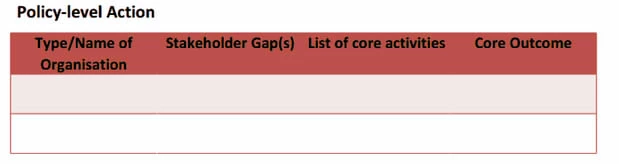
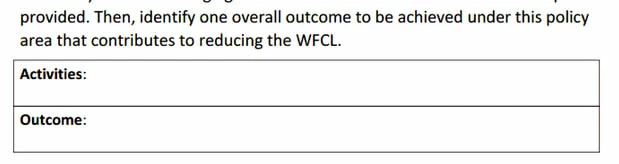
Or where users can type short answers into multiple boxes on one slide, like this:
Now, I know Captivate has at least one Table widget, but it doesn't look like the user can modify the values.
And to my knowledge, the short answer quiz doesn't allow me to enter multiple answer boxes.
I was wondering if this is even possible with Captivate?

Thank you!

This topic has been closed for replies.
Correct answer RodWard

It's possible using Text Entry Boxes, user variables, and Advanced Actions.  There is no table object or default quiz slide that allows you to do this.

1 reply

RodWard
Community Expert
RodWardCommunity ExpertCorrect answer
Community Expert
August 9, 2013

It's possible using Text Entry Boxes, user variables, and Advanced Actions.  There is no table object or default quiz slide that allows you to do this.

AnshamAuthor
Participant
August 13, 2013

Thank you!

Lilybiri
Legend
August 13, 2013

Bit puzzled, answered a similar question somewhere else?    It is possible to have multiple blanks in the FIB question, but you cannot have partial scoring if only some blanks will be filled in correctly.

OK, found it, you didn't seem to have seen the answer: http://captivate.adobe.com/captivate/topics/table_and_fillable_question_slide

If you are Mike...