Participant
June 14, 2018
Answered

Captivate 2017 - TOC does not scale to match the height of the presentation (too long/tall)

  • June 14, 2018
  • 1 reply
  • 496 views

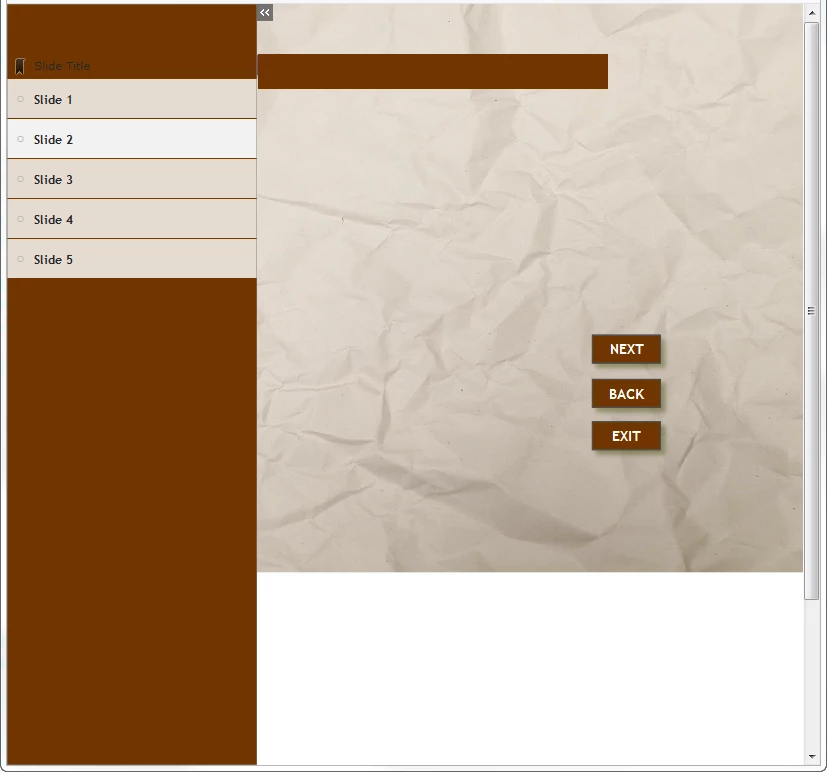
In Captivate 2017, when I reduce the size of my browser window, my presentation scales down to match the width of my browser (which is what I want).  However, the TOC does not scale, and extends below the content - even though I only have a few entries in the TOC.  What am I doing wrong?  Is there a way to make the TOC not extend past the content?  Thanks.
    This topic has been closed for replies.
    Correct answer Lilybiri

    That was inportant missing information. Rescalble is the simplest way to

    make a project display on all devices, but non-respomsive

    1 reply

    Lilybiri
    Legend
    June 14, 2018

    How did you publish? If it is to HTML, please check 'Scalable HTML' in the publish dialog box. Have a look at this published interactive movie, it has a TOC in overlay, you can rescale as you want and the TOC never will be higher than the rest:

    Captivate's Timeline

    Can you check the version number, just in case you are ot aware of the existing patch to 10.0.1.285.

    Participant
    June 15, 2018

    My project a responsive project, and I'm publishing to HTML5.  I don't see the "Scalable HTML content" option for responsive projects.

    Your Captivate's Timeline project behaves the way I want mine to behave.  Is there any way to achieve this with a responsive project?

    Lilybiri
    LilybiriCorrect answer
    Legend
    June 15, 2018

    That was inportant missing information. Rescalble is the simplest way to

    make a project display on all devices, but non-respomsive