

Captivate 2019: Difficulty with advanced actions and apply effect
Hi All,
I've been wrestling with ultilizing advanced actions and apply effects together forever. I really need to get this figured out, but I never seem to see a tutorial on exactly what I'm trying to achieve.
Here is that I'm trying to do:
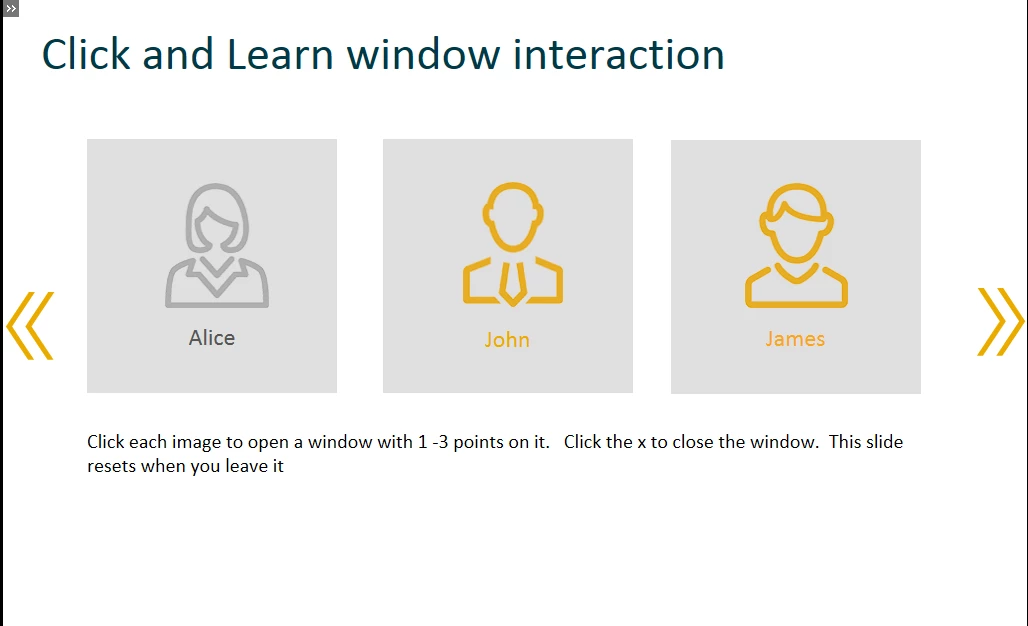
I have a slide with three boxes on it. Every object on the slide is set to show to end of slide and starts after 0 seconds:
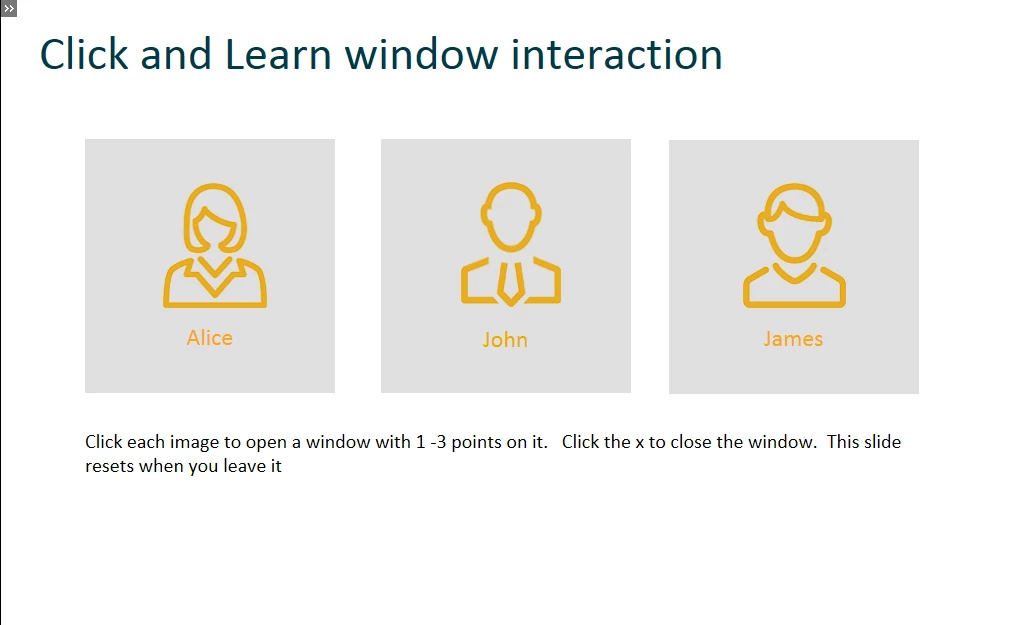
When you click on a box, the following advanced action is supposed to occur:
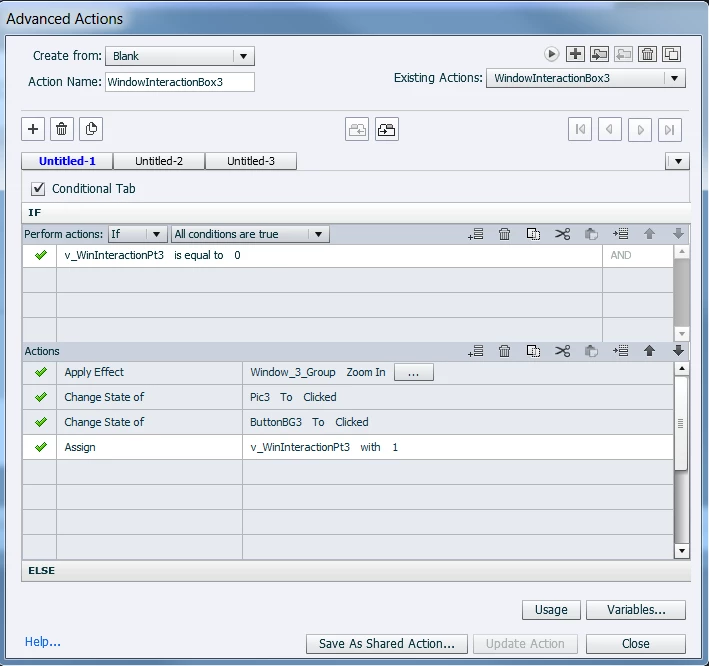
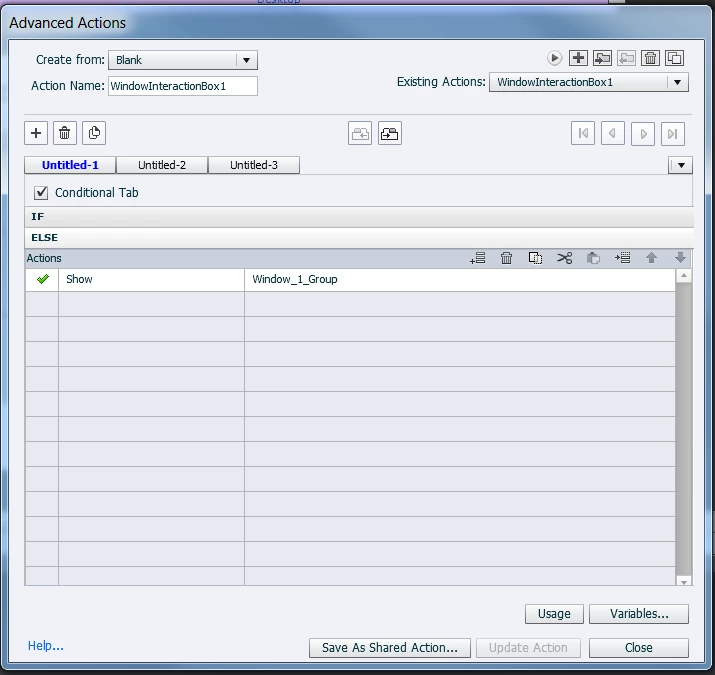
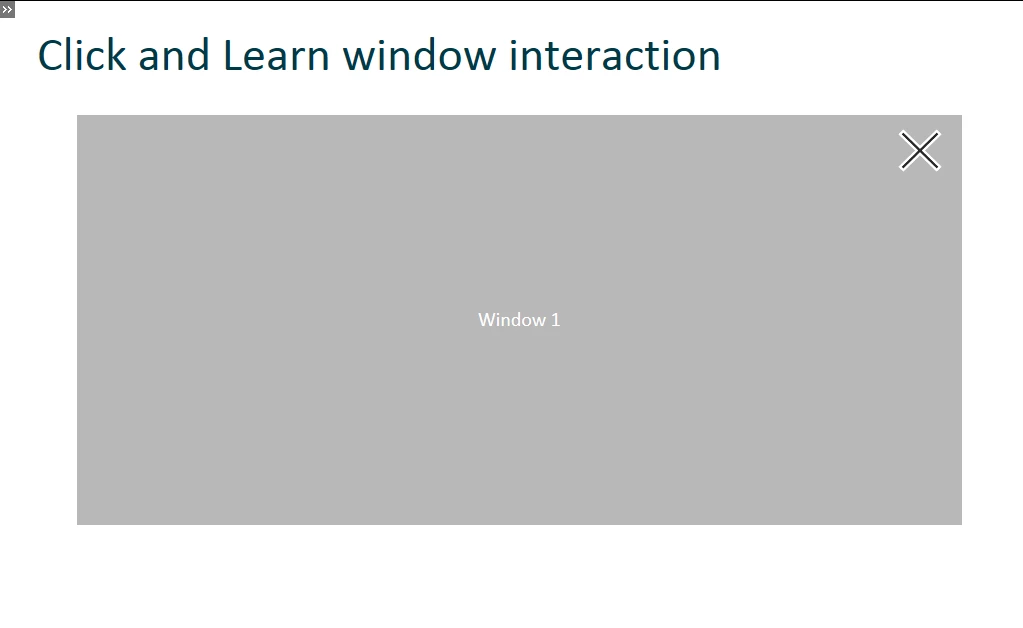
Basically, when one of the three boxes is clicked, a window is supposed to appear and the state of the button itself is supposed to change to show it was clicked. The first time the box is clicked, a zoom effect is supposed to apply, and any subsequent attempts cause the window to simply appear. At least, that is what is supposed to be happening.
The end result is thus:
Straightforward, right? Something to add. There is an advanced action set up for the slide itself as well:
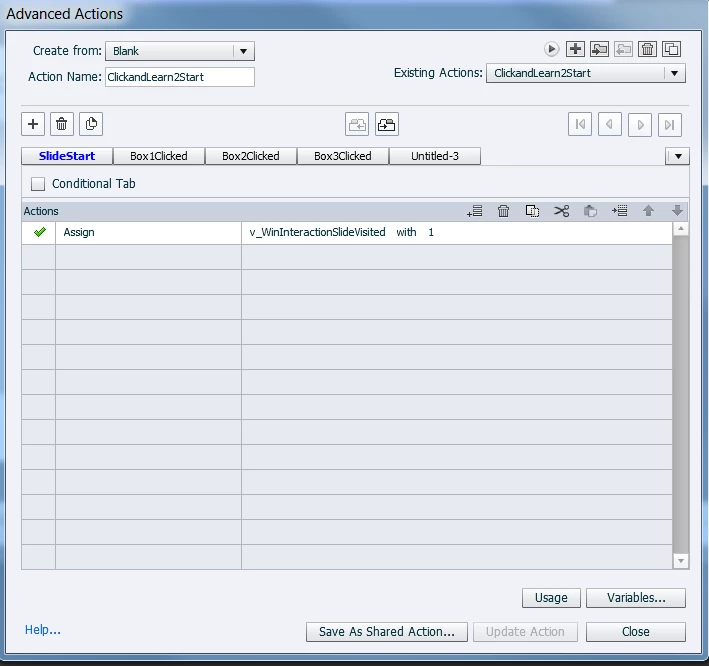
This variable tells the course that this slide has been visited. this is a signal for it to leave things as-is on the slide in terms of what has and hasn't been clicked. The variable is reset to 0 if the splash page is visited (which can't be reached via the navigation controls, only by starting the course over.
In addition, each button has an advanced action linked to it to basically close any open windows when the slide starts up.
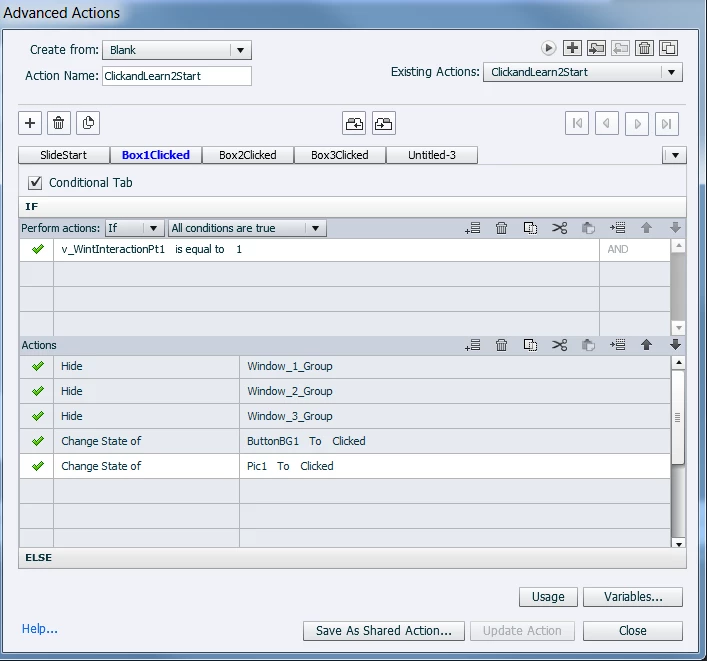
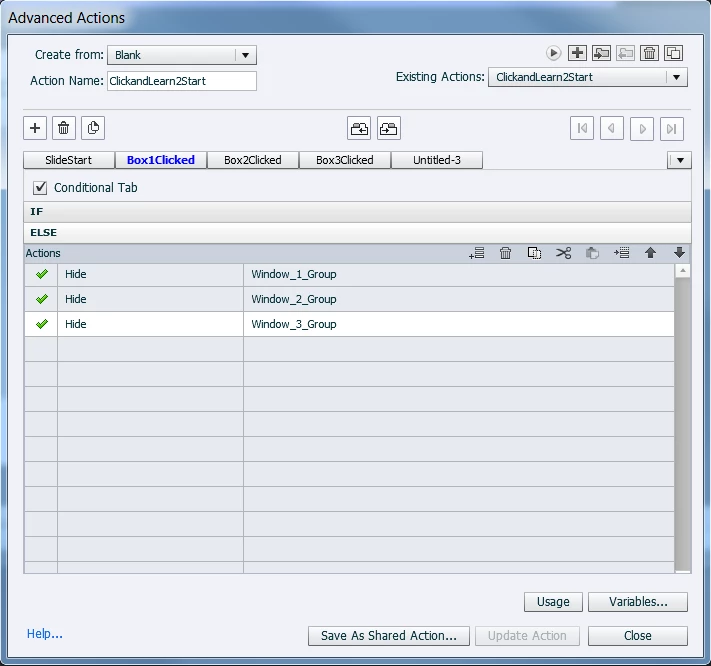
Hopefully you are not confused yet. I'm done setting the stage.
So, what is happening?
Basically, when you get to the slide and click on a button, nothing happens. The state of the button does not change, and the window fails to open.
HOWEVER, if you change the first line of the advanced action for a button from Apply Effect to simply Show, then the window opens, and the state of the button changes. Everything else behaves as intended as well.
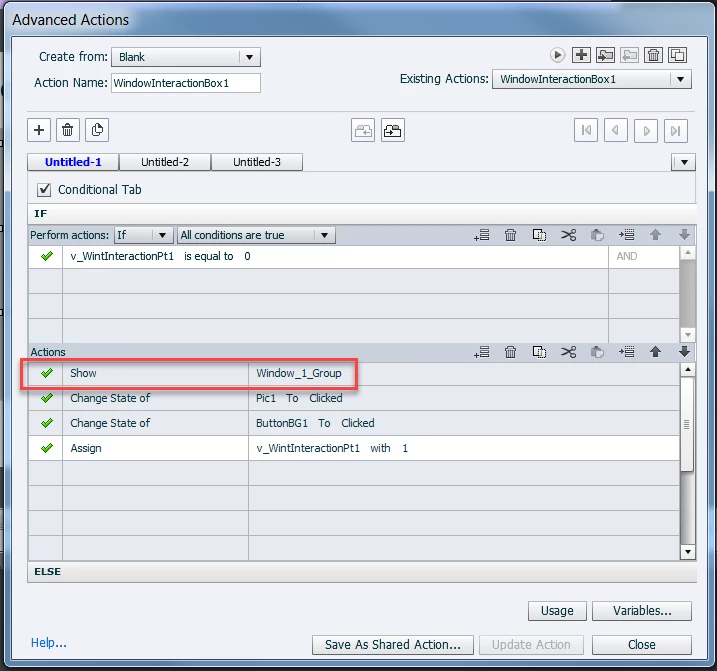
But not if you leave it at apply effect. I keep running into this wall with my applied effects. None of them ever seem to work when I link them to an advanced action. I don't know why. I've tried it with entrance and basic effects and this keeps happening.
Help!
 AdChoices