
Participating Frequently
November 16, 2009
Question

Captivate 4 crashes on Edit Background

  • November 16, 2009
  • 3 replies
  • 5258 views

Hi All

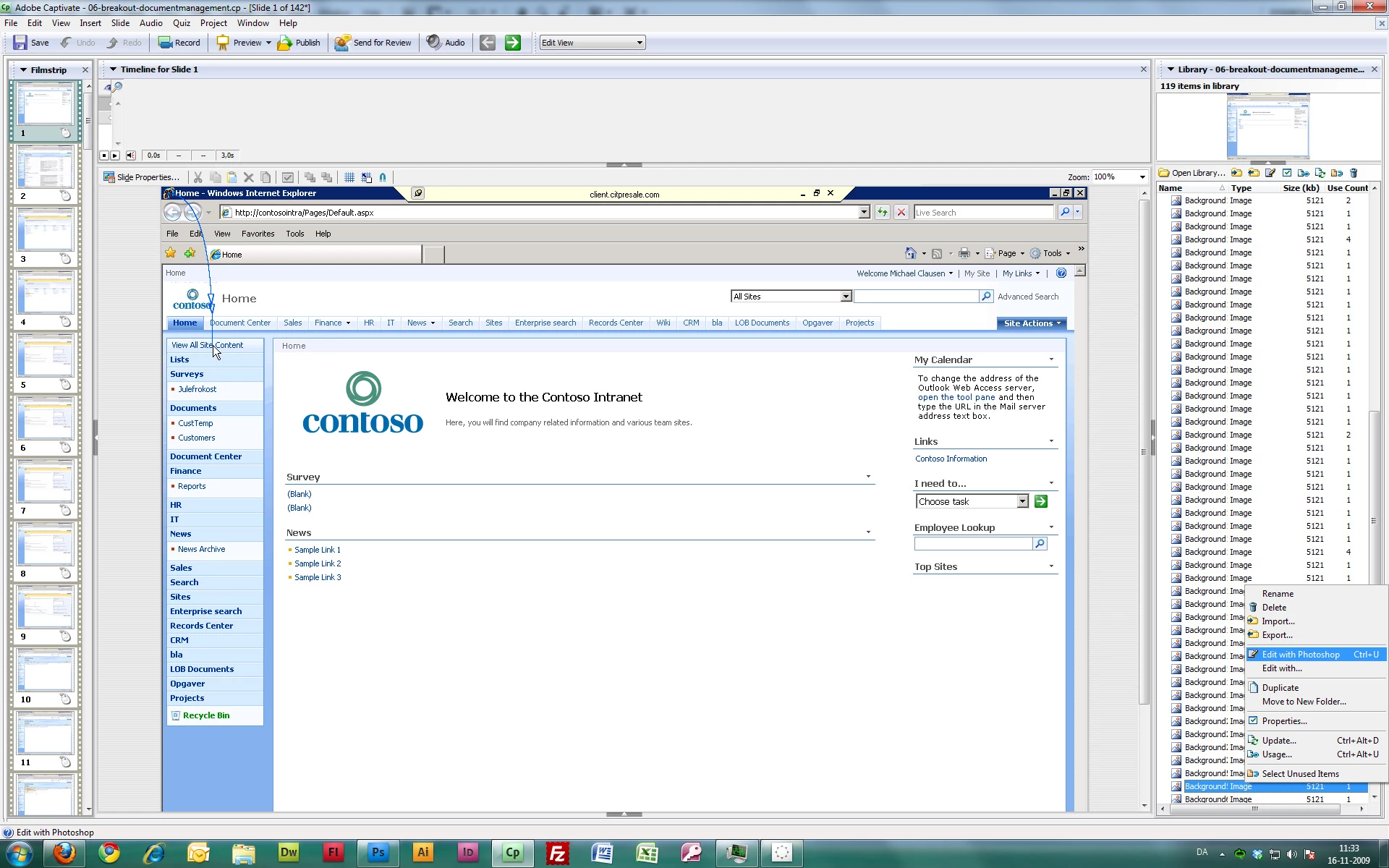
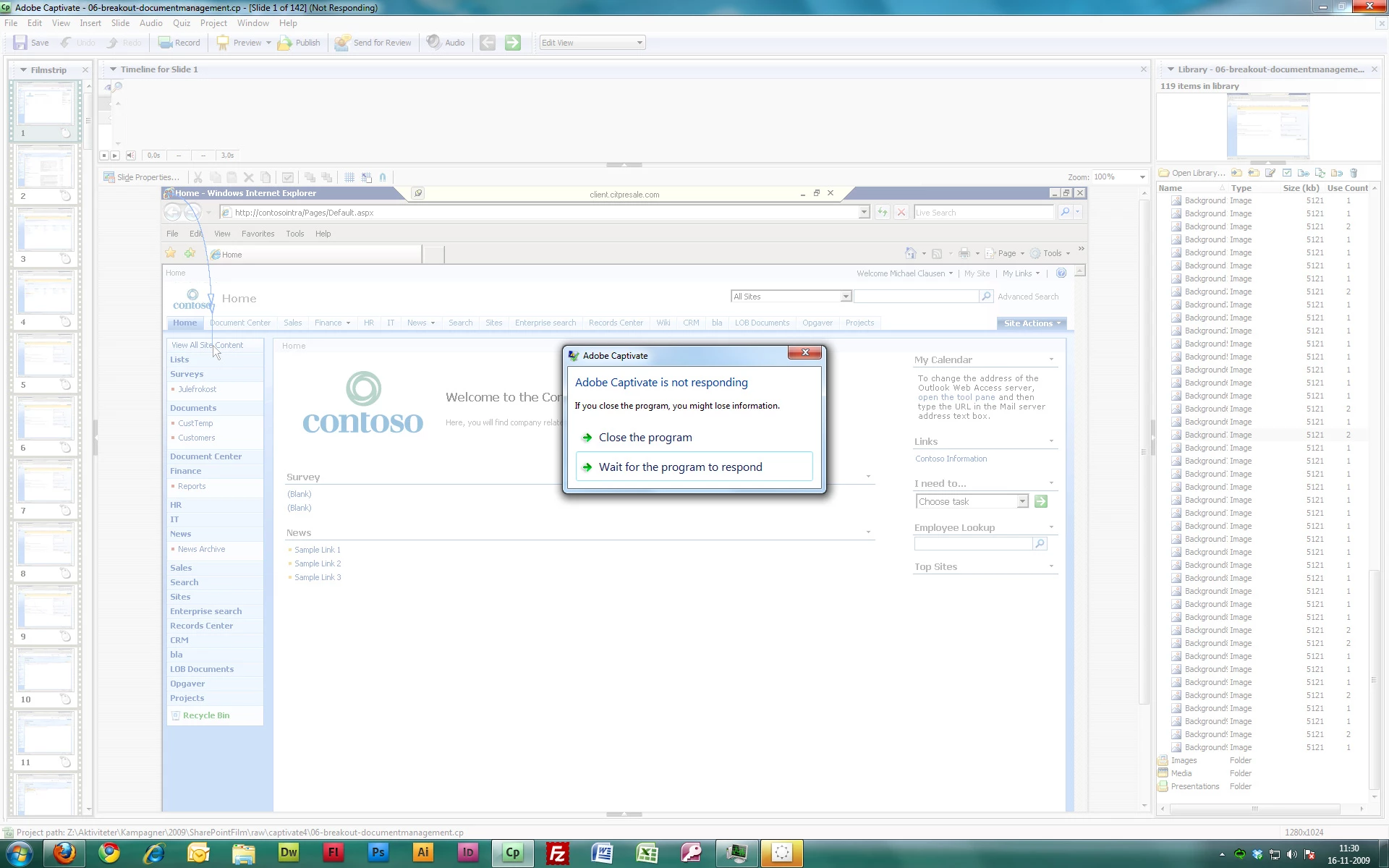
I really hope you can help me with this issue, as it is thoroughly stopping me from getting any work done on this project. The problem I'm having is that the "Edit background with..."-function is crashing my Captivate. When using this function, my Captivate stops responding. The error happens every time I use this function. I've attached screenshots for reference.

I can't find anything on this issue on the forums, even after reading this thread http://forums.adobe.com/message/2203153#2203153 and looking at the frequently encountered issues http://forums.adobe.com/thread/473021. I have ensured that I'm running the program as administrator, I've downloaded the patch in the first thread and I've moved my files to a low nested folder on my C drive.

I think that the problem might have something to do with my setup being Windows 7 64-bit, as I've only recently changed to this system, and the error has occurred consistenly after.

My setup is:

Windows 7 Enterprise 64-bit

Intel 3 GhZ QuadCore i7

12 GB Ram

I really hope some of you have an idea on how to solve this. Thanks, in advance!
    This topic has been closed for replies.

    3 replies

    Participant
    June 29, 2010

    Same problem here.

    I could not find any answers so made a ticket. Got a long document what to do with these problems under Vista.

    Hardly any chance it will be corrected; Adobe doesn't do much about Captivate's quirks and problems :-(

    Participant
    September 15, 2010

    This issue happens each time with me. I tried using SnagIt to edit

    the background and am using Windows XP operating system.

    Participant
    September 15, 2010

    I succeeded in editing cp4 backgrounds under win7 x64 by installing an old (cs3) version of Photoshop. On one computer, that is.

    Had to buy a new laptop (win7, x64) but there CP4 wouldn't run anyhow.

    In the meantime I had to buy CP5; work goes on ...

    ljddkAuthor
    Participating Frequently
    November 16, 2009

    This issue hasnt as much been fixed, as it has been worked around. The crarsh happens when trying to use Photoshop CS4 64-bit or Windows 7 64-Bit Paint to edit a background slide in Captivate 3 or 4.

    Solution: Don't use Photoshop 64-Bit or Windows 7 64-bit MSPaint. Use Photoshop 32-Bit instead.

    Note: Using Photoshop 32-bit may result in another issue - that your backgrounds doesn't update in Captivate after editing. A couple of workaround are mentioned in this thread: http://forums.adobe.com/message/2396290

    Captiv8r
    Legend
    November 16, 2009

    Hi there

    Please do take a moment to stop and report this as a bug to Adobe.

    Additionally, note that many background edits never really even need an external editor. Of course, this depends on how elaborate the changes are. Many edits are made entirely using Highlight Boxes or Images combined with the "Merge into background" feature of Captivate.

    Cheers... Rick

    Helpful and Handy Links

    Captivate Wish Form/Bug Reporting Form

    Adobe Certified Captivate Training

    SorcerStone Blog

    Captivate eBooks

    ljddkAuthor
    Participating Frequently
    November 16, 2009

    Done. Reported both original 64-bit crash bug and non-updating background bug, as seperate bugs.

    Lilybiri
    Legend
    November 16, 2009

    Did you try running CP in XP-compatibility mode? I'm using Windows 7, but 32bit and no problems for the moment (always be careful...)

    Lilybiri

    ljddkAuthor
    Participating Frequently
    November 16, 2009

    No haven't tried that, but just did, with no luck. Still getting the exact same error. Good idea, though, despite no success.

    ljddkAuthor
    Participating Frequently
    November 16, 2009

    Okay, I think I'm closing in on the issue here. It seems to have something to do with the system running 64-bit.

    Adobe Captivate crashes when trying to edit the background with Adobe Photoshop CS4 64-Bit and Windows 7 64-Bit Microsoft Paint.

    But...

    it doesn't crash when using Adobe Photoshop CS4 32-Bit (fortunately Adobe has enough foresight to include both in my CS-package).

    Now, however, I'm experiencing an old known issue when using Photoshop 32-Bit. The background image doesn't seem to update in Captivate after editing and closing Photoshop. The changes still show up when I reopen Photoshop, though.

    Gonna try and clear my AppData directories, to get rid of old temporary files. That has temporarily solved that problem for me in the past.

    I'll get back with more info later.