
Participant
February 25, 2014
Answered

Captivate 7 (Trial): Multi-SCORM Packager

  • February 25, 2014
  • 2 replies
  • 883 views

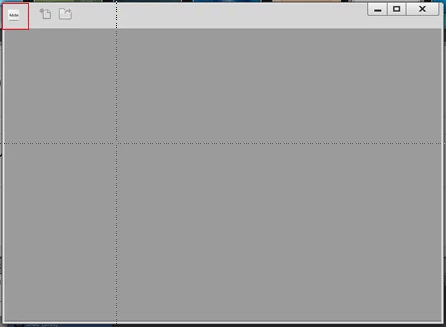
I recently downloaded Captivate 7 - Trial to check out the Muti-SCORM Packager. On clicking this feature, a window pops open, but it is completely greyed out. Is this feature unavailable on the trial version? Please Help!
    This topic has been closed for replies.
    Correct answer RodWard

    No. None of the buttons on the screen are active, except for the on the top left (red box highlighting it), but that's just Max/min, close!


    Hmmm...this definitely looks like an installation issue. 

    Have you tried reinstalling Captivate and deleting the Preferences folder as well before launching again?

    2 replies

    HimanshuSatija
    Adobe Employee
    Adobe Employee
    February 25, 2014

    Hello,


    Welcome to Adobe Forums!

    Ideally it should come up like the image below.

    If it is not coming like this make sure that you have an updated version of Adobe Air installed on your computer.

    Please go to the link below to download latest version of Adobe AIR  https://get.adobe.com/air/

    Thanks and Regards

    Himanshu Satija

    Participant
    February 25, 2014

    I installed the the latest version of Adobe AIR provided in the link and the issue remains. Any other suggestions?

    HimanshuSatija
    Adobe Employee
    Adobe Employee
    February 25, 2014

    Hello,

    Please check the version of Flash Player and shockwave player installed on your computer .

    http://www.adobe.com/software/flash/about/

    http://www.adobe.com/shockwave/welcome/

    Thanks and Regards

    Himanshu satija

    Participant
    February 25, 2014

    I am experiencing the same issue except that mine is not a trial version.