Inspiring
March 26, 2021
Answered

Change all fonts

  • March 26, 2021
  • 1 reply
  • 1809 views


Version 2019


Hi

I have seen this question been up before but they are getting really old.
So I wonder. Is tgeir a way to change all the fonts at once. I know I can change them one object at a time to use object style manager but I have some trouble to figure out on how to use this to change all the fonts.

Br

Robert

    This topic has been closed for replies.
    Correct answer Lilybiri

    I updated to Open Sans. But I see alot like 80% of the textboxes do not update. When I look at the theme in theme properties I see this 

    I have selected Open sans on allt three 
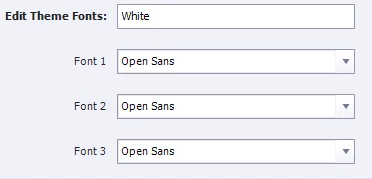
     

    So Why do I still have Calibri on alot of text boxes?


    If your theme was correctly set up, all texts using Calibri would have changed to Open Sans.


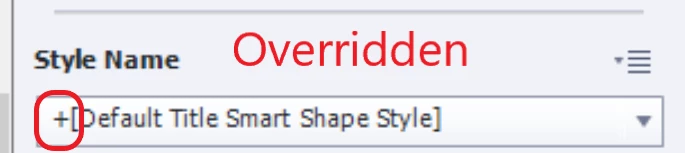
    Since that didn't happen I suspect that you did override a lot of object styles. One of the most important component of a Theme are the object styles. They should all use the Theme fonts, but if you override an object style, you tell Captivate: in this case I want an exception, I don't want to use the default styles. You'll see a +sign in that case:
     

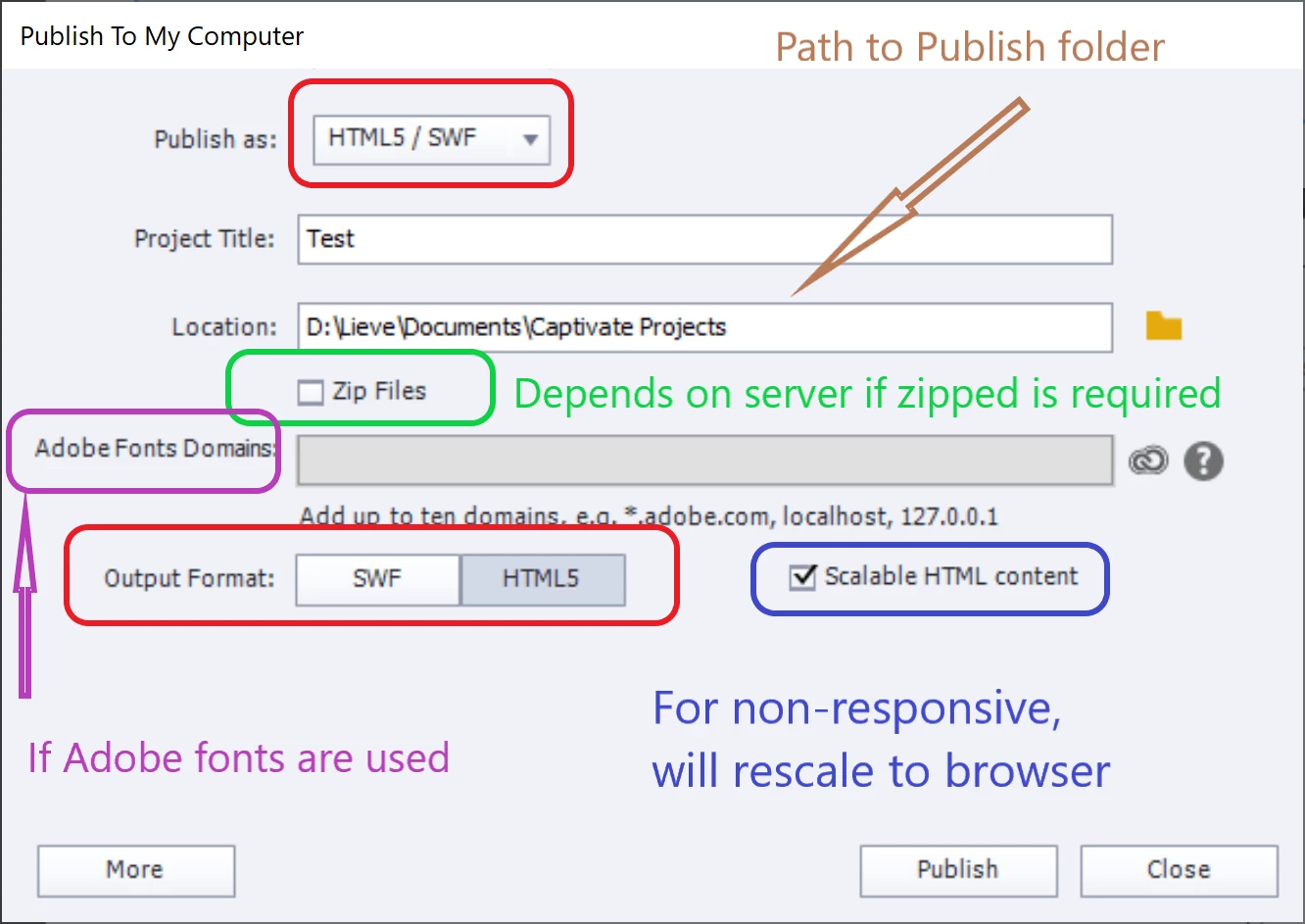
    I am bit busy today. You didn't import the font, but on publishing you will have to indicate the domain for which you publish. The font will be rendered on runtime but only for that domain. If you have the minimum Adobe font plan packaged with Captivate you can indicate only one domain. If you also have a CC subscription you can indicate more (and activate more fonts as well). See the grey line (didn't indicate domains here):



    1 reply

    Lilybiri
    Legend
    March 26, 2021

    Are you on Version 11.5? If yes, you can replace a font using the Theme Properties. Have a look at;

    http://blog.lilybiri.com/themes-are-time-savers-what-is-new-in-11-dot-5


    Inspiring
    March 26, 2021

    Oh my. thank you so much. 
    I do see they change to Calibri Light in my example. I need Calibri regular. But maybe thats not possible.

    Lilybiri
    Legend
    March 29, 2021

    Hm cant see how to edit my answer. 

    I found an updated profil for our company. We are now using OpenSans regular. Cant see that in Captivate.
    Could it be an idea to import it to captivate (can it be done?) 

    Br

    Robert


    Look under the Adobe fonts, and install it.  To be honest: you will certainly find a font in that large library that cannot be distinguished from the original one by more than 99.9% of the users. But if the font on a learner's system suddenly changes from your sans serif to Times New Roman (serif font) everyone wsill have seen it. Little bit of pragmatism is always a good way.


    As I told you cannot import, nor embed a font in Captivate. If you choose for an Adobe font (limites plan is packaged with Captivate) it will be rendered on runtime on any learner's system.