
Known Participant
May 4, 2017
Answered

Change preloader text

  • May 4, 2017
  • 1 reply
  • 318 views

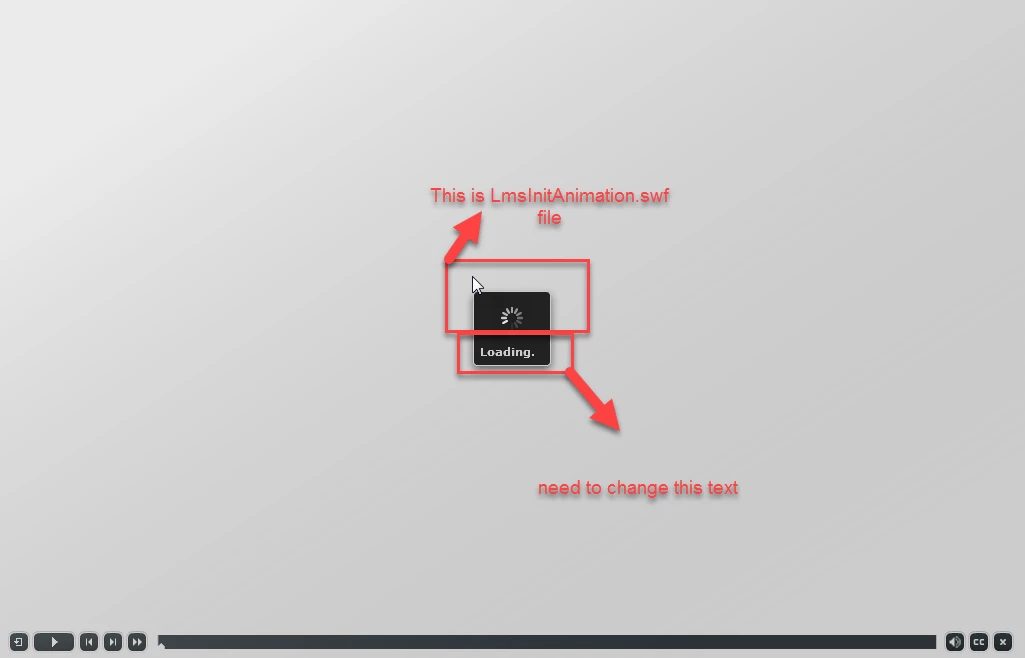
I am trying to change preloader "Loading..." text, from captivate.

I have found animation (Circle animation) "LmsInitAnimation.swf" file from below path:

C:\Program Files\Adobe\Adobe Captivate 9 x64\Gallery\SWF Animation,

But i cant found "Loading" text below this animation coming, in black box.

Please help me solve this issue, its urgent
This topic has been closed for replies.
Correct answer Michael CPGURU

That text is found under Preferences - Quiz - Reporting and then LMS Initialization Text.


Capture

1 reply

Michael CPGURUCorrect answer
Participant
May 9, 2017

That text is found under Preferences - Quiz - Reporting and then LMS Initialization Text.


Capture

vishaljadAuthor
Known Participant
May 9, 2017

THANK YOU SO MUCH WOOTASSA     

This will really helpful in my future project