raniab28862584
Participant
May 4, 2017
Question

Click boxes for find the differences game

  • May 4, 2017
  • 2 replies
  • 749 views

Hi,

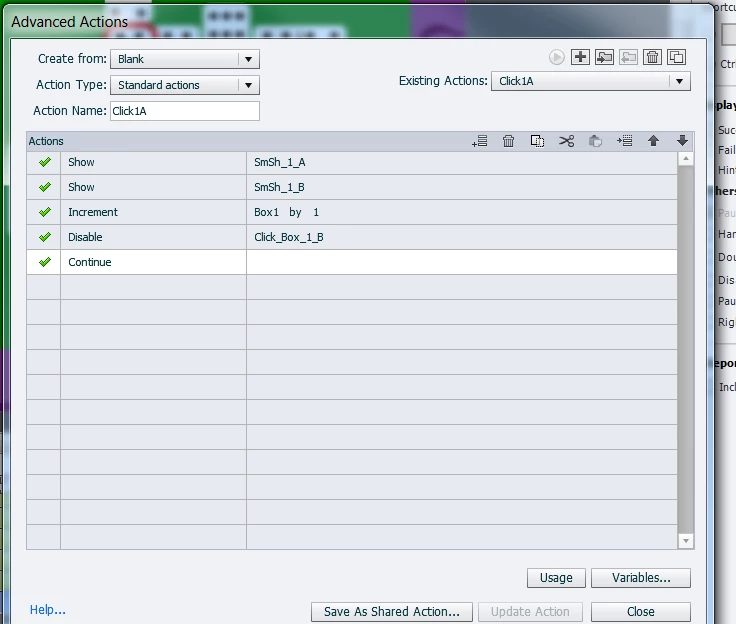
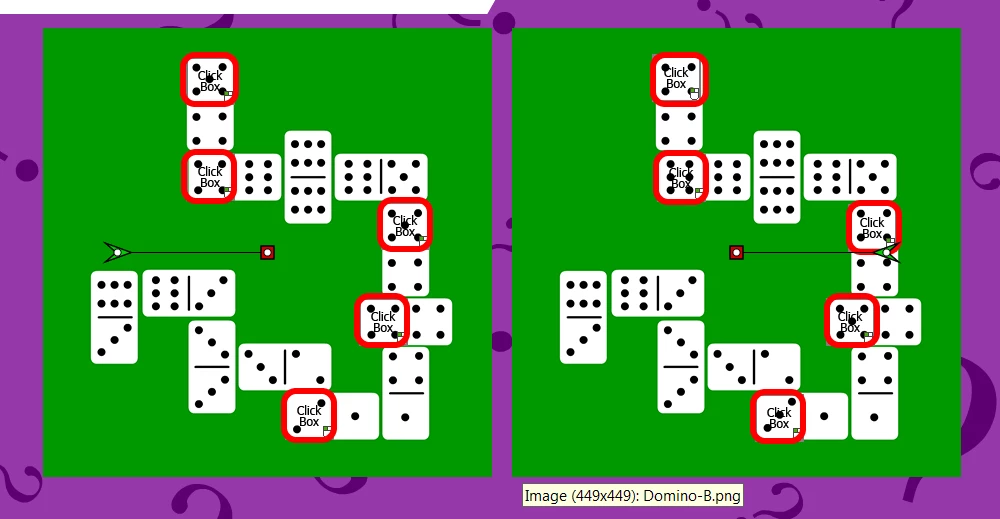
I am trying to integrate a game of finding the differences between two photos into a course I am building. I am using click boxes on both photos (so if the user would click either side an action will be recorded). Once the user clicks on the correct difference, two red squares (SmSh_1_A & SmSH_1_B)  will appear on the screen as a visual reinforcement of the difference location.

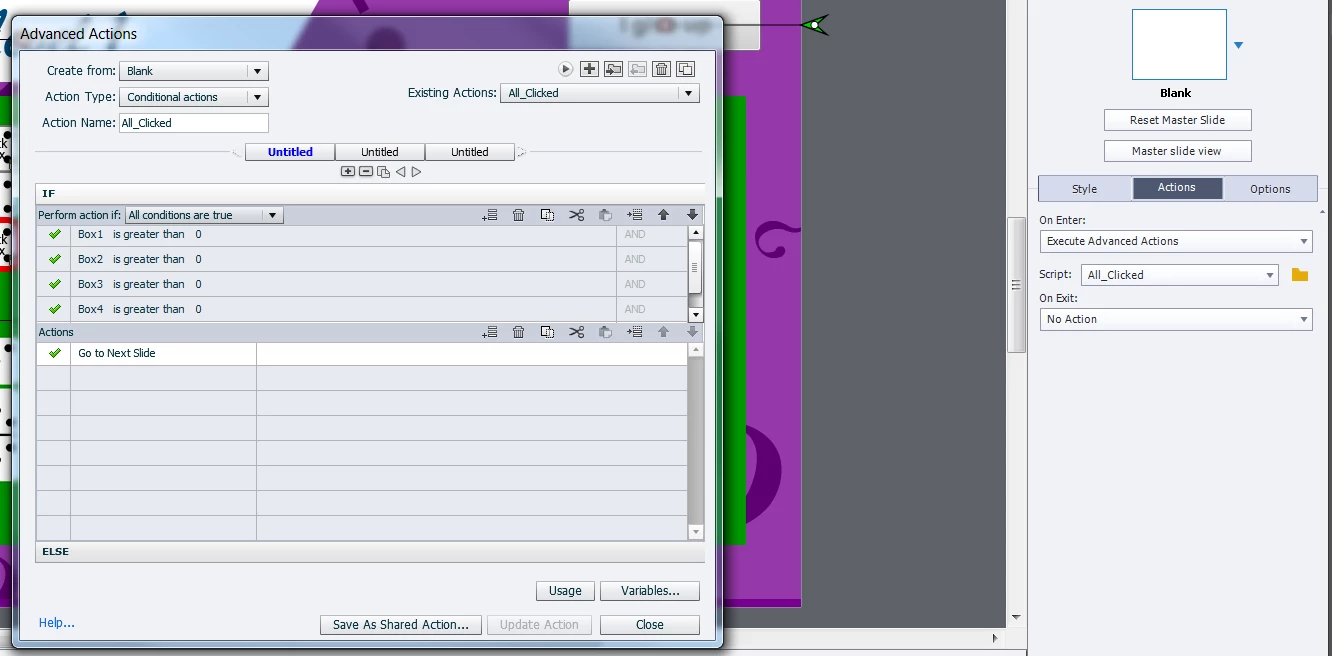
In the background, I created 5 variables (each per click box), and made the action of clicking a corresponding box increment that specific variable, as well as disabling the click ox on the other side of the photo (Left side is designated A and right side is B). What I did next was creating a slide action, where I used conditional actions asking Captivate to track the 5 variables, and once all are incremented by clicking the right box, it should go to the next page.

This is not working for some reason even though it makes sense to me.

Any advice on what I'm doing wrong?
This topic has been closed for replies.

2 replies

thisguy4xapi
Inspiring
May 5, 2017

I believe your initial problem is you say this it is a slide action, meaning that it all_clicked is attached to the slide?  If this is the case, the action will only fire when you enter that slide (that is the firing mechanism).  So even though your logic may be right and the conditions may be met the action fired on enter, before that was the case and nothing will fire it again.  Likely what you would need to do is create a conditional action with more parameters for each time a click box is hit, because eventually you will meet all your conditions and then the action will fire.

Hope that helps.

raniab28862584
Participant
May 8, 2017

Hi Behr!

Thank you so much for the helpful and professional answer.

This actually got me thinking in the right direction.

I adjusted the click box's actions into conditional actions that checks for the value of the 5 variables called box 1, 2, 3, 4, 5 (all with the initial value of 0), and programed them in a way that if all are greater than 0 then move forward. Else increment the corresponding box and move forward.

The thing is though that the action increments the value of the variable after it checks for the components of the IF statement. (Kindly see photo attached).
Is there a way of getting the action to go back and check the IF statement after it executes the else statement??


Lilybiri
Legend
May 8, 2017

You need two decisions, the first 'Always'  being a mimicked standard action:

IF 1 is equal to 1

    Increment var

Second decision has to be the condition check.

Sorry that I didn't give you professional answers ...  still don't estimate your approach a correct approach but that is OK.

Advanced Actions Dialog box in Captivate 2017 - Captivate blog

Lilybiri
Legend
May 4, 2017

Too much information is missing, the most important being the timeline. Next: which version? What is the meaning of the labels? How many attempts do you allow for each click box? What happens when a correct click box has been clicked twice? If you have limited attempts, what is the Last Attempt action?

I am puzzled by the fact that you include Continue in the standard action, which means releasing the playhead.

Very long ago I created this Concentration game, not same use case but similar:

Concentration Game - created exclusively with Captivate - Captivate blog

At this moment (using CP2017 or 9) I would make it simpler, because we have shapes which I would use instead of a click box over an image, and grouping, and shared actions.

raniab28862584
Participant
May 5, 2017

Hi Lilybiri,

Thank you for your reply.

To answer your questions:

- The timeline is attached bellow.

- I am using Adobe Captivate 9.

- The labels I used were Smart shapes denoted SmSh_1_A, which means its the red label that will show on Click Box 1, on the A side of the comparison. Same goes for SmSh_1_B, but this one would be on the B side of the slide.

- I set it to infinite attempts, as the action states in should increment by 1 on every attempt, and then the general slide actions is supposed to detect anything greater than 0, so I didn't restrict the number of attempts.

- I the correct click box is clicked twice, it'll increment the associated variable by two (one at a time).

- I am not using a responsive project, I am using a blank one as the responsive doesn't report back on surveys.

I had a look at the link you provided and it seems like the link was updated to direct to another page. I didn't find the concentration game on it. I tried finding it through Google and the only link that works in relation to the game is a YouTube video explaining interactions in Captivate 6.

Thanks so much for your help!

raniab28862584
Participant
May 5, 2017