
H_Wright
Participant
November 7, 2017
Answered

Creating an interactive airspace map

  • November 7, 2017
  • 1 reply
  • 780 views

Hi I'm very new to Captivate so I apologize if this is already a thread somewhere.

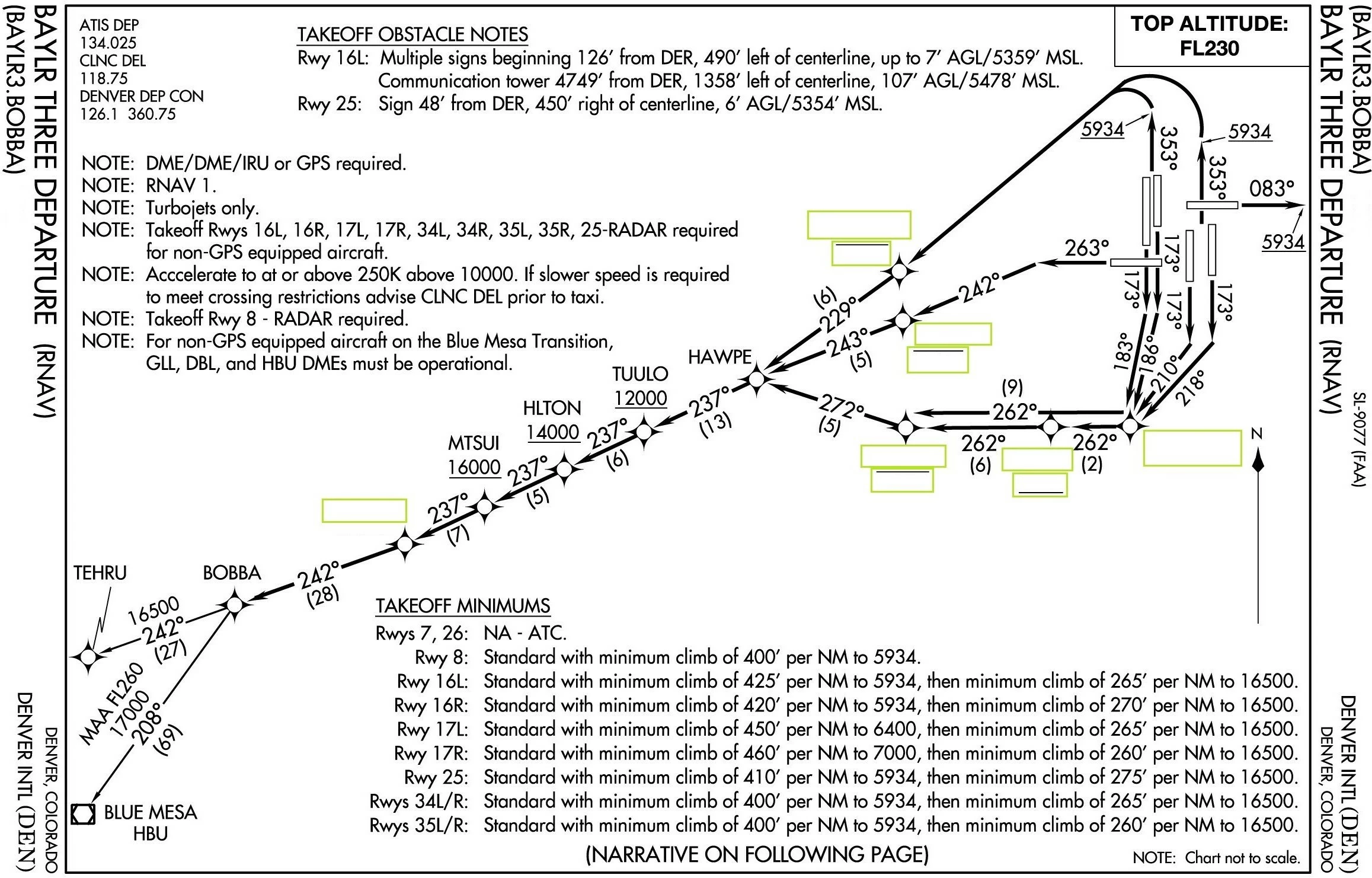
I work for the FAA and am trying to create airspace and air route exams. We currently have paper (hard copies) I'm trying to make them computer tests. Essentially I have a Chart with blanks and need those to be the "fill in the blank" that will correspond with the correct altitude. See attached pic below any help will be greatly appreciated.
This topic has been closed for replies.
Correct answer Lilybiri

You can use Text Entry Boxes. They are interacitve, can be validated and can be scored.

1 reply

Lilybiri
LilybiriCorrect answer
Legend
November 7, 2017

You can use Text Entry Boxes. They are interacitve, can be validated and can be scored.

H_Wright
H_WrightAuthor
Participant
November 7, 2017

Thanks for the help!!!!!!

H_Wright
H_WrightAuthor
Participant
November 8, 2017

Someone just insulted me, saying that I'm only making noise on the forums mostly. Some machos really are disgusting.

To be validated a TEB has to be confirmed. It doens't have to be with a Submit buttonfor each TEB, it could be with a shortcut key as well. That shortcut key could be the last character that you expect.

Long time ago I wrote this article, maybe that approach could appeal to you. It is very old, but reactions like I just had do not inspire me to spend even more time to help other users, by creating noise.

One Submit button for Multiple Text Entry Boxes? - Captivate blog


ill read the arcticle thanks again !!!!