
Known Participant
October 23, 2018
Answered

DPI Awareness - Adobe Captivate 2019

  • October 23, 2018
  • 2 replies
  • 2466 views

Hello,

I downloaded captivate 2019 trial version and running into problem, and unable to open simulation feature with below error.
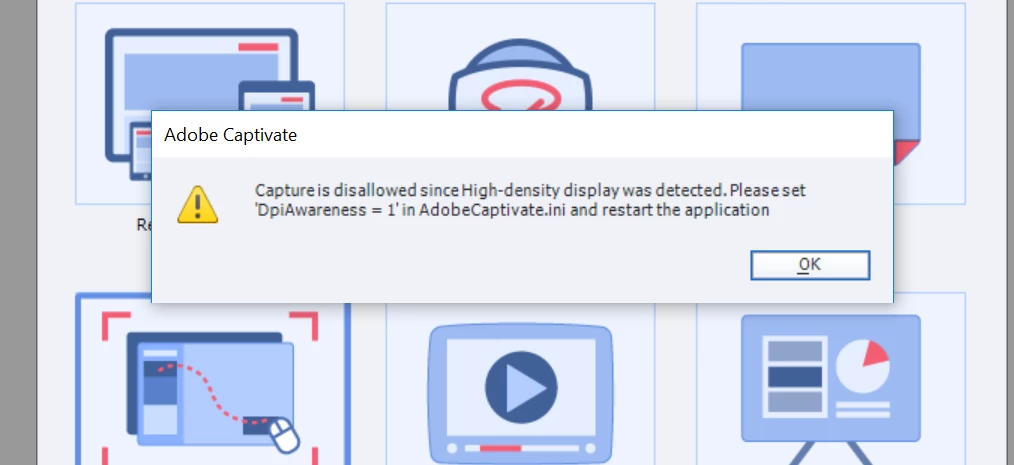
Followed some advise on forums but unable to change the DPI Awareness to 1 on .INI file.  Windows message is  ' don't have permissions on the computer. But I am the admin on that computer which was purchased 2 weeks ago.

Please help on this.

Thanks,

Suja

This topic has been closed for replies.
Correct answer Lilybiri

Make a copy of that file to another location, edit it. Rename the original file (you'll need to put it back later on) and the move the edited file to the installation folder.

2 replies

haisujaAuthor
Known Participant
November 9, 2018

Thanks Lilybri. It resolved the issue. But the only catch is laptop screen and fonts were shown very small after this setting.

Lilybiri
Legend
November 9, 2018

I am very much aware of that. For that reason I keep an old system alive, with a normal (not-retina) screen just for recording.

haisujaAuthor
Known Participant
November 9, 2018

Sure, Thanks

Lilybiri
LilybiriCorrect answer
Legend
October 23, 2018

Make a copy of that file to another location, edit it. Rename the original file (you'll need to put it back later on) and the move the edited file to the installation folder.

Participant
August 10, 2021

I'm having the same issue.  What file do you make a copy of? I get this same message as soon as I click on software simulation.

Lilybiri
Legend
August 10, 2021

AdobeCaptivate.ini


As I already mentioned in this thread, the alternative is to lower the resolution of your monitor so that you can set the Display percentage to 100%.  In that case you don't need to plunge into files. The idea is that a pixel on your monitor needs to represent one pixel.